

 refi64
To fix Nautilus's pathbar...
I used Adwaita Creamy's nautilus.css. I put that file in the gtk-3.0 folder and then I just had to add:
@import url("nautilus.css");
to the end of the gtk.css file.
I think this could be automated in your script without too much hassle.
I'm uploading screenshots of the steps I took.

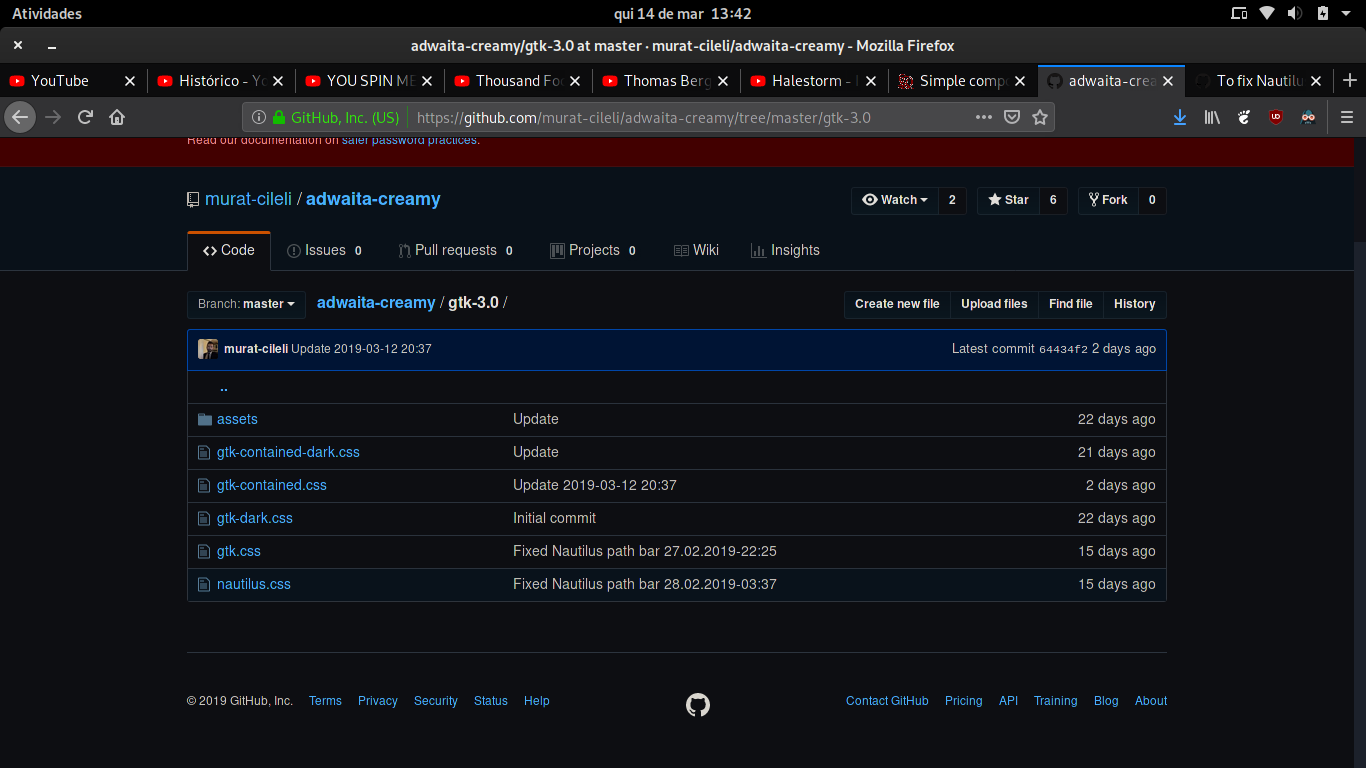


Please note that this nautilus.css is not mine. I got from Adwaita Creamy's project, which seems to be licensed under MIT, so it's ok to copy nautilus.css from there (I guess).
Sorry for the lack of a response here, I'm just not really sure about this... I just feel like it's pretty fragile and still doesn't solve the other issues a non-Adwaita-named theme brings.
OTOH this whole thing is a hack anyway, not sure how much worse it could get...
Leaving this open, I might take a look at it soon-ish.

It fixes the pathbar, but in this theme, it also makes buttons on Nautilus behave erratically (no changes on hover, for example; they just remain static). This would have to be fixed in the css. I don't know how to do this (I know nothing about GTK and Shell theming - sorry).
Ah okay. I still might take a look into it, hopefully that can be worked around.