

 redpanda-data
Newest offset issue in Kowl
Hi Kowl,
We have an issue with our Kowl which is connected to a cluster of three brokers We have a specific topic, which contains approx. 2,352,648 messages.
Whenever we take a specific "Newest offset" which is equal to or less than 50, then Kowl does not display any messages. If we pick the offset 51, then Kowl shows 1 message, at 52 it shows 2 messages. So for each 50+X it shows X messages, so the final result list is X-50.
What are we doing wrong? I can share a screenshot showing it better.

Hi, please share a screenshot.
Please take note that "Newest Offset" is the START OFFSEt, which basically means "live tailing" to the messages flowing in right now. Maybe you are looking for "Newest - n"? Right next to it is the selector for the number of messages you'd like to have in your results

Hi @weeco,
Thank you for the fast answer.
Here is a screenshow, where we say "Newest-10", but only 1 message is appearing: (This is a topic with fewer messages)
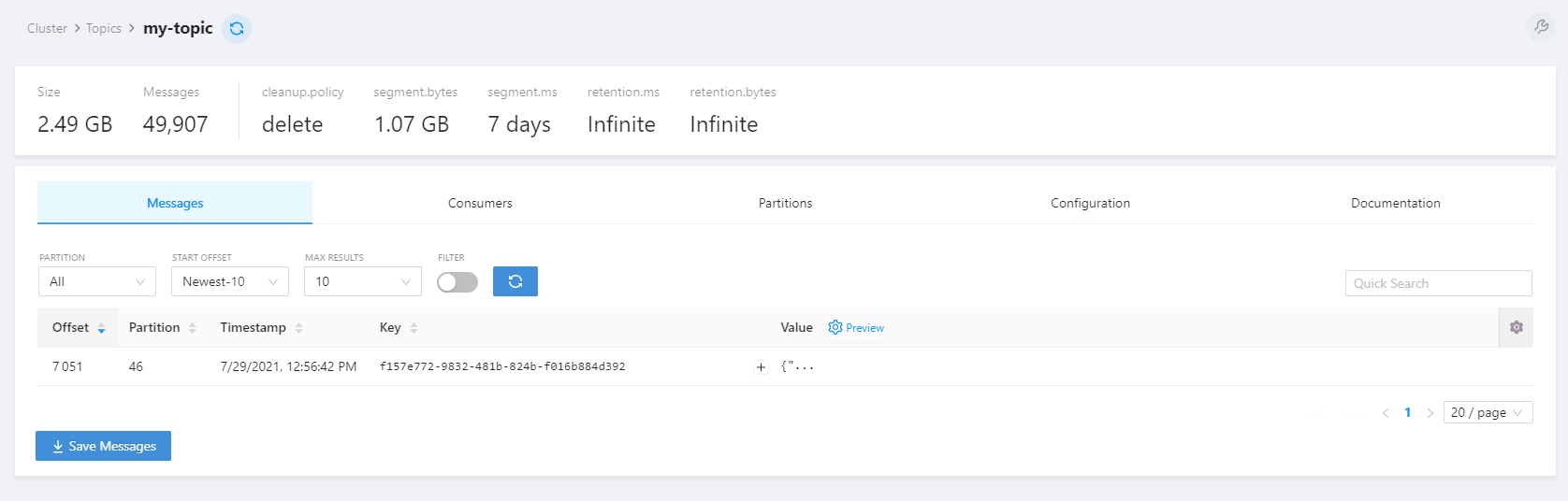
It might be us, misunderstanding how the functionality works in regards of this.
Hey @nc-ruth , can you show a screenshot of the partitions tab of the same topic? This shouldn't happen indeed. Also please let me know what version you are using
Hi @weeco
Please see the following screenshots:

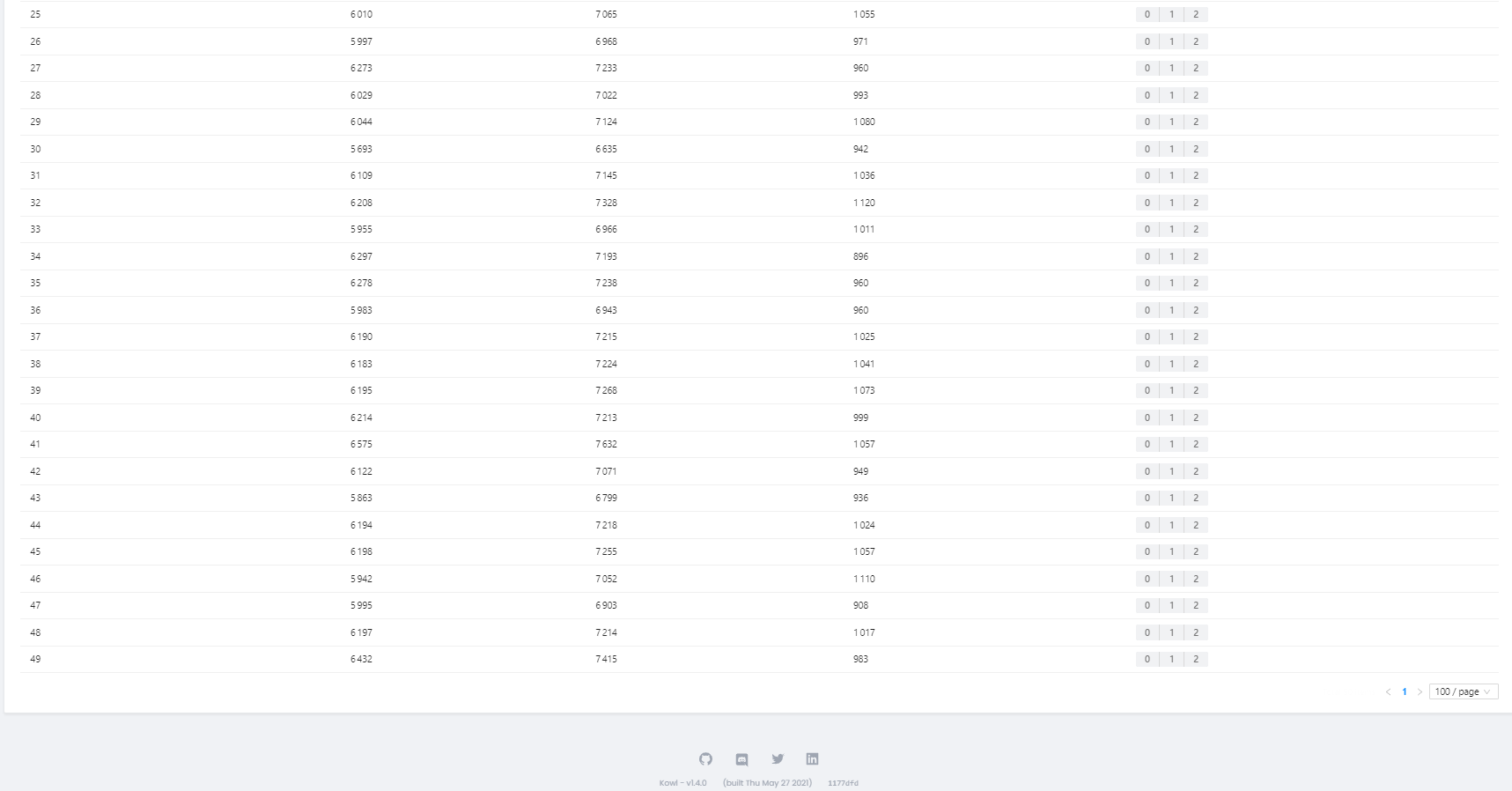
The version we are using is: Kowl - v1.4.0 (built Thu May 27 2021) 1177dfd
Hmm this is odd, this is not even an edge case. I'm unfortunately not able to reproduce this in any of my clusters. That makes it hard to reproduce as I have also no idea what could have happened there.
You could inspect the websocket messages and see if the messages arrived (basically wondering whether the frontend is the issue here or not - I doubt it though). Such cases could only happen if it is (or used to be) a compacted topic with gaps (due to compaction) in it.
We are also in doubt, since we started seeing the issue recently. We are wondering whether it is a recent code commit (even though it sounds really weird).
Do you have an idea on how we can check it internally? To see whether it is our topic or configuration to that specific topic that is bugging out?
We are not having any issues on other topics then that specific topic. ("my-test-topic")
Once again, thank you for the fast responses @weeco!
@nc-ruth Good to know that only this specific topic seems to be an issue. The best possible way to check this would be using a debugger to be honest. Here's the function that is supposed to calculate the consume request for these kind of requests: https://github.com/cloudhut/kowl/blob/e3d61e1371db87dc13ee9b35a24b6054a311b178/backend/pkg/owl/list_messages.go#L139-L295
Takes some time to fully understand, however I can't imagine that this is the culprit in this case. Maybe you can try a few things like what happens if you:
- Use a single partition (and what do messages' offsets look like? Are there any gaps or is it the to be expected sequence?)
- Use more results (50 instead of 10?)
- Chrome debugger using the inspector and see what messages via the websocket channel arrive. Is it actually just one message?
I'm sorry this is not more convenient to debug, but we haven't had that case yet either.
Thanks for the response @weeco, I will see if I can get some time to test the debugging out in start next week.
@weeco how does Kowl react upon transactional messages? Transactions that have not been commited yet? Would Kowl show those messages or not show them?
Unfortunately I don't have a lot experience with transactional messages. My understanding is that a normal Kafka consumer will only receive transactional messages from Kafka if it was committed successfully. However I'm unsure whether uncommitted messages would already reserve/black an offset. If that's the case I can see that these uncommitted messages were expected by Kowl (because we basically look up the highest offset and then decrement that offset until, so that we can consume from that decremented offset). We precalculate the start offset because we can't consume backwards, which would be very handy in order to get the recent n messages.
