

 redhat-developer
Problems reported must include information about schema being used
Is your enhancement related to a problem? Please describe.
Based on discussions from https://github.com/redhat-developer/yaml-language-server/issues/310#issuecomment-784198962 we identified a real need to disclose the schema that was used for a particular file.
Describe the solution you would like
I will list several approaches with the note that addressing any of them should be enough.
Information we need to expose:
- Schema name (that is not the title of the element from within the schema that generated the issues)
- Schema link
- What determined the use of the schema: which match pattern, if it came from file-header, settings.json or schemaStore
We should not underestimate the chance of using the wrong schema due to wrong patterns, so all of these will help user identify the source of the problem and avoid creating
UI Locations:
- Find a way to expose schema used on the status bar, either by adding this information into the tooltip from YAML block, which now display a static text "Select Language Mode", or by adding a new status bar item that can display that info if the other cannot be altered
- Output category YAML Support should log a "message" level entry when is processing data that includes schema identification (link). Right now all we can see is "Sending response 'custom/schema/request" and activating verbose mode tracing does produce such a verbosity that makes impossible to use in practice (even so schema is still not mentioned)
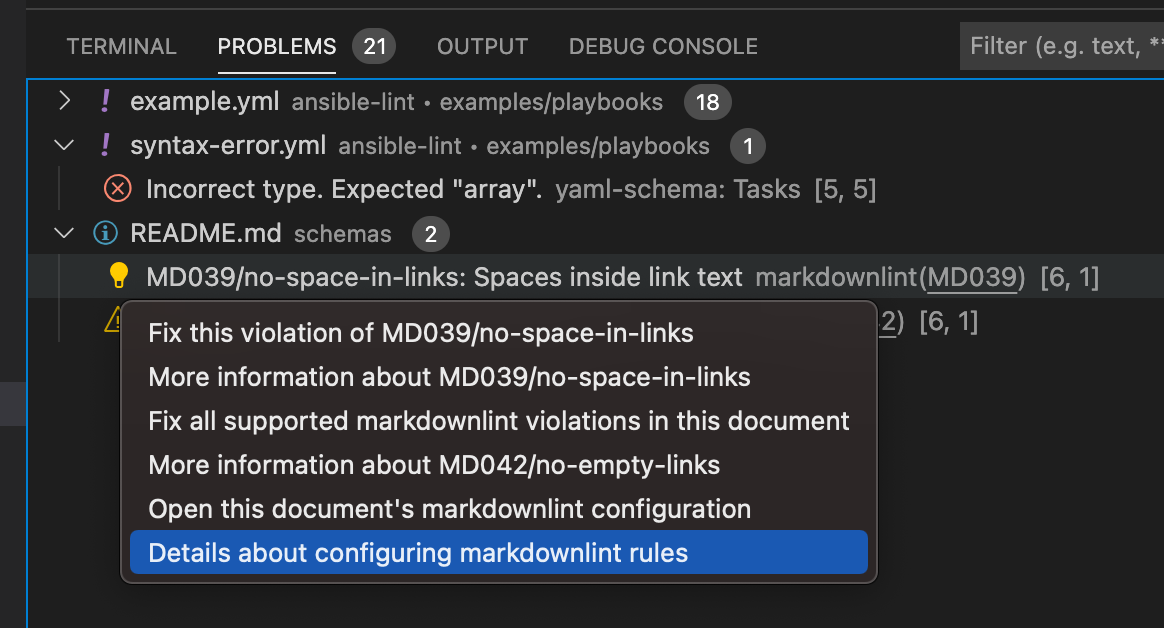
- Problems reported by YAML extension do not include any contextual options (lightbulb), which would be another way to expose information about schema, like a goto schema option. I do see other extension exposing that.
Describe alternatives you have considered
Additional context

Find a way to expose schema used on the status bar, either by adding this information into the tooltip from YAML block, which now display a static text "Select Language Mode", or by adding a new status bar item that can display that info if the other cannot be altered
It is not possible with Language Server(the only way is adding custom extension to protocol)
I'm going to experiment with CodeLens I want to add it on first line of file, it will contain schema info and on click it will open schema itself.

I am not sure how it would look using CodeLens. I am asking because I want to assure that when someone clicks on an entry from the found problems panel, I do expect to see somewhere which schema was used for that document. The file is opened and the error line is selected automatically, but if codelends display the schema at the top of the file, it will mean that is not visible to the user.
We need to be sure we make the schema visible because otherwise we will be inundated with bug reports about issues that are specific to those schemas and not to the yaml-languages-sever or the vscode-yaml extensions.
I am not sure how it would look using CodeLens. I am asking because I want to assure that when someone clicks on an entry from the found problems panel, I do expect to see somewhere which schema was used for that document. The file is opened and the error line is selected automatically, but if codelends display the schema at the top of the file, it will mean that is not visible to the user.
That is already done with https://github.com/redhat-developer/yaml-language-server/pull/395
CodeLens will contain info about schemas used to validate and allow to navigate to it, even if file doesn't have an error.