

 readium
Pages are missing content in EPUB Test Suite 130
The EPUB Test Suite 130 is intended to test support for RTL languages, especially Japanese (but also Hebrew and Arabic). Many pages in the test have sentences or paragraphs in Japanese ideographs. The actual rendered text is then followed by a bitmap showing what the text should look like (for those of us who can't read those languages :-) . Unfortunately, the R2 Test App doesn't render the bitmaps. The Japanese and English text "Expected display image:" is rendered, but not the display image itself.
Test Environment: iPad 5, 16 GB iOS 11.0.3 R2 Test App 0.2 (2)

I just investigated this issue on version 0.2 (9) and it looks like a classic case of overflow in paged content – and since we don’t support RTL yet, you can’t access the bitmaps as they’re on the next “page”, which is on the left, so that they aren’t cut off.
When checking the file, what was interesting at first is that some images were displayed but others didn’t.
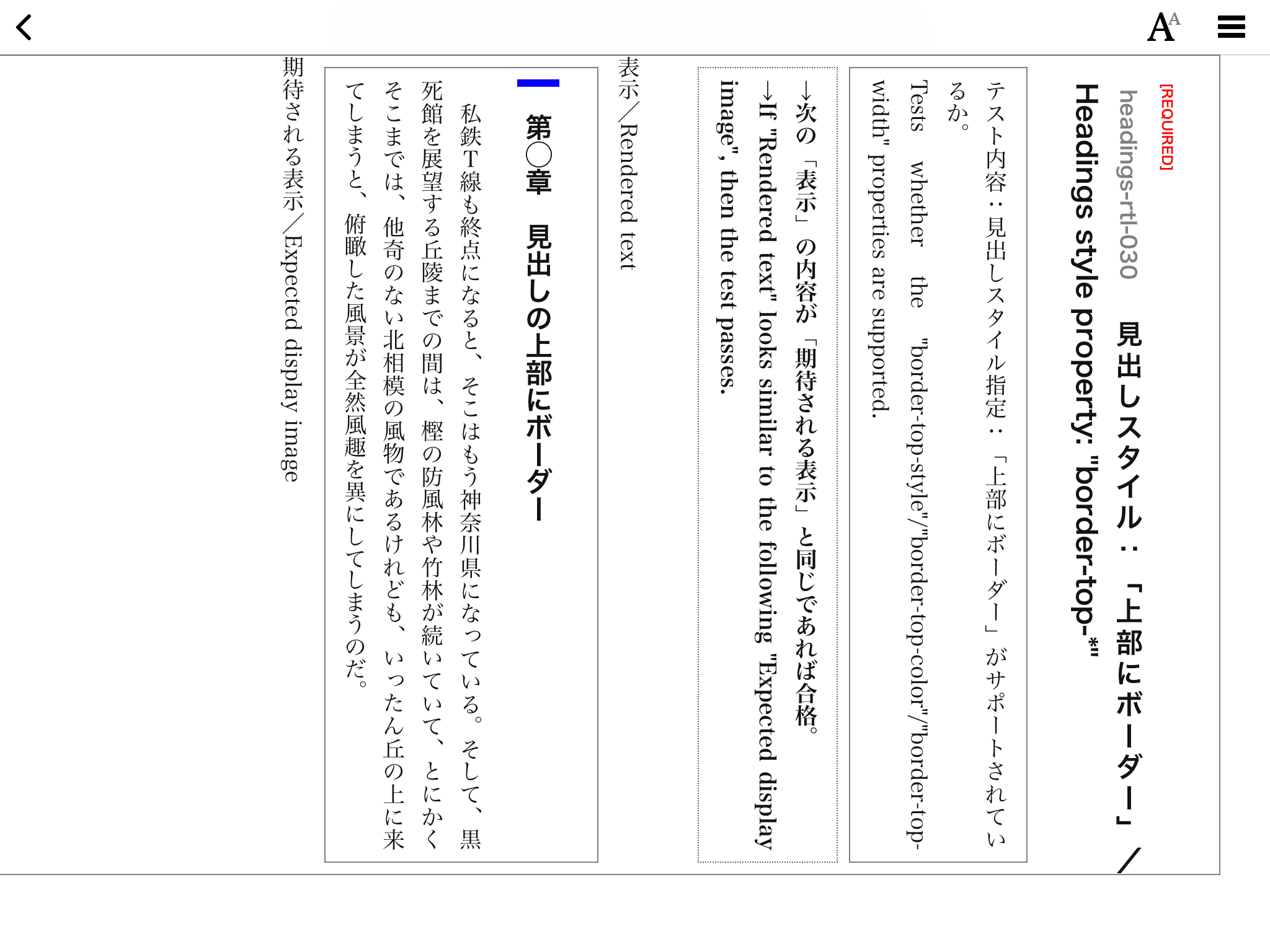
From an early chapter in the test file:
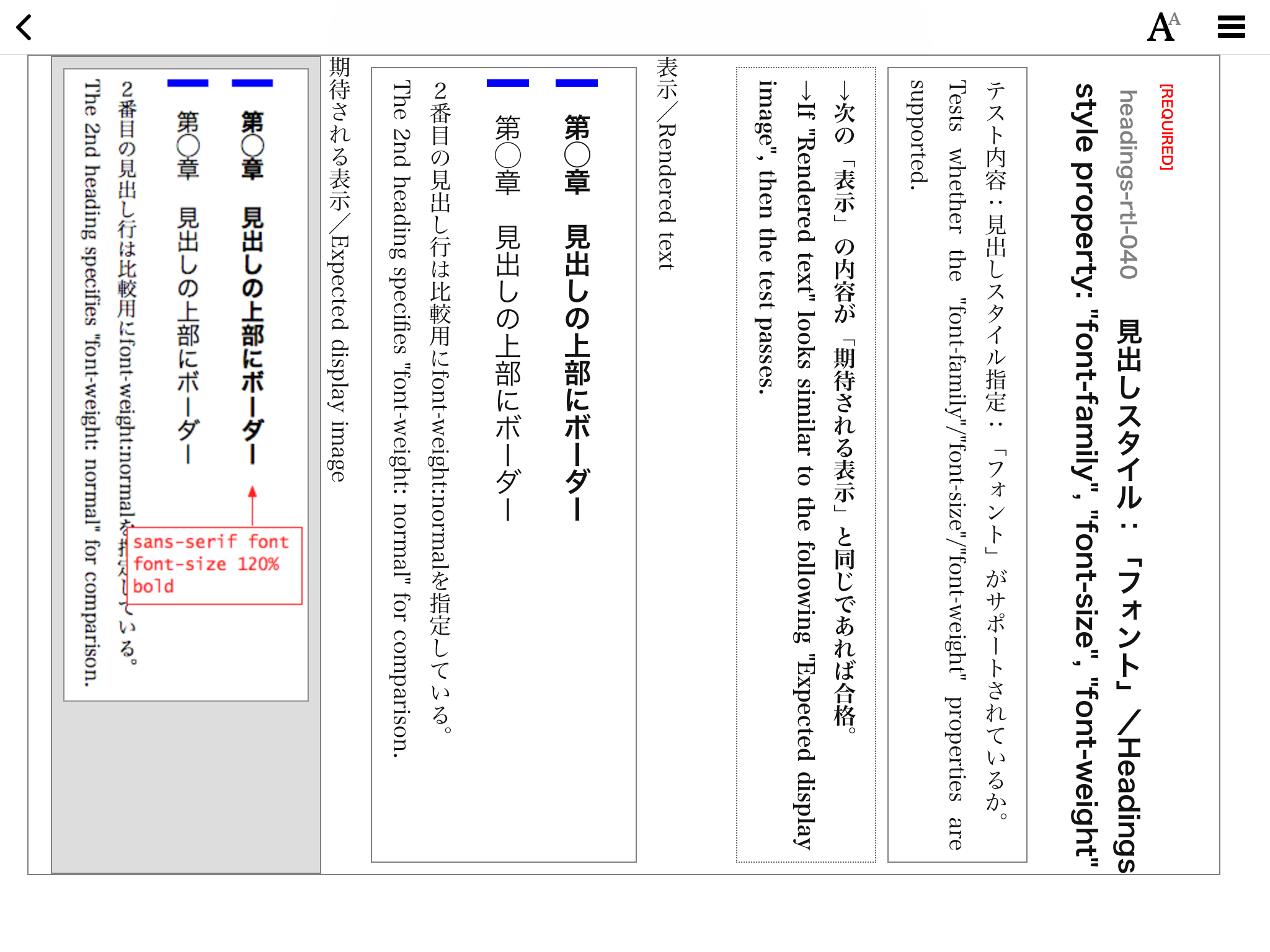
And one of the following chapters:
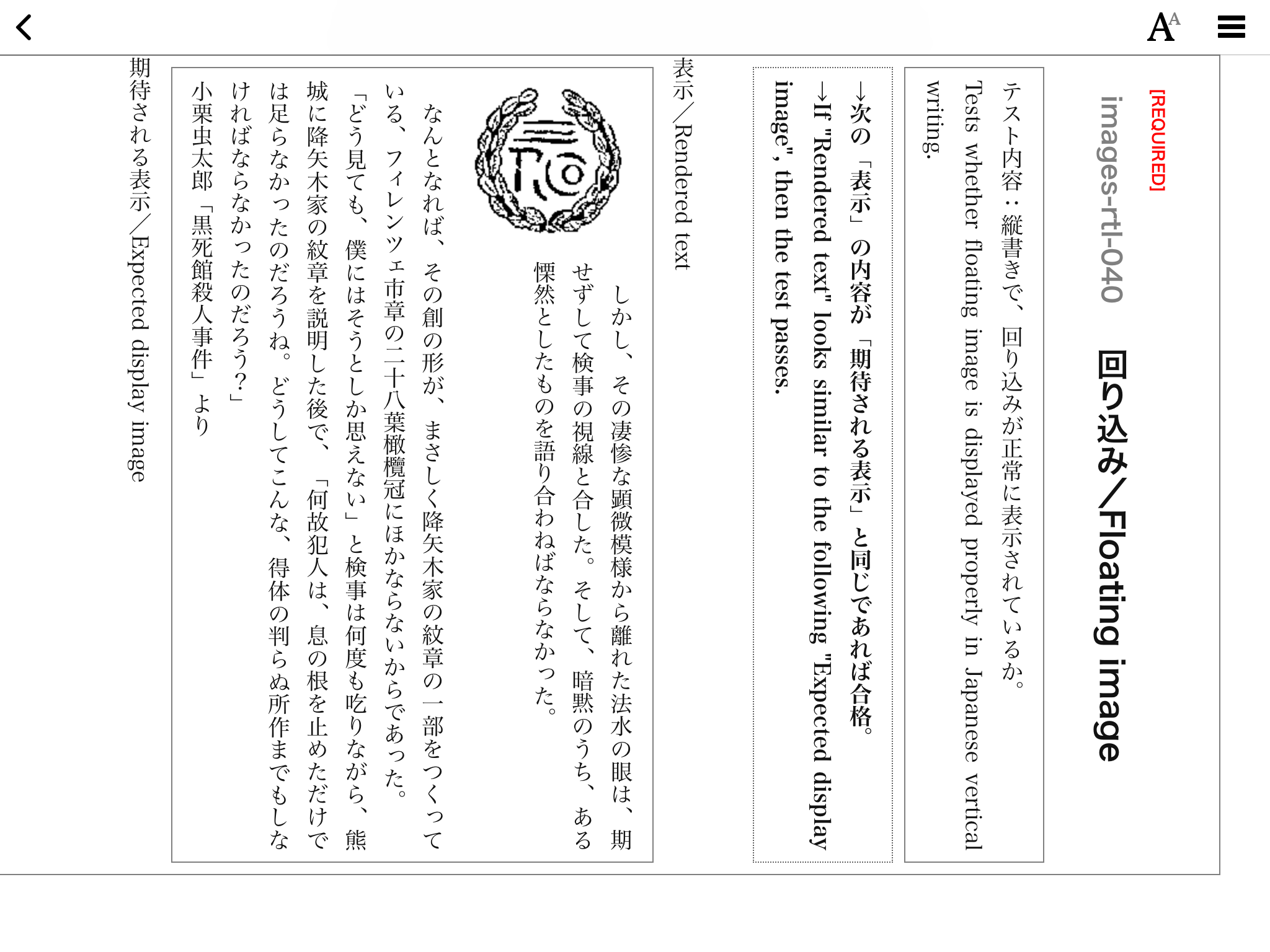
And this is where our “flickering of unstyled variables” (which we’ll have to solve) helped me a little bit: I could tell the image was there when loading a new chapter as it quickly appeared in the bottom right corner. And then, swoosh, it disappeared:
So i decreased the font-size and boom, here it is in the bottom right corner:
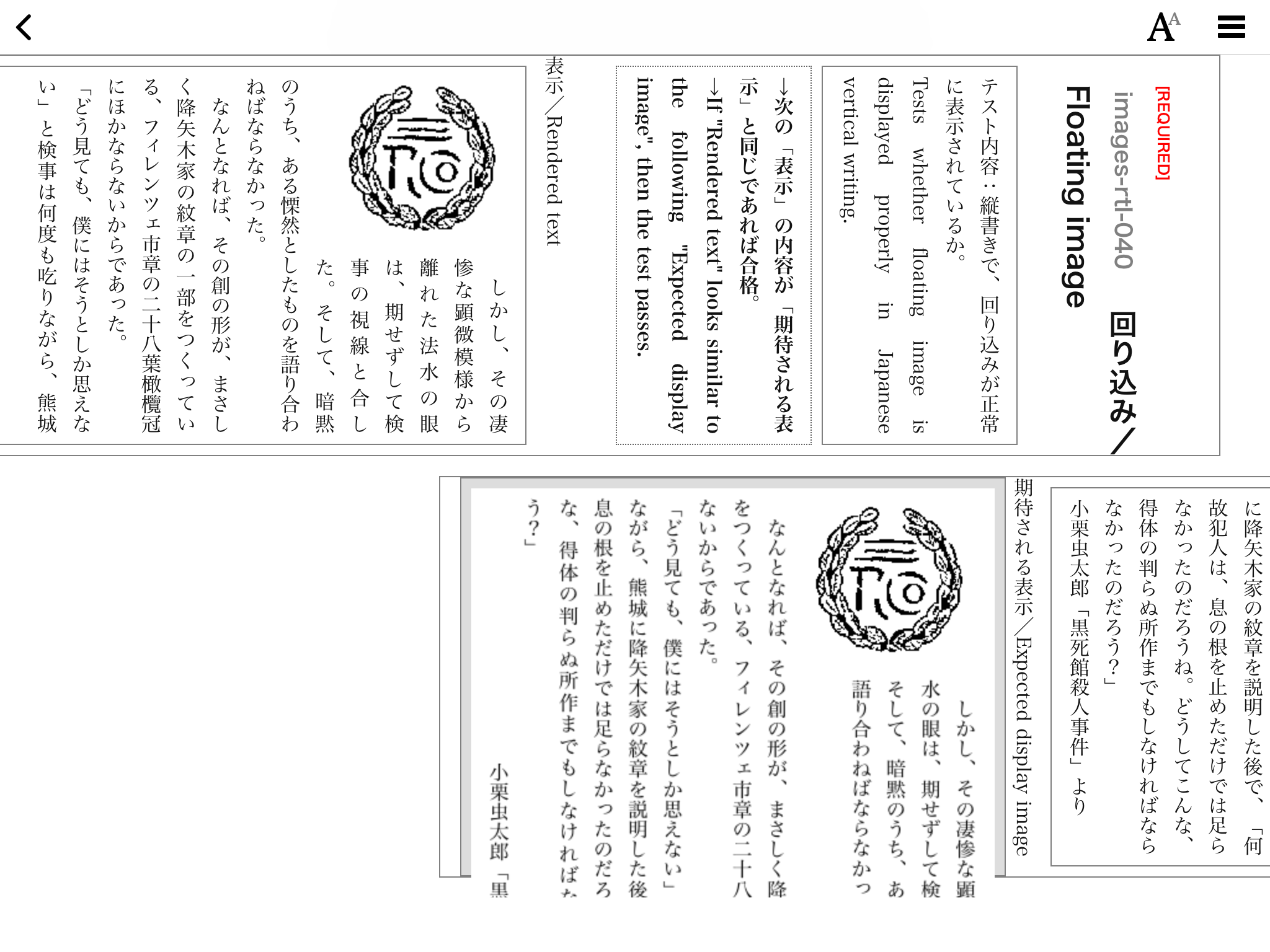
By the way, it shouldn’t be laid out like that; columns shouldn’t be oriented this way.
Ric, could you try decreasing font-size enough to check if this indeed is the issue?

This one is in fact complex because it combines RTL and vertical writing issues. Let's put it in the ice box, solve the RTL issue (on a basic sample), then the vertical writing issue (on a basic sample). And then we'll tackle this one.

Note that we find the remaining parts of a chapter if we swipe vertically (very clear on pagination-rtl-30) -> there is a mess in this sample, as we can swipe vertically AND horizontally.
Yeah, that’s because of columns being automatically laid out on the y-axis for writing-mode: vertical-rl. You get
  _____________________________________
 |                                     |
 |                                     |
 |                                     |
 |                                     |
 |                                     |
 |                Col 1                |
 |                                     |
 |                                     |
 |                                     |
 |                                     |
 |                                     |
 |                                     |
  —————————————————————————————————————
- - - - - - - - - - - - - - - - - - - - - (Overflow begins here)
  _____________________________________
 |                                     |
 |                                     |
 |                                     |
 |                                     |
 |                                     |
 |              Overflowed             |
 |                 Col                 |
 |                                     |
 |                                     |
 |                                     |
 |                                     |
 |                                     |
  —————————————————————————————————————
while in horizontal writing-modes it is
 _________________    _________________
|                 |  |                 |
|                 |  |                 |
|                 |  |                 |
|                 |  |                 |
|                 |  |                 |
|      Col 1      |  |      Col 2      |
|                 |  |                 |
|                 |  |                 |
|                 |  |                 |
|                 |  |                 |
|                 |  |                 |
|                 |  |                 |
 —————————————————    —————————————————
This sample illustrates this possible issue, by the way: https://github.com/readium/readium-css/wiki/Internationalization,-pagination-and-user-settings#multiple-language-items
We didn’t try to do something smart, and the spec has been unclear how to handle such cases (multiple-language publications) so we agreed to consider that an edge case back when we met with Florian in December 2017.