
react-modal

react-modal copied to clipboard
 reactjs
A basic example breaks in mobile safari with a white gap at the bottom when focus an input in the modal
Summary:
Steps to reproduce:
- npx create-react-app my-app
-
yarn add react-modal - in
index.css, add
.ReactModal__Overlay {
  background-color: blue !important;
}
- in
app.js
replace with this code:
import React from "react";
import Modal from "react-modal";

Modal.setAppElement("#root");

export default function App() {
  const [modalIsOpen, setIsOpen] = React.useState(false);
  function openModal() {
    setIsOpen(true);
  }

  function closeModal() {
    setIsOpen(false);
  }

  return (
    <div>
      <button onClick={openModal}>Open Modal</button>
      <Modal
        isOpen={modalIsOpen}
        onRequestClose={closeModal}
        contentLabel="Example Modal"
      >
        <button onClick={closeModal}>close</button>
        <form>
          <input />
        </form>
      </Modal>
    </div>
  );
}
-
yarn start - open on your iOS mobile Safari (iOS 13)
- open modal, focus the input
- scroll the page, a white bottom appears at the bottom of the page
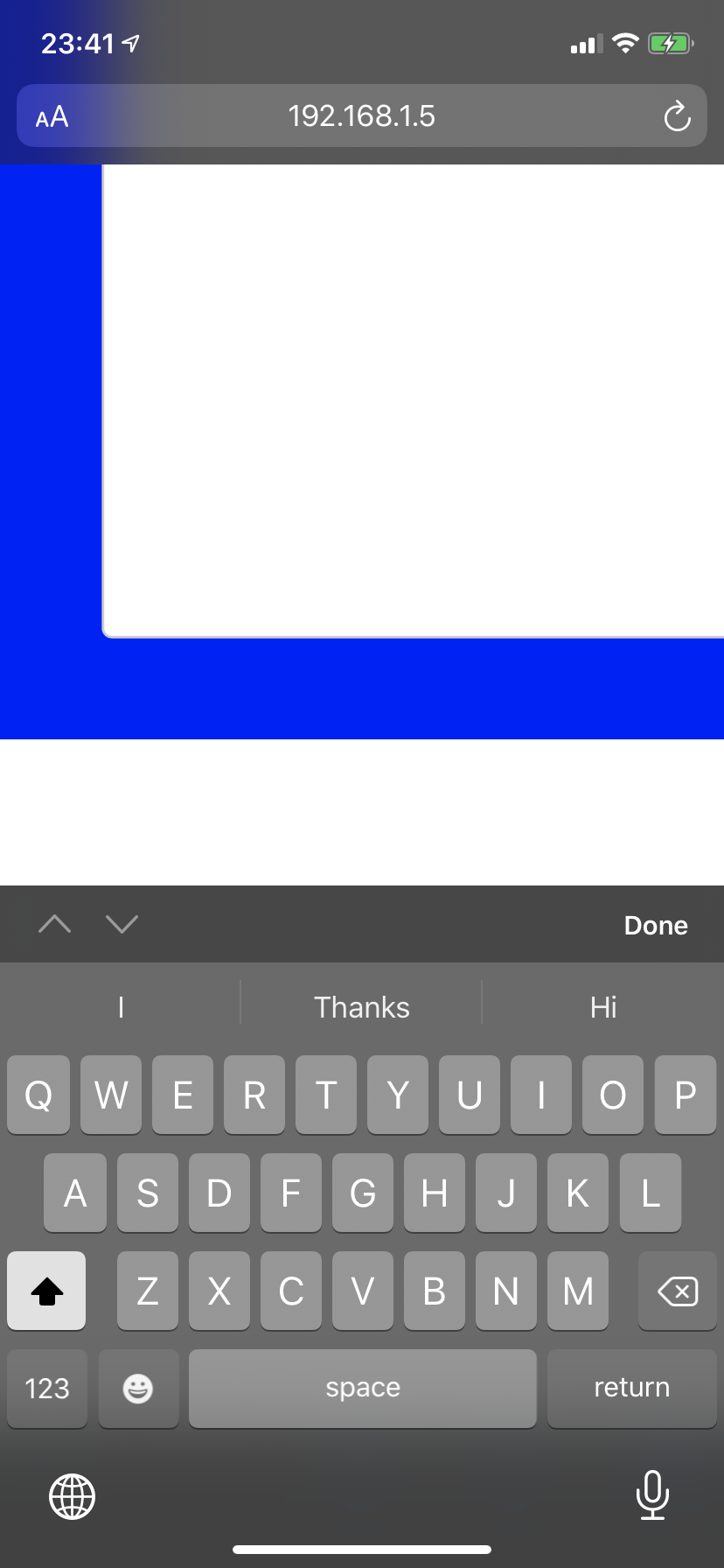
Expected behavior:
No White space at the end
Additional notes:
Only in safari, iOS Chrome is fine

Hey @Albert-Gao , did you ever find a workaround for this? I'm seeing the exact same issue happen in my project
