
react-native-callkeep

react-native-callkeep copied to clipboard
 react-native-webrtc
Getting default enabled permission on Xiaomi models
 # Bug report
-
[ ] I've checked the example to reproduce the issue.
-
Reproduced on:
-
[ ] Android
Description
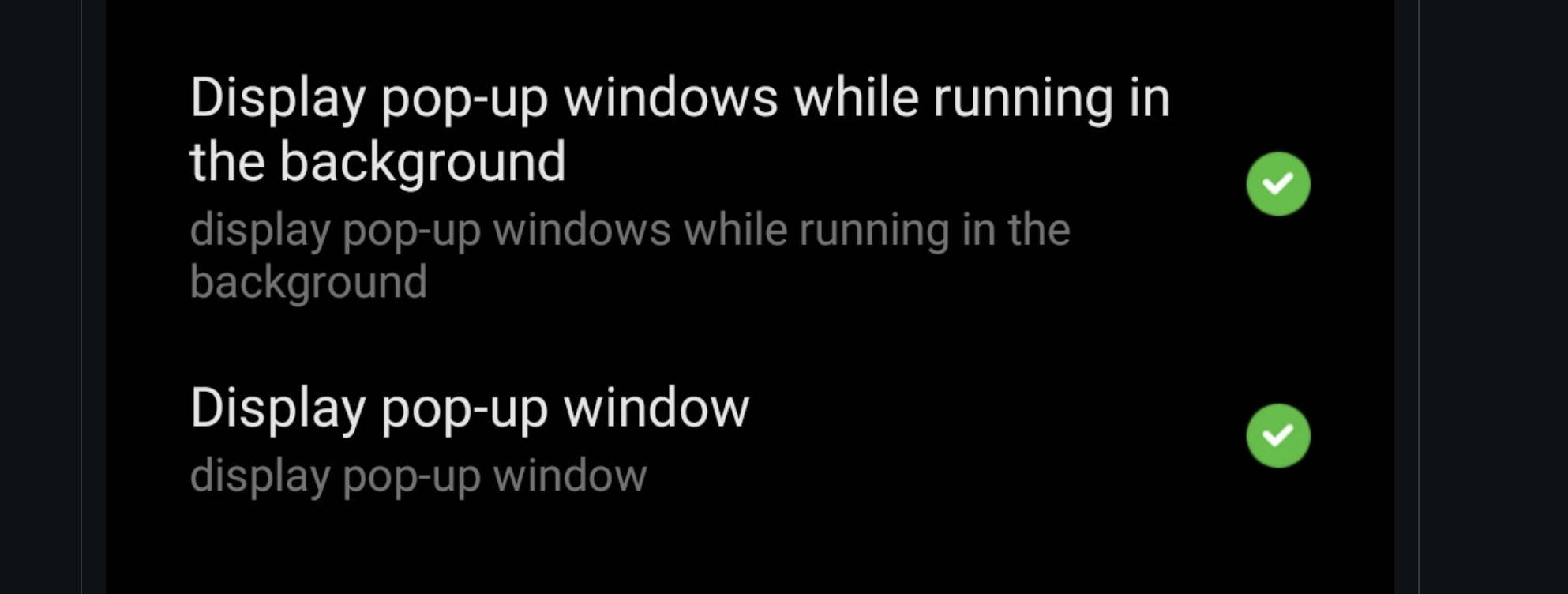
How I can reach the permission ?, I can't find. When this permission is not activated on some xiaomi devices, the application does not stand up. How can we make this default active?
Steps to Reproduce
Versions
- Callkeep latest:
- React Native latest:
- Phone model  Xiaomi  8 Lite or Redmi 9 Pro , Redmi 8 Pro:
Logs
Paste here

Hello unfortunately this is not an issue with this plugin. Miui does not yet offer any way to request these permissions.


Unfortunately, it's not possible to request these permissions by default on MIUI. However, you can manually guide the user to the relevant permission settings.
import IntentLauncher from 'react-native-intent-launcher';
import { Alert} from "react-native";

const isMiuiDevice = async () => {
    const manufacturer = await DeviceInfo.getManufacturer();
    return manufacturer === "Xiaomi"
}

 const requestMiuiPermissions = async () => {

        const isMiui = await isMiuiDevice();

        if (isMiui) {
            Alert.alert(
               "Extra Permission Required",
                "This device is based on MIUI. You need to manually enable the following permissions:\n\n• Show on lock screen\n• Open windows in the background\n• Display pop-up windows"",
                [
                    {
                        text: "Open Settings",
                        onPress: () => {
                            try {
                                IntentLauncher.startActivity({
                                    action: 'miui.intent.action.APP_PERM_EDITOR',
                                    packageName: 'com.miui.securitycenter',
                                    className: 'com.miui.permcenter.permissions.PermissionsEditorActivity',
                                    extra: {
                                        'extra_pkgname': 'com.your.app.id',
                                    },
                                });
                            } catch (e) {
                                Linking.openSettings();
                            }
                        },
                    },
                    { text: "Cancel", style: 'cancel' },
                ]
            );
        }
    };

