

 react-native-community
Error Upgrading react-native from 0.61 to 0.62.2: Undefined symbols for architecture x86_64
Environment
macbook air M1, macOS Big Sur Xcode: version 12.4
Things I’ve done to figure out my issue
Ii've tried to create an empty Swift file, i cleaned the cache, cleaned Xcode, deleted podfile.lock, deleted DerivedData, deleted yarn.lock and after that do all the process again: yarn install cd ios pod install build the project in Xcode
Upgrading version
I'm upgrading to version 0.62.2
Description
The react-native version that i'm using on my project is too old (0.60.6) so it was adviced to me to upgrade to the last version of react native, but I'm doing it by steps (0.60.6->0.61, 0.61->0.62.2 ...).
To do so I'm following this: https://react-native-community.github.io/upgrade-helper/?from=0.61.0&to=0.62.3 https://mattoakes.net/react-native-upgrade-guides/upgrade-to-react-native-0.62/
I've changed the package.json to use the new versions of react, react-native and metro-react-native-babel-preset. I've also updated Podfile with the changes listed in the links above.
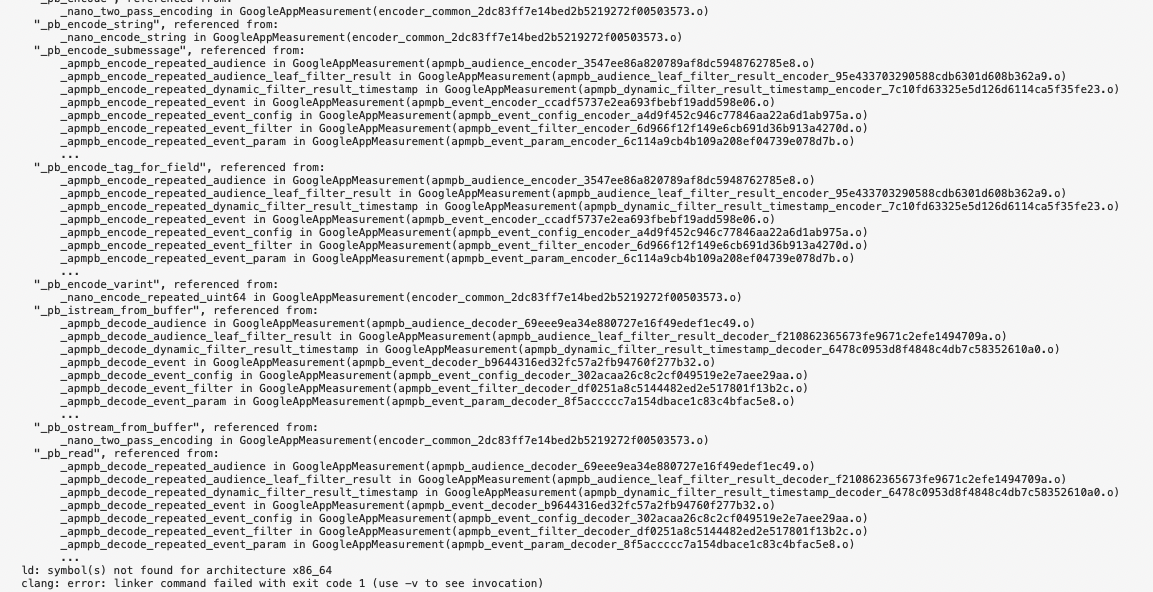
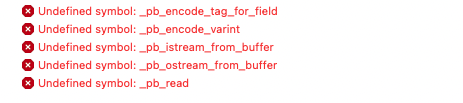
After that, when I try to build the project in Xcode, it gives me this bunch of Undefined symbols:



Has someone had this error and solved it? Thank you

