

 react-native-camera
Much faster picture taking on Android, configurable
Summary
Android's native camera takePicture() is very slow. I wasn't happy with it and many people complain too (see #1836 for instance).
Camera1 allows capturing frame previews. By processing frame previews we can avoid using takePicture() altogether.
The previews are in YUV and need to be transformed to RGB. The proposed implementation uses a render script for fast processing.
4 modes are proposed (as a RN prop, "camera1ScanMode"): "none", "eco", "fast" and "boost".
- none: use takePicture(), as currently done by react-native-camera
- eco: capture a frame preview when a picture is requested, then process it
- fast: capture all frame previews and process one when a picture is requested
- boost: capture and process as many frame previews as possible. When a picture is requested, send the last one
In my app, on my device, the benchmark is the following (average of 3 pictures):
- none: 1.7 s
- eco: 415 ms
- fast: 361 ms
- boost: 171 ms
These measurements were done in React Native, from the call to capture() to the result being received after conversion to base64 and bridge transfer. The speed increase of the proposed change, if seen at a lower level (Android takePicture() vs frame previews processing), is even more dramatic.
I use the library to get pictures in base64. My tests did not cover all possible uses of the library.
Note that the min SDK upgrade to version 17 is needed for the render script.
Test Plan
I'll leave it to more experienced users of the library to test every possible use case.
What's required for testing (prerequisites)?
What are the steps to reproduce (after prerequisites)?
Compatibility
| OS | Implemented |
|---|---|
| iOS | ✅ |
| Android | ✅ |
Checklist
- [X] I have tested this on a device and a simulator
- [ ] I added the documentation in
README.md - [ ] I mentioned this change in
CHANGELOG.md - [ ] I updated the typed files (TS and Flow)
- [ ] I added a sample use of the API in the example project (
example/App.js)

There is a world of difference between <200ms and ~2 seconds in how a user experiences photo capture in an app. Thanks so much for the contribution! Could you please mention which device your benchmark was performed on?

This is very interesting. Is there a lot of overhead for having the preview running?
Also, was the measured time done with Camera1 implementation? Camera1 is quite fast right now, almost instant with the latest changes that removed unnecessary focus attempts.

@cristianoccazinsp The overhead here comes from processing the frame preview (YUV to RGB and resizing). The overhead is minimal in eco and fast modes, bigger in boost.
The proposed implementation works with Camera1 only.
@Boris-c thanks for the update! My question about the overhead was mostly about the phone being usable (at least on average phones) while the preview is running. I have an application that overlays a bunch of stuff on top of the camera and it is critical for the UI/JS code to remain efficient even with the preview running.
About Camera1, I do understand it is Camera1 only. My question was, did you run the tests with master? Because I'm far from seeing a 1.7s captures even on cheap devices, more like 0.5-1s at most since it now captures right away what's on the preview.
I will give this branch a test if I have time later today.
@cristianoccazinsp I did all my test using release 3.4.0. At what resolution do you get 0.5-1 second per capture?
@Boris-c default resolution, and I'm even doing post processing with image resizing afterwards with another library. Test comes from a Pixel 2 and Motorola moto g5. Perhaps the camera on Nokia is heavier by itself, hard to tell, but I'm definitely not getting those high numbers.
@cristianoccazinsp I think no overhead can be perceived by the user in eco and fast modes
I've been testing on a Moto G5 (a very, very slow device, I expect this to be much faster with prod build) with debug/dev mode on:
- 'none': 1.1 seconds in average
- 'eco': crash
- 'fast': crash
- 'boost': crash
Not sure where are the crashes coming from, did I do something wrong? All crashes are due to the same.
Crash log
2019-09-27 13:01:34.052 31138-31166/com.zinspector3.dev E/AndroidRuntime: FATAL EXCEPTION: AsyncTask #2
    Process: com.zinspector3.dev, PID: 31138
    java.lang.RuntimeException: An error occurred while executing doInBackground()
        at android.os.AsyncTask$3.done(AsyncTask.java:353)
        at java.util.concurrent.FutureTask.finishCompletion(FutureTask.java:383)
        at java.util.concurrent.FutureTask.setException(FutureTask.java:252)
        at java.util.concurrent.FutureTask.run(FutureTask.java:271)
        at java.util.concurrent.ThreadPoolExecutor.runWorker(ThreadPoolExecutor.java:1162)
        at java.util.concurrent.ThreadPoolExecutor$Worker.run(ThreadPoolExecutor.java:636)
        at java.lang.Thread.run(Thread.java:764)
     Caused by: java.lang.NullPointerException: Attempt to get length of null array
        at java.io.FileOutputStream.write(FileOutputStream.java:309)
        at org.reactnative.camera.tasks.ResolveTakenPictureAsyncTask.doInBackground(ResolveTakenPictureAsyncTask.java:75)
        at org.reactnative.camera.tasks.ResolveTakenPictureAsyncTask.doInBackground(ResolveTakenPictureAsyncTask.java:27)
        at android.os.AsyncTask$2.call(AsyncTask.java:333)
        at java.util.concurrent.FutureTask.run(FutureTask.java:266)
        at java.util.concurrent.ThreadPoolExecutor.runWorker(ThreadPoolExecutor.java:1162)
        at java.util.concurrent.ThreadPoolExecutor$Worker.run(ThreadPoolExecutor.java:636)
        at java.lang.Thread.run(Thread.java:764)
Code snippet of how I'm using the Camera:
<RNCamera
  ref={ref => {
    this.camera = ref;
  }}
  style={cameraStyle}
  //useCamera2Api={true}
  camera1ScanMode='boost'
  ratio={this.state.aspectRatioStr}
  flashMode={flashMode}
  zoom={zoom}
  maxZoom={MAX_ZOOM}
  whiteBalance={WB_OPTIONS[wb]}
  autoFocusPointOfInterest={this.state.focusCoords}
>

let options = {
  quality: 1,
  skipProcessing: true,
  fixOrientation: false
};

await this.camera.takePictureAsync(options);
It seems your crash happens in ResolveTakenPictureAsyncTask.java, in the section of the code that handles the option skipProcessing. I'm not sure because I don't know what version of that file you have.
I developed that improvement last year, before that option was available. skipProcessing relies on receiving a byte array in mImageData, whereas my method sends a bitmap in mBitmap.
Try to remove skipProcessing from your options.
Still getting the same crash with skipProcessing={false}.
I'm using your master branch directly from github, so I should be using exactly your code.
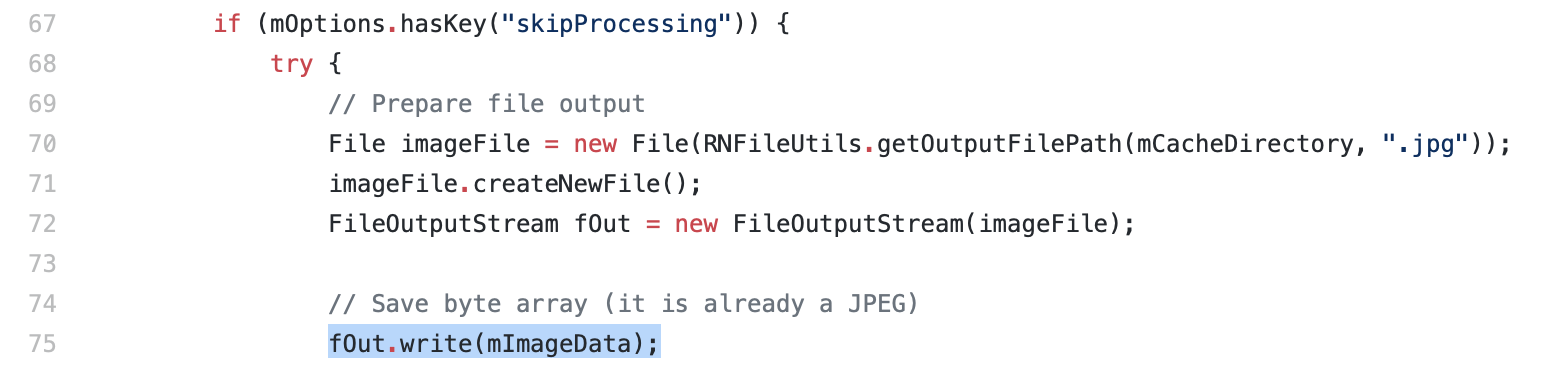
Line 75 (from your crash report above) is in the section that handles skipProcessing. Are you sure you've deactivated skipProcess? Are you sure that it's the same crash?
Oh, but I see, they did something wrong, they just check mOptions.hasKey("skipProcessing") instead of checking its value.
Try to remove the option instead of setting it to false!...
It should be mOptions.hasKey("skipProcessing") && mOptions.getBoolean("skipProcessing") or something of the kind.
You are absolutely right, that's actually a good catch/bug.
I now see where you were getting such high times, if skipProcessing is not used, the camera is definitely very slow, but it is quite fast with skipProcessing. It is really not Android's camera API fault's but rather all the processing done by the library itself.
New times, without skipProcessing:
none: 2.4 seconds (against 1.1, holy cow skipProcessing makes a huge difference) eco: 0.9 fast: 0.7 boost: 0.5
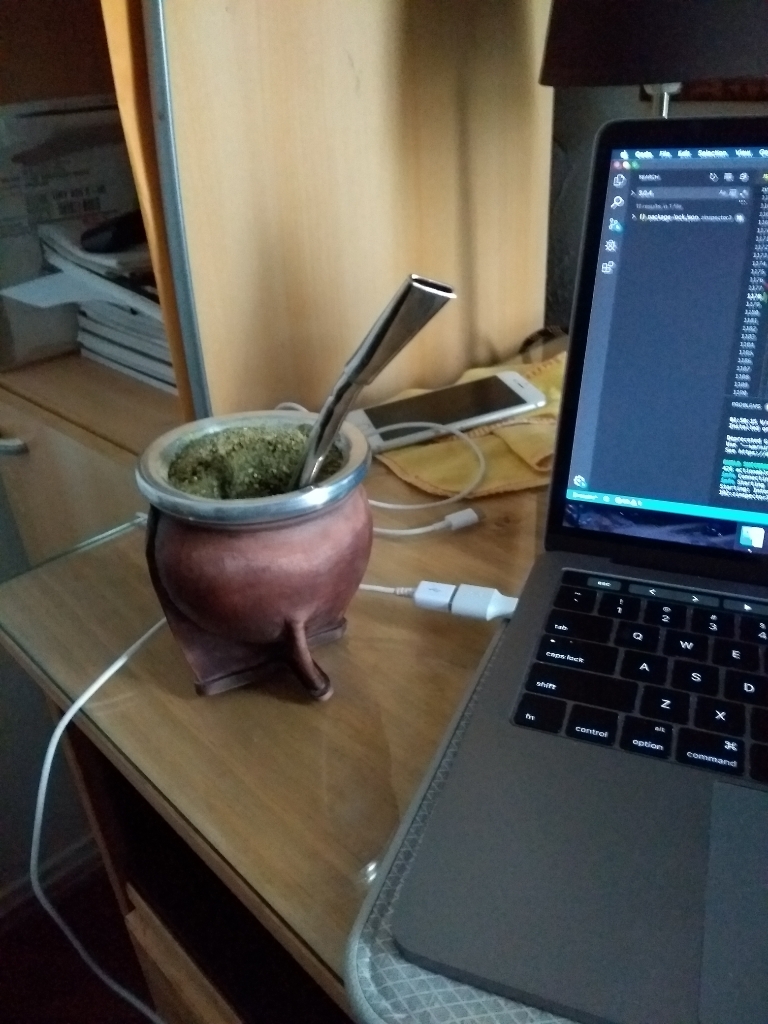
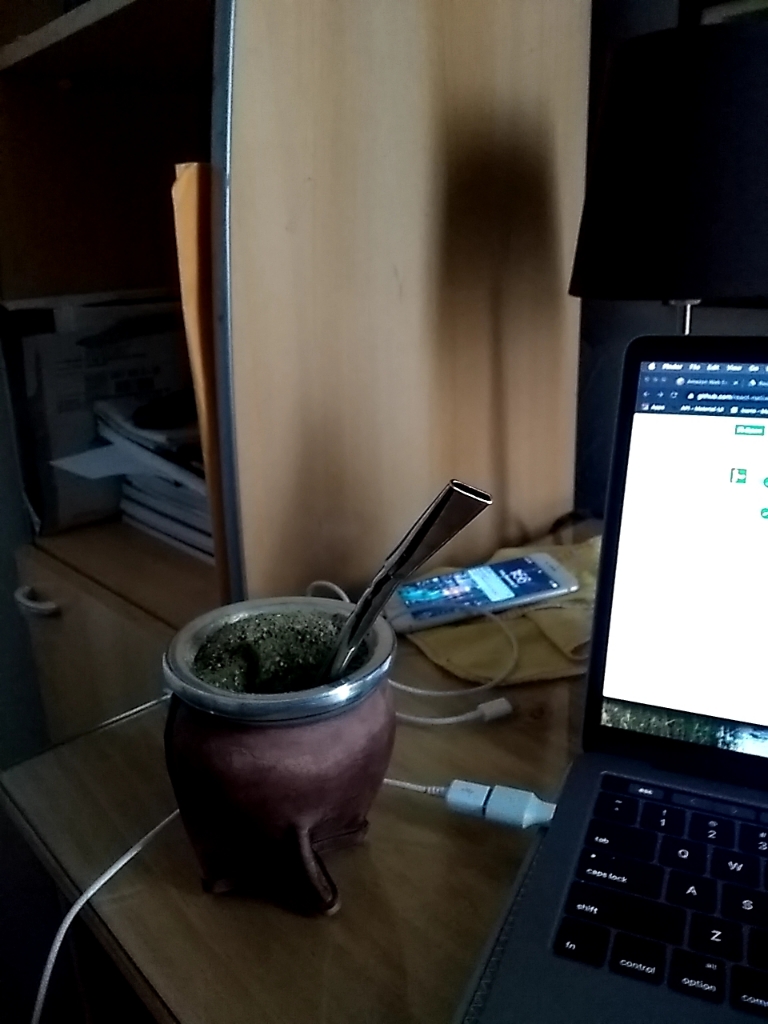
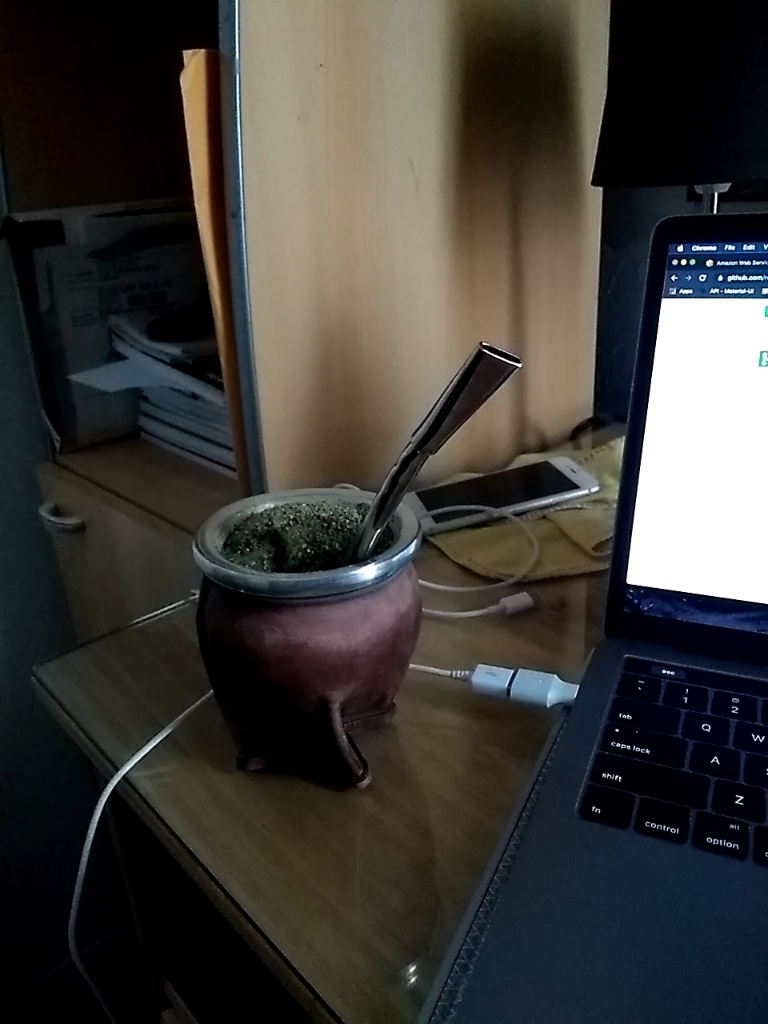
I've noticed, however, picture quality is considerably lower with anything that's not set to "none". It is darker, blurrier, and lower resolution (a few hunder kbs lower)
Original:
Fast/Boost:
Are you willing to do fixes so it also works with skipProcessing? Have you also tried with back/front/wide lense cameras? Your code is not up to date to master so I can't test with the camera selection options.
There's also another subtlety. When using any mode != 'none', on Android 10, the camera no longer makes the capture sound. I believe Android 10 is now copying iOS and any app that uses use of the camera API is forced to make a sound.
Testing on a Pixel 2 I've also got:
none / no skipProcessing: 1.1 seconds none / skipProcessing: 1 second boost / no skipProcessing: 0.25 seconds
Again, the picture quality is severely reduced with eco/fast/boost (mostly light and size).
I've gotta say it's a good trade off if you need very quick photos. The API might get a bit complicated with so many options (skip processing, fix orientation, scan mode).
You can try, around line 75 of ResolveTakenPictureAsyncTask.java:
                if (mImageData != null) {
                    // Save byte array (it is already a JPEG)
                    fOut.write(mImageData);
                } else if (mBitmap != null) {
                    // Convert to JPEG and save
                    mBitmap.compress(Bitmap.CompressFormat.JPEG, getQuality(), fOut);
                }
... as a replacement of ...
                    // Save byte array (it is already a JPEG)
                    fOut.write(mImageData);
(that's to test skipProcessing with eco, fast or boost)
As for the quality of the picture, no idea. I get very good pictures on my device.
Most likely related that one mode takes the picture from the camera, and another one just captures from the preview. The preview is always lower quality than the final capture.
The change above fixes the crash with skipProcessing which is good.
Do you think you can add that fix to your branch, and rebase from master to include all the latest updates?
I would also definitely mention the differences when using any of those scan modes. Picture quality might suffer, there will be no shutter sound performed automatically by Android, and there might be a slight overhead.
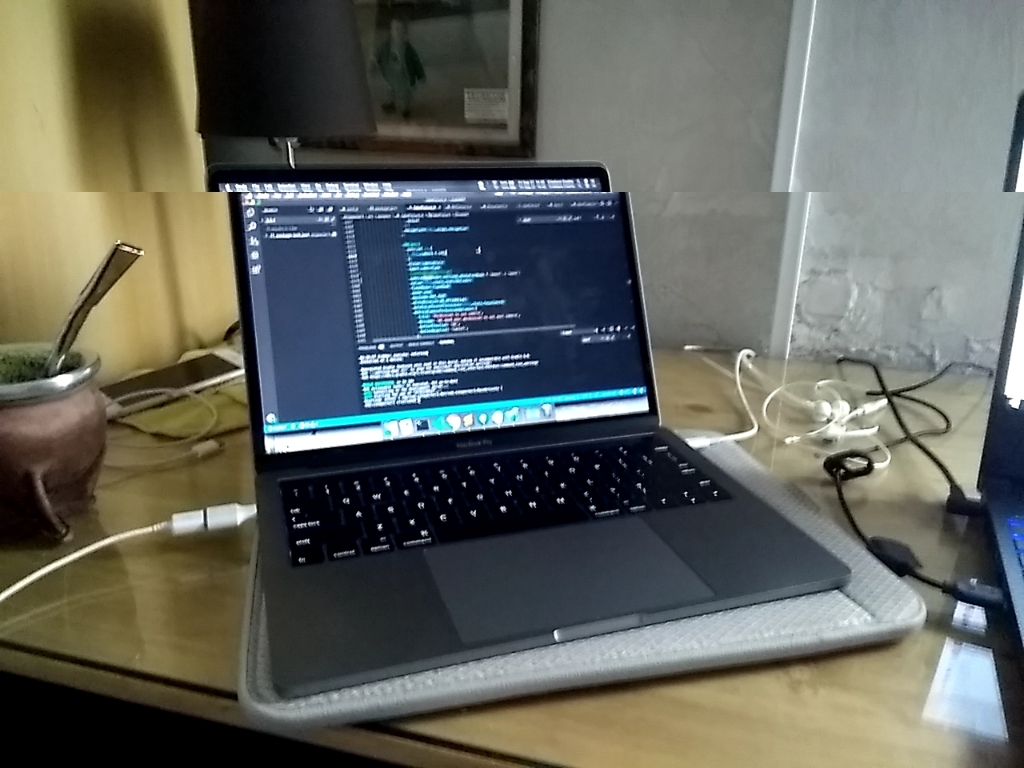
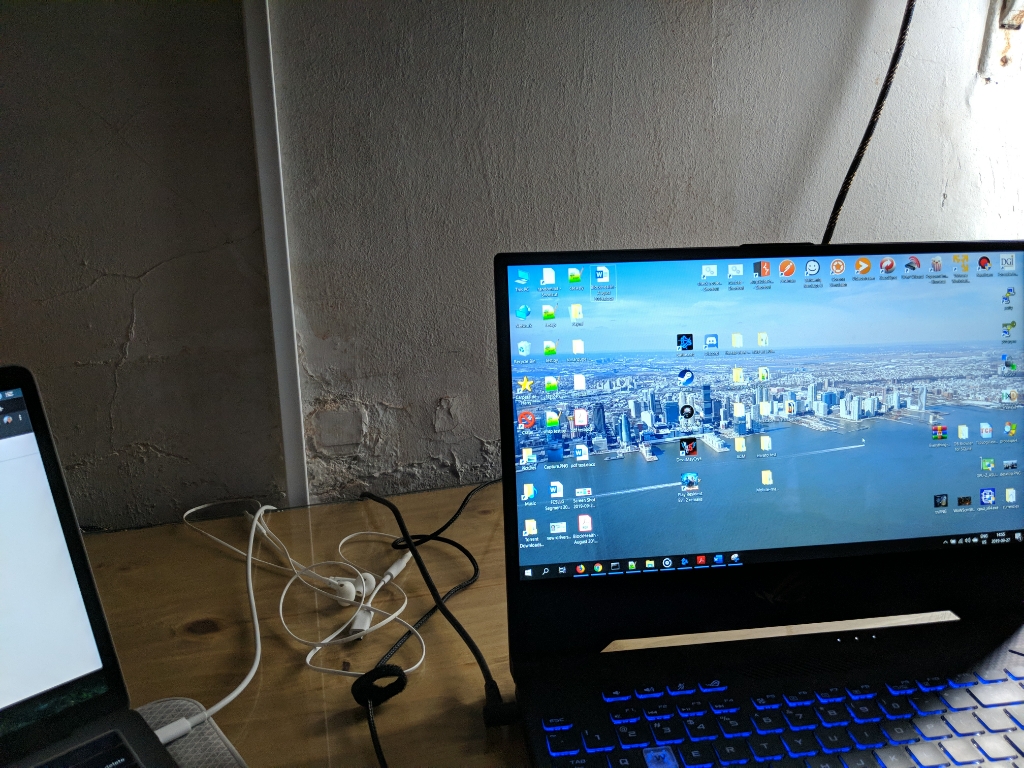
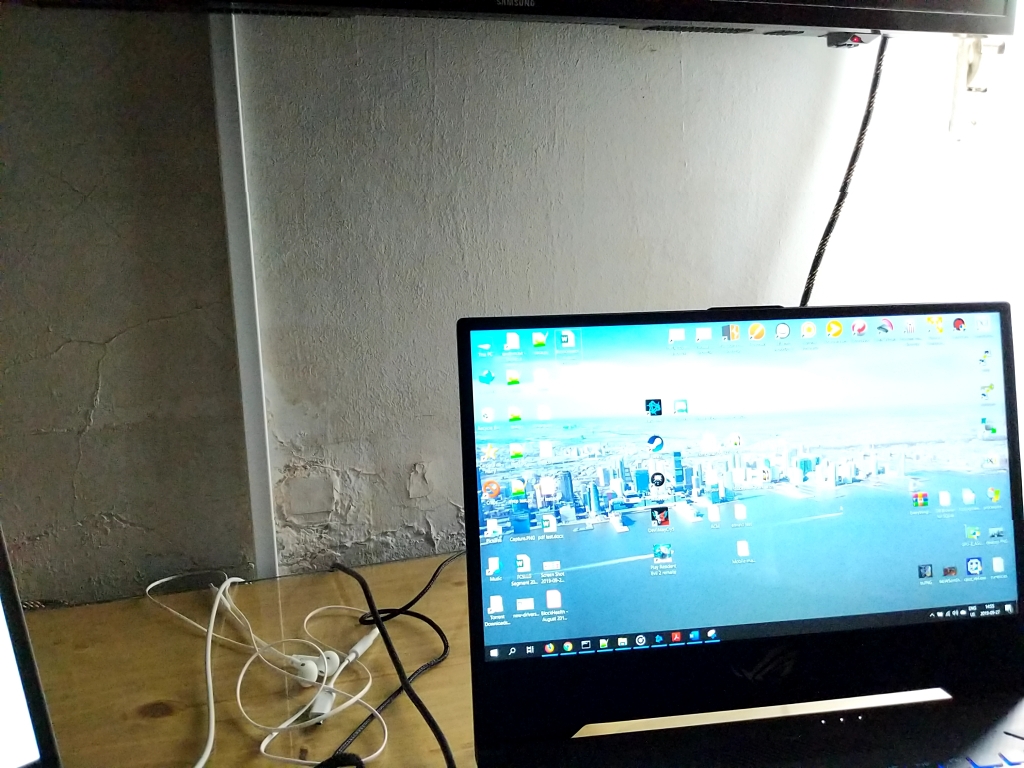
Another comparison using none and boost. You can see the boost mode pretty much skips any software processing from the camera. This is very noticeable on a pixel 2 that relies heavily on post processing. Again, it's a very good trade off, but it should definitely be mentioned!
Original:
Boost:
I didn't rebase, since I didn't put my changes in a branch. But I pulled from master.
Then I implemented the changes needed to get the image as base64 even in "skipProcessing" mode, and allowed deactivating file saving in that mode.
I also fixed the check of skipProcessing.
Regarding the missing shutter sound you mentioned, there is a prop, playSoundOnCapture (not added by me), that lets you require it.
Last thing, we have an Android app used by hundreds of people (for research), who uploaded thousands of pictures of their food in various light conditions and with a whole range of devices, and we didn't notice any problems with picture quality in real life, using the implementation proposed in that PR.
Thanks for the updates @Boris-c !.
About picture quality, the difference is really not that significant. It becomes more obvious when using the focus feature since that makes a whole lot of changes to the lightning capture.
Again, I think the difference is not too significant, but if you test it is noticeable and will vary from device to device based on the camera features. I'm still not sure where the difference comes from, but is definitely there!

Very nice PR. It works very much faster than the original. The only things is the "mirrorImage" option is not working.

@kperreau The mirrorImage option could easily be handled by patching the code.
But more generally, my personal opinion is that the set of options is a bit of a mess. I don't really get the skipProcessing option for instance. There should be a set of processing options, which, when all turned off, would let you "skip processing". And is getting EXIF data a processing? And so on.
@kperreau The
mirrorImageoption could easily be handled by patching the code.But more generally, my personal opinion is that the set of options is a bit of a mess. I don't really get the
skipProcessingoption for instance. There should be a set of processing options, which, when all turned off, would let you "skip processing". And is getting EXIF data a processing? And so on.
I agree with you, skip processing should be the default, and additional processing should happen with additional options. The whole processing / exif extraction logic should also be reviewed since it makes things so much slower. Changing this, however, would be difficult given how incompatible it would be with previous versions.
can we have processing as a string array?
so we can deal with this like as a pipeline of transformations of the raw image
