react-native-audio-toolkit
RCTAudioPlayer.prepare undefined
Hello!
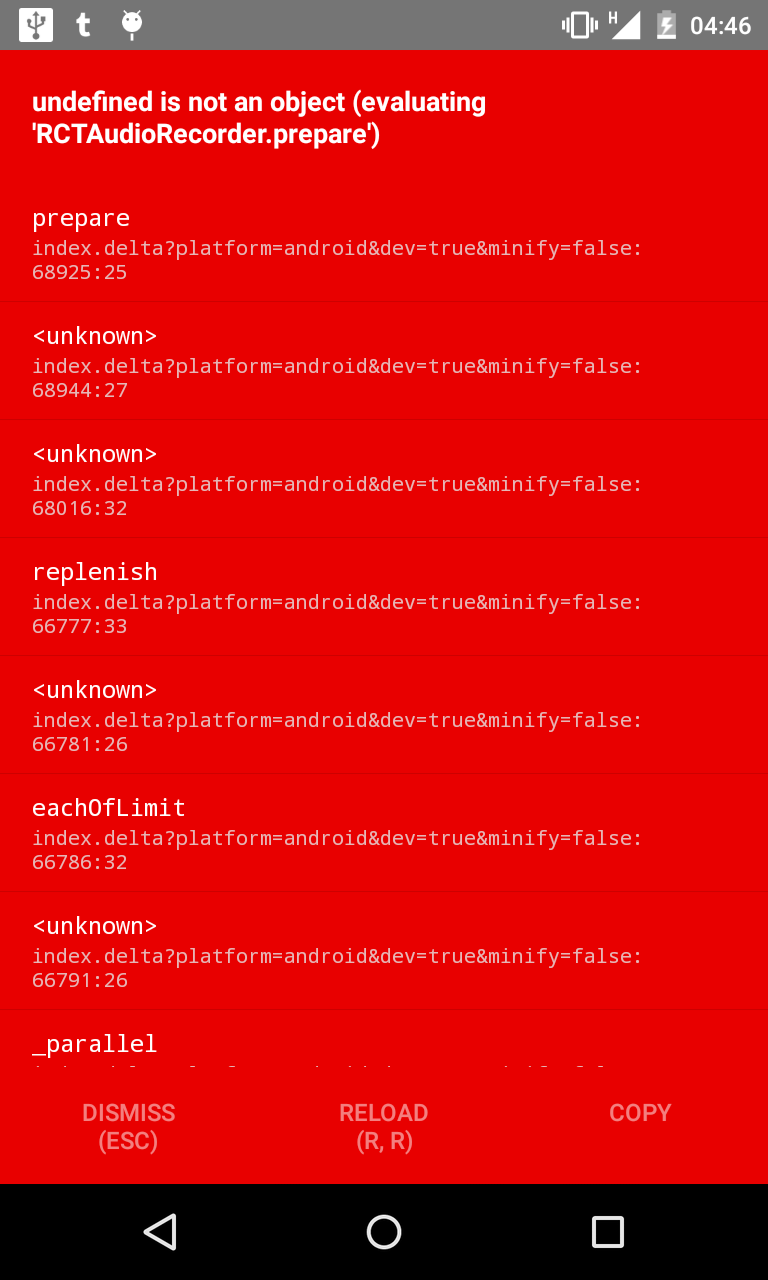
I'm triying the example application and I get this error: "Undefined is not an object (evaluating 'RCTAudioPlayer.prepare')".
On android with: react-native: 0.50.4, react-native-audio-toolkit: 1.0.6.
There are any solutions on this? Thanks.


I just solve it. I just realized that player needs to wait to prepare or play functions finishes.
This worked for me: #27
I solve it in a different way. All you have to do is juste after use npm i react-native-audio-toolkit you have to link in your project with react-native link react-native-audio-toolkit, and then you can run the example.

I'm also seeing this issue. I followed the setup instructions and also ran react-native link without success. NativeModules.AudioPlayer is coming back undefined and hence the prepare function throws an error. Any advice would be appreciated.


Here is some more information on the steps I have taken:
- Eject from CRNA to ExpoKit -- npm run eject
- Run
exp start- javascript builds and project runs on emulator - Open android directory in Android Studio and make sure gradle build is a success
- In app invoke
new Player('http://media.com/song.mp3').prepare();andundefined is not an object (evaluating RCTAudioPlayer.prepare)error is thrown which stems fromNativeModules.AudioPlayerbeing undefined.
After running react-native link react-native-audio-toolkit I have double checked all the files and verified they match the manual instructions in the setup doc. FWIW, the projectDir path was '../node_modules/react-native-audio-toolkit/android' causing gradle build to fail and needed to be updated to match the docs '../node_modules/react-native-audio-toolkit/android/lib'.
All said I'm still seeing the error.
I just solve it at least for me, U just need to change this line of code in ./android/settings.gradle from:
include ':react-native-audio-toolkit'
project(':react-native-audio-toolkit').projectDir = new File(rootProject.projectDir, '../node_modules/react-native-audio-toolkit/android')
to:
include ':react-native-audio-toolkit'
project(':react-native-audio-toolkit').projectDir = new File(rootProject.projectDir, '../node_modules/react-native-audio-toolkit/android/lib')
build.gradle file is in there.
So after this, I got another error that I solve adding a promise to wait until the resource is solved, and i do this
this.audio = new Player(
                        "network_source.mp3",
                        {
                            autoDestroy: true,
                            continuesToPlayInBackground: true
                        }
                    )
new Promise((resolve) => {
                        return resolve(this.audio)
                    })
                    .then(() => this.audio.play())
pd: Im playing a streaming source, so I don't need to prepare the source, but I'll need to do that in other screen from my project soon, if this represent any issue I'll report here.
@zofskeez thanks, I just edit
@chrisarts what does this.audio reference? Glad you solved it for your case but I can never get the audio to resolve because I can't call new Player().prepare() without the error throwing. The prepare method fails in the Player.js code because NativeModules.AudioPlayer is undefined.
I think this leads to a bigger issue on my end with NativeModules. I will report back when I resolve it in case anyone else shares my issue and the above mentioned solutions don't work.
@chrisarts yeah, that's what I did. Check this comment if you guys still with this issue: https://github.com/futurice/react-native-audio-toolkit/issues/27#issuecomment-288865231
Following up with my previous comment, my issues were with native modules as a whole and not this particular module. I originally had ejected from CRNA to Expokit and although the docs say that native modules should work I could not make it so. To rectify, I ejected to a regular react-native project and things are all good.
Thanks to everyone for the help and ideas.
I am using the library for recording sound but I am getting the following error :