

 rcdexta
dnd-container overflows parent container if height is set in "style" prop
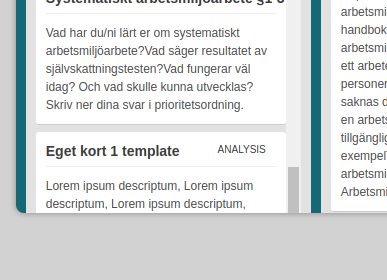
Describe the bug When I set the height css property in the "style" prop on the Board to "700px" and add many long cards the scrolling of a lane get's broken.
To Reproduce Steps to reproduce the behavior:
- Add a Board with "style" prop set with height: 700px
- Make sure you have the editable, dragable, collapsableLane set to true and "addNewCard" button available.
- Add a lot of long cards with long descriptions making a lane scrollable
- Scroll down to the bottom of the lane
- See that you cannot reach bottom of lane and you cannot see "add new card" button.
- inspect the browser code and notice how the dnd-container is overflowing beyond(bellow) the size of the container around it.
Expected behavior The lane should be scrollable to the bottom and addNewCard button should be visible. The dnd-container should probably just have "height: 100%" and this would be fixed.
Screenshots
Desktop (please complete the following information):
- OS: Ubuntu 18.04
- Browser: Chrome
- Version: latest
Additional context We managed to fix the issue locally by adding a css class:
.smooth-dnd-container { height: 100% !important; }

hi i couldn't managed to fix this issue i tried to add 100% height to smooth-dnd-container but it is not working

Bumping this. This is still an issue. I have not been able to find a solution for this. Trying to explicitly set the height (e.g. 50vh and 500px for height) causes buttons to be offset from the bottom.
