
pico-setup-windows
 pico-setup-windows copied to clipboard
 raspberrypi

In following the tutorial on coping all of the files and creating the make files. When I make the new project I get all of the below cmake errors. When...

Installer refuse to work on Arm64 Windows 11. Is there a reason for this?

Clicking the bottom debug icon in Visual Studio Code produces an error: ``` [proc] Executing command: "C:/Program Files/Raspberry Pi/Pico SDK v1.5.1/gcc-arm-none-eabi/bin/arm-none-eabi-gdb.exe" --version [proc] The command: "C:/Program Files/Raspberry Pi/Pico SDK v1.5.1/gcc-arm-none-eabi/bin/arm-none-eabi-gdb.exe"...

In certain environments, this will be reproduced by running the installer as usual and launching Pico - Developer PowerShell. Sorry for the Japanese UI, but it says "The expression after...

If VS Code was installed with "add to PATH environment variable" not checked in the VS Code Setup, the "Pico - Visual Studio Code" link seems to do nothing (no...

How to overcome the missing components as shpwn in the Pico-Developer Command Pr 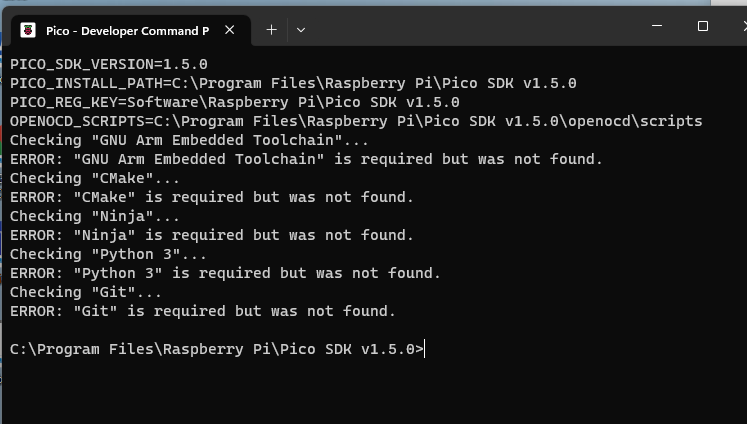 ompt

I tried to compile my project PTPE with branch sdk15 with the windows installer for pi pico development. [https://github.com/NicoAICP/PTPE/tree/sdk15](url) The uf2 compiles just fine, but after plugging it into my...


Check if the split produced a valid name and value, to ignore informative messages and empty lines (Bugfix for issue #50)
