

 raspberrypi
Boot from USB drive is not working
The latest 64 bit lite image stalls / does not start after disk resize on USB SSD drive https://downloads.raspberrypi.org/raspios_lite_arm64/images/raspios_lite_arm64-2021-11-08/2021-10-30-raspios-bullseye-arm64-lite.zip
On previous buster version this is working out of the box. https://downloads.raspberrypi.org/raspios_lite_arm64/images/raspios_lite_arm64-2021-05-28/2021-05-07-raspios-buster-arm64-lite.zip
please advise what might be the issue with Bullseye version.


updates Platform: Raspberry Pi 4 4GB Actually I found that the system works but the HDMI connectivity is lost a few seconds after boot. If I unplug the HDMI cable and plug it back into the port (0 or 1), I see the PI is working properly (boot up to console, I am using the Lite version - no GUI) I tried to play with two settings in config.txt hdmi_force_hotplug=1, same behavior hdmi_safe=1, same behavior
I am using a LG TV as a monitor and did not experience this issue with previous Buster releases.
I will try to get a screenshot showing at which point during boot the image is lost
Hello,
I started watching this issue as experienced same/similar problems as per the original comment with those and subsequent releases of RaspiOS lite arm64.
My issue appears to be with certain USB-to-SSD adapters; which work fine on other machines, and when attached to Pi 3/4s as non-boot medium.
On latest 2022-01-28 (as with previous IIRC), the boot partition appears to load fine, but then the wheels fall off with jobs waiting for root partition and a spew of ENODEVs, etc.
It's a reliable repro for me - x2 identical cheap USB to SSD enclosures both with same issue ... same cables and SSDs but with a different adapter (older Anker), then no problem whatsoever.
Here is a pic of one of the offenders:
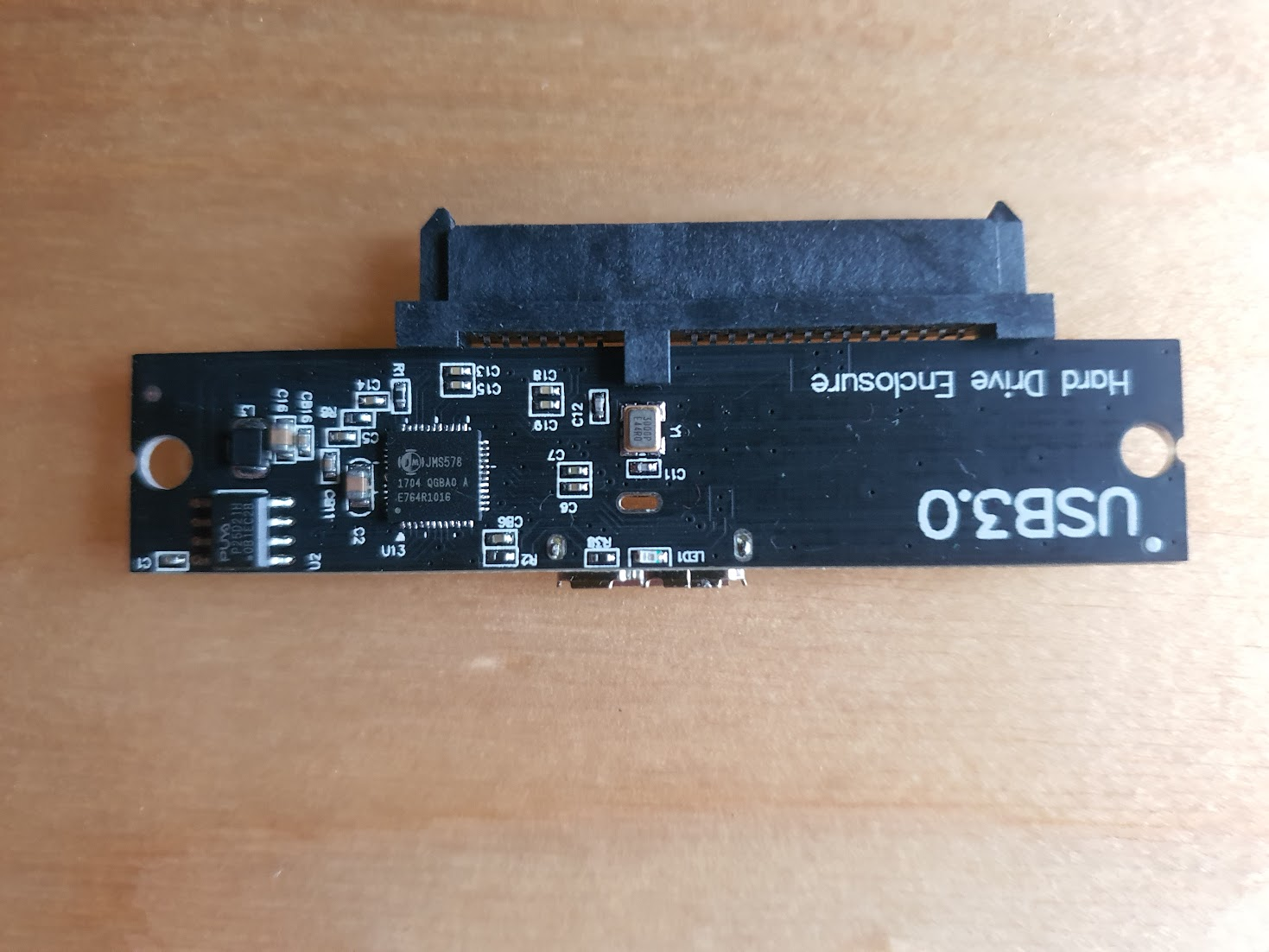
Purchased from Amazon UK: https://smile.amazon.co.uk/gp/product/B08T6MHCQ1/ref=ppx_yo_dt_b_search_asin_title?ie=UTF8&psc=1

Have you experimented with the UAS quirks thing? https://www.raspberrypi.com/documentation/computers/raspberry-pi.html#hardware-compatibility

@lurch thank you so much - absolutely made my day.
I'd never heard of "UAS quirks" until your post. Added the workaround as described in the forum post linked from documentation, and it's firing on all cylinders again.