

 radimitrov
Assembly Resource
I added an assembly resource to my .NET MAUI project and when i exported the APK i expected the assembly resource (.dll) file to be included in the "assemblies" folder inside of the APK but it is not there, instead your application created an .pdb file which is in the same folder where the APK and EXE gets exported to. The .dll file that i have added as an assembly resource is actually part of a NuGet package that i could download but i just wanted to try adding the .dll file as assembly resource in my application.
Here is the project: https://www.mediafire.com/file/mqsid6g6rbk8333/Web_Server.zip/file

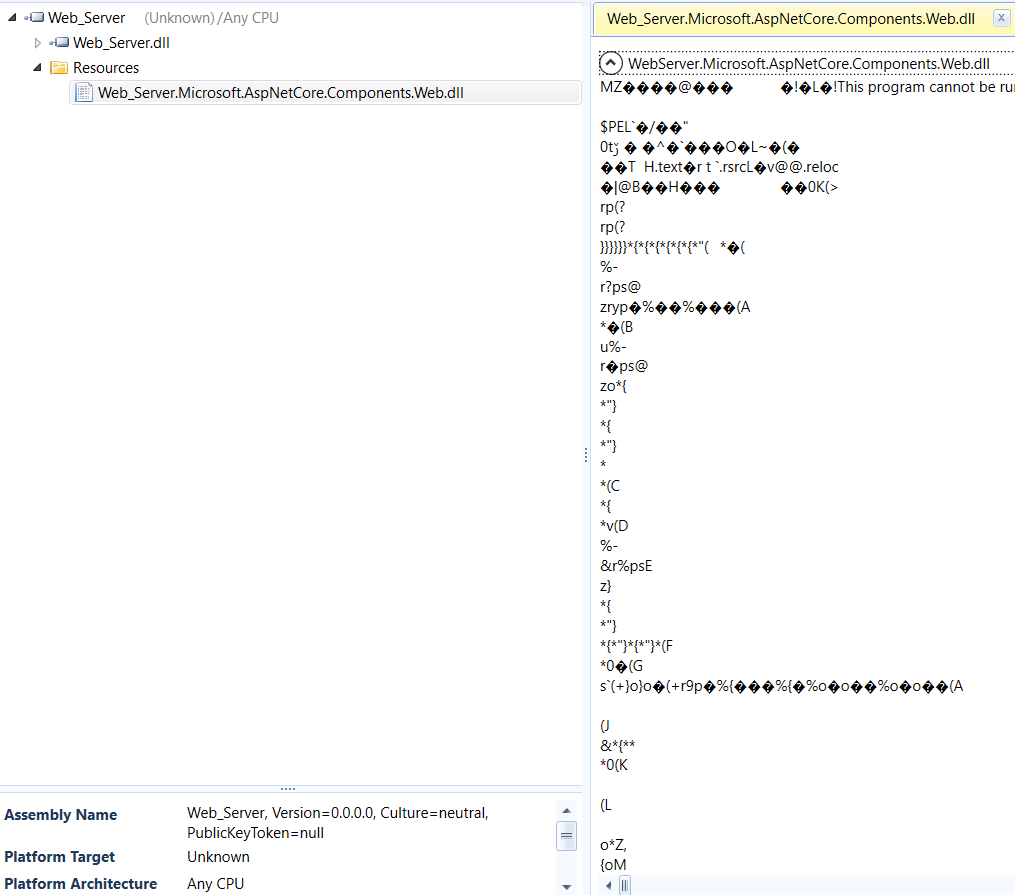
That DLL is only added as an assembly resource meaning it is binary data inside the project DLL as you can see in the screenshot. It isn't referenced.
The app wouldn't normally copy all referenced DLLs to speed things up and save some space. Export assembly option should do that, however I have to check if it currently copies dependencies.
The only reason you're seeing a DLL and PDB in the bin folder is to enable stack trace line number resolution for Exceptions.

That DLL is only added as an assembly resource meaning it is binary data inside the project DLL as you can see in the screenshot. It isn't referenced. The app wouldn't normally copy all referenced DLLs to speed things up and save some space. Export assembly option should do that, however I have to check if it currently copies dependencies. The only reason you're seeing a DLL and PDB in the bin folder is to enable stack trace line number resolution for Exceptions.
Oh, i see. I noticed the "AppAssembly" .dll is kinda big even though i just started the project and did not code anything yet. So that dll im referencing got put in "AppAssembly" .dll? Will i still be able to use it? By the way, what is the export assembly function?
@PeterKaa1 It isn't usable in any good way, only reflection. I recommend adding this as an assembly reference. Or the package itself. Not sure how compatible AspNwt packages are with Android currently
That DLL is only added as an assembly resource meaning it is binary data inside the project DLL as you can see in the screenshot. It isn't referenced. The app wouldn't normally copy all referenced DLLs to speed things up and save some space. Export assembly option should do that, however I have to check if it currently copies dependencies. The only reason you're seeing a DLL and PDB in the bin folder is to enable stack trace line number resolution for Exceptions.
Can you add a toggle so the dlls would get included?
@PeterKaa1 Not really applicable. Go to the left project panel. Then "references" button and finally "add external reference assembly". Pick it from there