

 rabidgremlin
Uncentered letterbox issue, Unity 2019.3.0f6
Hi,
So I watched your video at this link: https://www.youtube.com/watch?v=ZSQWrH96bew, and was able to get the asset imported and set up; however, I am running into an issue where the black strips are not centered properly on the screen, causing parts of the scene to still be cut out, like in this image:
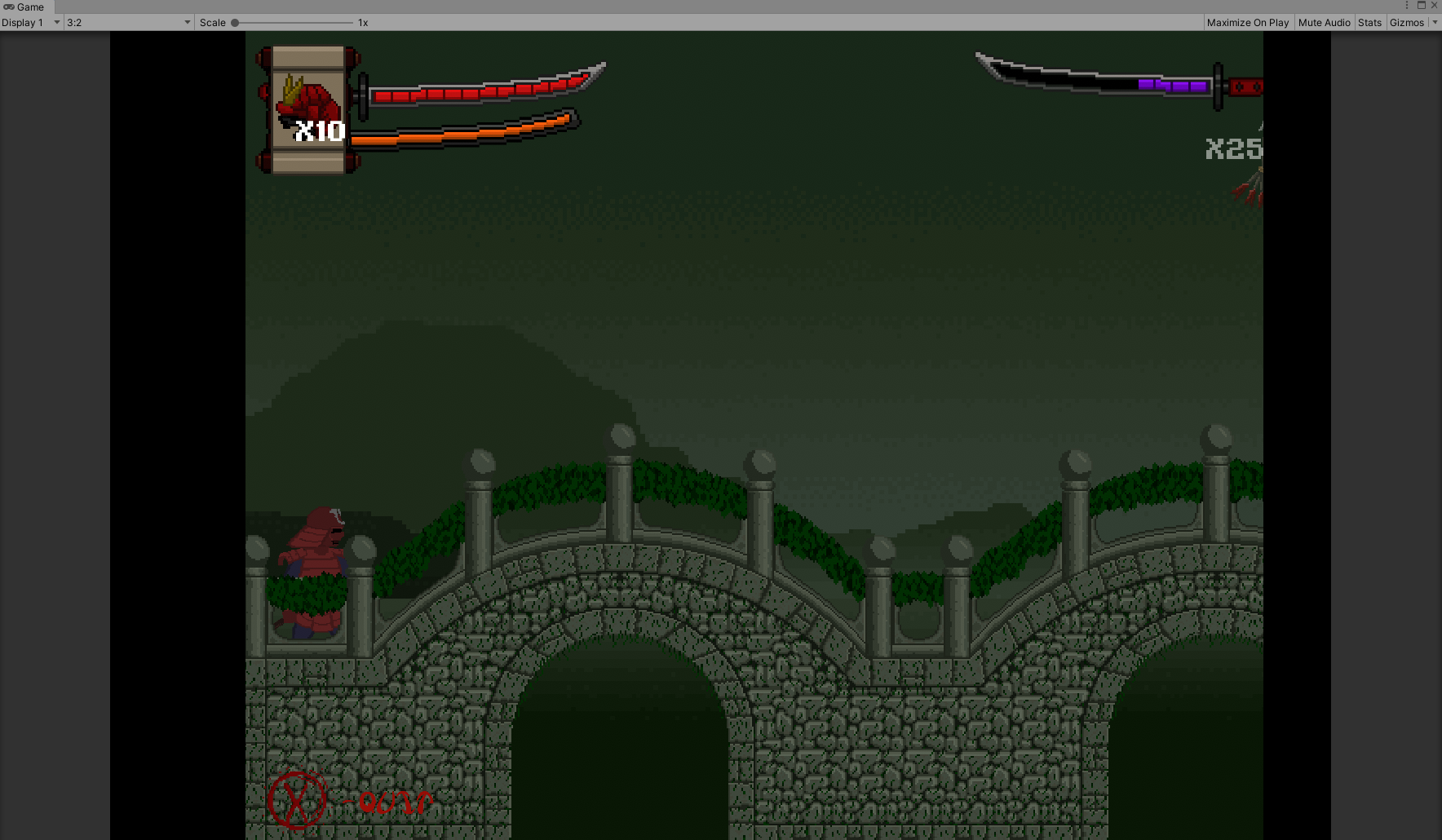
The game was built for 4:3 aspect ratio, so I set up the letterBox component like this on my main camera:

And these are my camera settings:
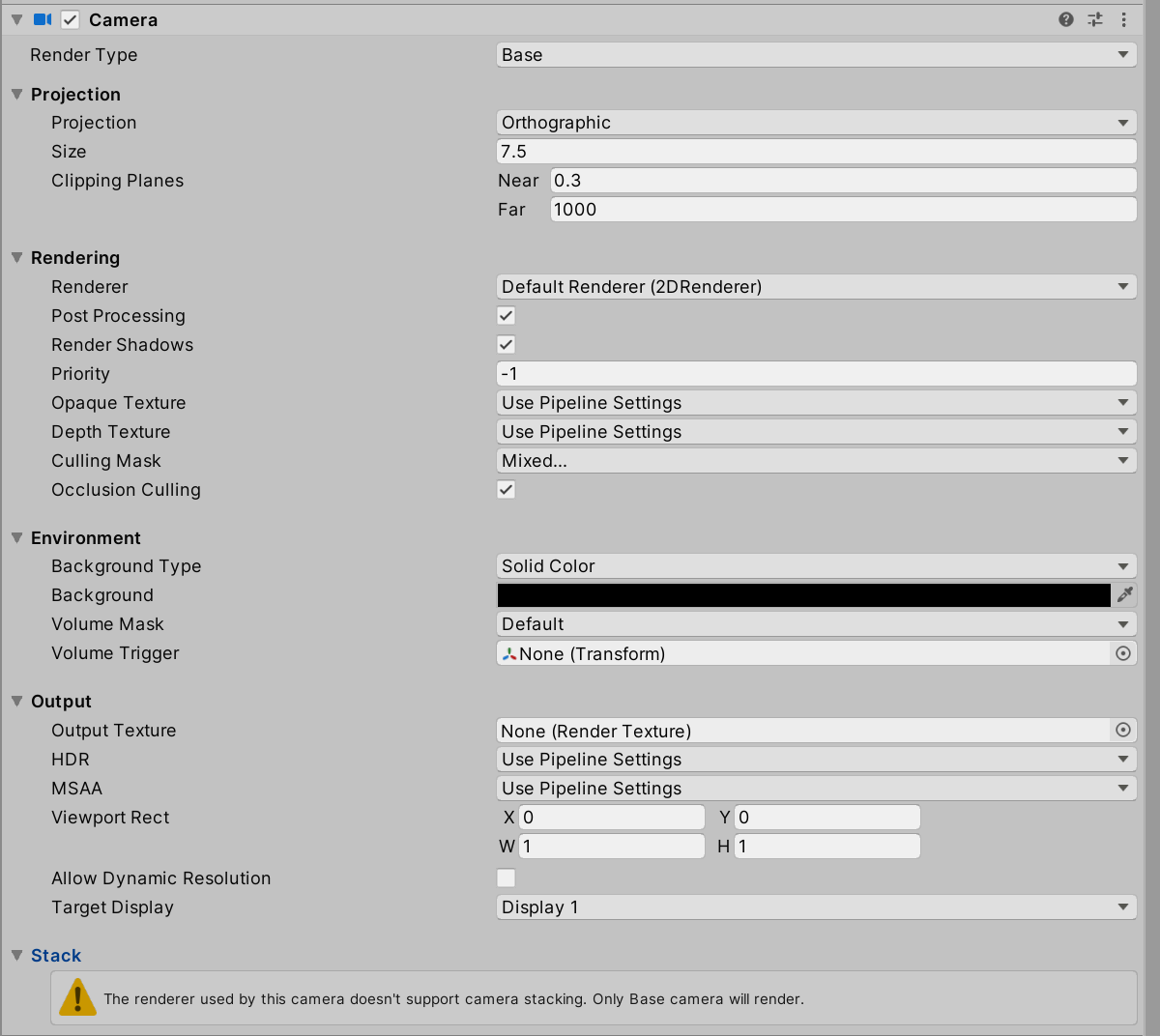
Any idea on what I might be doing wrong here?
Thanks!

mmm, It may well be that your camera/layout isn't centered ? To check, in the Unity editor:
-
Switch to the "Game" tab and in the Resolution drop down, add a new one with a resolution of 2048 by 1536 if you don't already have one
-
Make sure this is the selected resolution and then switch to the Scene tab
-
In the scene tab select your main camera. It will show a white gizmo box in the scene. Check that it is centered and encompass your level layout correctly.

I found what is causing the problem, but I still have not been able to find the solution to that problem. So, the letterboxing script works perfectly when I do not have post processing toggled on my scene camera, but as soon as I toggle it, the letter boxing gets uncentered and ruined, like in this video:
https://www.youtube.com/watch?v=xUIIJhi1ggs
Any idea why this might be happening or how to work around it?
Huh, that is odd. Could you tell me post-processing you have set up? I'll go and experiment.
Yes. So the post processing I am using is called Post Processing Stack v2, with the Universal Render Pipeline (URP), inside of a Unity 2d project. I am in Unity version 2019.3.0f6. To set this post processing up, import Post processing from the Package manager, along with Universal RP. Once those are installed, you just right click in assets, Create -> Rendering -> Pipeline Asset. You then click on the pipeline asset made, called WRP I think, and in the inspector, under general, there is a render list, make sure to right click on assets again, go to Create -> Rendering -> 2DRenderer. Go back to the WRP asset inspector, and drag this 2d renderer into the RendererList, then, on this same WRP asset, go to the Post-processing section and switch the drop down to Post Processing V2. You then go to edit, project settings, Graphics. Under graphics, drag the WRP asset into the Scriptable Render Pipeline settings. You should then be able to go back to your test scene, and on the main camera, turn on post processing on its inspector, located under the Rendering section like in the video I shared, and on this same camera, add a component called PostProcessLayer. You should be able to just leave that component default, because I just determined also that having no PostProcessVolume on this still causes the letter box to mess up, but if I toggle this component on and off, the letter box goes from being correct (when Post process layer is toggled on) and incorrect (when Post Process layer is toggled off). Here is a link to the Post Processing documentation on Unity: https://docs.unity3d.com/Packages/[email protected]/manual/index.html. And this is the video I used to first install URP: https://www.youtube.com/watch?v=5dzGj9k8Qy8&t=0s, by Brackeys. Its main purpose in our game is for 2d lighting, in addition to the post processing effects.
Cool. Also can you list out which post processing items you have in your stack. In case it is one of them causing the issue. Unless it happens with an "empty stack" ?
Ok, on my post process volume, I had the following post process effects: Vignette, Bloom, and a custom one I wrote that creates flame distortion, but that one is disabled and the issue still occurs. Matter of fact, I was able to delete Post Process volumes in the PostProcessLayer on my camera, inside of the Trigger area, and the problem still occurs, but disabling this Post process layer component causes the letter boxer to work again.