

 quasarframework
QCarousel 2.0
RFC (Request for Comments) Template
Please select your type of RFC (one or more):
Put an x in the boxes that apply
- [X] Change ?
- [ ] Method ?
- [ ] Behavior ?
- [ ] Research ?
- [X] Innovation ?
Other
- Start Date: 2020-02-13
- Target Major Version: 2.x
- Reference Issues: https://github.com/quasarframework/quasar/issues/6135 https://github.com/quasarframework/quasar/issues/5924 https://github.com/quasarframework/quasar/issues/5702 https://github.com/quasarframework/quasar/issues/5412 https://github.com/quasarframework/quasar/issues/4714 https://github.com/quasarframework/quasar/issues/1670
Does this introduce a breaking change?
Put an x in the box that applies
- [X] Yes
- [ ] No
Proposed RFC
One of the most talked about and asked for features.
Examples https://swiperjs.com/ https://kenwheeler.github.io/slick/ https://flickity.metafizzy.co/

Hi, @hawkeye64 What about an e-commerce carousel. Please add an e-commerce carousel too. A carousel component that has product cards for instance 4 cards in a carousel. They are responsive. This means the cards become 3 when the carousel is in the PC tablet screen size. In larger phone devices they left 2. And on the normal screen phones it left one. And the cards will not be slided. Only one slide will be slided. And if you add opportunity to slide ony one card. It will be useful too. But I am asking you to add something that's responsive.

 This is on mobile phone.
Just look that's worse. Here the problem is how to cutting one card from the first slide and adding it to second slide.
This is on mobile phone.
Just look that's worse. Here the problem is how to cutting one card from the first slide and adding it to second slide.
- I'd find useful to have a property for not covering the carousel content by horizontal/vertical (thumbnails or radio buttons).
Examples:

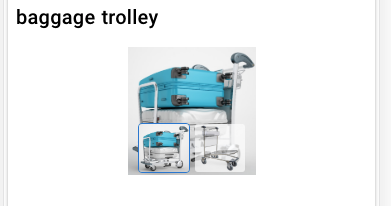
Example of navigation with position out of the carousel content:
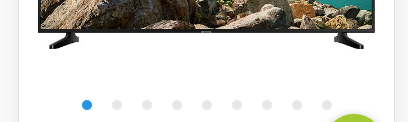
- color property for non-active content instead of manually replacing it (current non-active color is close to original and to easy to distinguished from active one).
 .q-carousel__navigation-icon--inactive {
    opacity: 0.5 !important;
    color: grey !important;
  }

@m0jimo You can change placement by a number of ways. look at this:
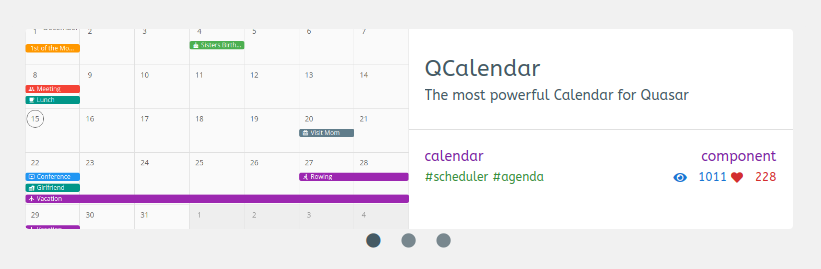 This is done by adding
 no-margin to your q-carousel-slide items
        <q-carousel-slide
          v-for="featured in mutatedFeatured"
          :key="featured.id"
          :name="featured.slug"
          class="column flex-center no-margin"
        >
Thanks for the tip. Tried to find a live example of your screenshot but with no success. I also tried recommended no-margin change and it doesn't change the position in my code and the same result I have on Codepen. I tried thumbnails and navigation.
But I'm sure it can be done by rewriting/extending styles of q-carusel__navigation ... in the similar way as for navigation colors.
@m0jimo Check it out. I changed background color so you can see the navigation. You can change the color though, so you could still have a white background if you like: https://codepen.io/Hawkeye64/pen/eYpZpKr
You are right, it looks horrible on the phone, i think we need something like slick carousel

I made a component that's a bit rough around the edges, but I think having specificity with a breakpoints or options prop would be necessary. I made a quick and dirty approach that takes in a string xs:1,0;sm:2,0;md:3;lg:4;3840:5
Explaination - {breakpoint|screen width}:{perSlide},{resetIndex};
When the component is made it'll convert any breakpoints(ex xs, sm etc) to their min screen width equivalent(if it exists). Then watch the screen width($q.screen.width) cross checking the breakpoints stored. When one is found, the data is split based on the perSlide value given; then reset the index to the provided resetIndex or 1 by default. This keeps from the component being out of sync when resize events take place. They're entirely optional.
https://codepen.io/imseaworld/pen/mdaVGWp
This isn't my first implementation of it, but certainly the most dynamic that I can plop into different projects. I've used this for reviews to gallery preview. This is certainly needed for edge cases. I hope this helps towards the RFC

@ImSeaWorld I don't know if it's just me but the codepen link doesn't seem to do anything other than show some code as white text in grey boxes? [UPDATE: never mind... I see one has to resize the window to make it do something]

@ImSeaWorld I don't know if it's just me but the codepen link doesn't seem to do anything other than show some code as white text in grey boxes? [UPDATE: never mind... I see one has to resize the window to make it do something]
I updated it to make it easier to see what's happening. Apologies for the bad UX 😄