

 pyrevitlabs
Warning every time Revit starts after a fresh install of pyRevit
Just installed pyRevit using the admin_signed.exe installer for the latest version as of this report. When Revit starts (every time) a warning pops up:
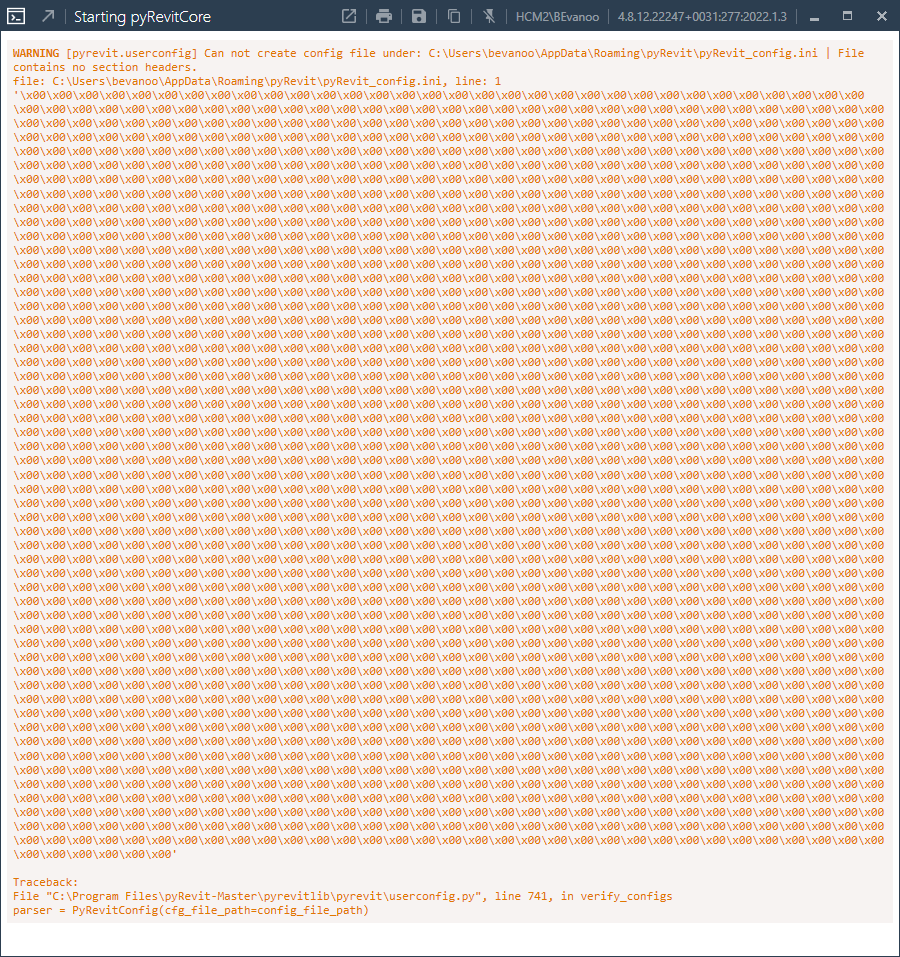
WARNING [pyrevit.userconfig] Can not create config file under: C:\Users\sweldy\AppData\Roaming\pyRevit\pyRevit_config.ini | File contains no section headers. file: C:\Users\sweldy\AppData\Roaming\pyRevit\pyRevit_config.ini, line: 1 Long error message Traceback: File "C:\Program Files\pyRevit-Master\pyrevitlib\pyrevit\userconfig.py", line 743, in verify_configs parser = PyRevitConfig(cfg_file_path=config_file_path)
To Reproduce Steps to reproduce the behavior:
- Run Revit: warning pops up
- Run any pyRevit command for first time after Revit startup: warning pops up
Desktop (please complete the following information):
- OS: Windows 10 Build 19043.1706
- pyRevit Version 4.8.10.22040
- pyRevit Environment:
==> Registered Clones (full git repos)

==> Registered Clones (deployed from archive/image)

==> Attachments

Unknown | Product: "Autodesk Revit 2023" | Manifest: "C:\ProgramData\Autodesk\Revit\Addins\2023\pyRevit.addin"

Unknown | Product: "2022.1.2" | Manifest: "C:\ProgramData\Autodesk\Revit\Addins\2022\pyRevit.addin"

Unknown | Product: "2021.1.6" | Manifest: "C:\ProgramData\Autodesk\Revit\Addins\2021\pyRevit.addin"

Unknown | Product: "2020.2.6" | Manifest: "C:\ProgramData\Autodesk\Revit\Addins\2020\pyRevit.addin"

Unknown | Product: "2019.2.5" | Manifest: "C:\ProgramData\Autodesk\Revit\Addins\2019\pyRevit.addin"

==> Installed Extensions

==> Default Extension Search Path

C:\Users\sweldy\AppData\Roaming\pyRevit\Extensions

==> Extension Search Paths

==> Extension Sources - Default

https://github.com/eirannejad/pyRevit/raw/master/extensions/extensions.json

==> Extension Sources - Additional

==> Installed Revits

Autodesk Revit 2023 | Version: 23.0.10.18 | Build: 20220429_1500(x64) | Language: 1033 | Path: "C:\Program Files\Autodesk\Revit 2023\"

2022.1.2 | Version: 22.1.21.13 | Build: 20220123_1515(x64) | Language: 1033 | Path: "C:\Program Files\Autodesk\Revit 2022\"

2021.1.6 | Version: 21.1.60.25 | Build: 20220123_1515(x64) | Language: 1033 | Path: "C:\Program Files\Autodesk\Revit 2021\"

2020.2.6 | Version: 20.2.60.15 | Build: 20211019_1515(x64) | Language: 1033 | Path: "C:\Program Files\Autodesk\Revit 2020\"

2019.2.5 | Version: 19.2.50.16 | Build: 20220111_1110(x64) | Language: 1033 | Path: "C:\Program Files\Autodesk\Revit 2019\"

==> Running Revit Instances

PID: 1792 | 2021.1.6 | Version: 21.1.60.25 | Build: 20220123_1515(x64) | Language: 0 | Path: "C:\Program Files\Autodesk\Revit 2021"

==> User Environment

Microsoft Windows 10 [Version 10.0.19043]

Executing User: TPLS\sweldy

Active User: TPLS\sweldy

Admin Access: No

%APPDATA%: "C:\Users\sweldy\AppData\Roaming"

Latest Installed .Net Framework: 4.8

No .Net Target Packs are installed.

No .Ne-Core Target Packs are installed.

pyRevit CLI v4.8.10.22040+1743

`pyrevit env`


I'm having this issue after I had to hard-reboot my computer. I don't have the pyRevit.ini file in that location but I do have the pyRevit_config.ini as the other user has. IT reinstalled pyRevit and I still have the issue. I don't know if it's relevant, but the same reboot did something to Snagit and they had to reinstall that as well.

I'm having this issue after I had to hard-reboot my computer. I don't have the pyRevit.ini file in that location but I do have the pyRevit_config.ini as the other user has. IT reinstalled pyRevit and I still have the issue. I don't know if it's relevant, but the same reboot did something to Snagit and they had to reinstall that as well.
Delete userconfig.py file on C:\Users\rober\AppData\Roaming\pyRevit-Master\pyrevitlib\pyrevit or your custom path, start revit again.
Once the new userconfig.py is created you will need to add you extensions folder if yo have one.
