

 publiclab
Map overlays options toolbar
Please describe the problem (or idea)
With the map open, on scrolling, the map overlays the option toolbar. From the UX perspective it should be the opposite, the toolbar should be over the map.
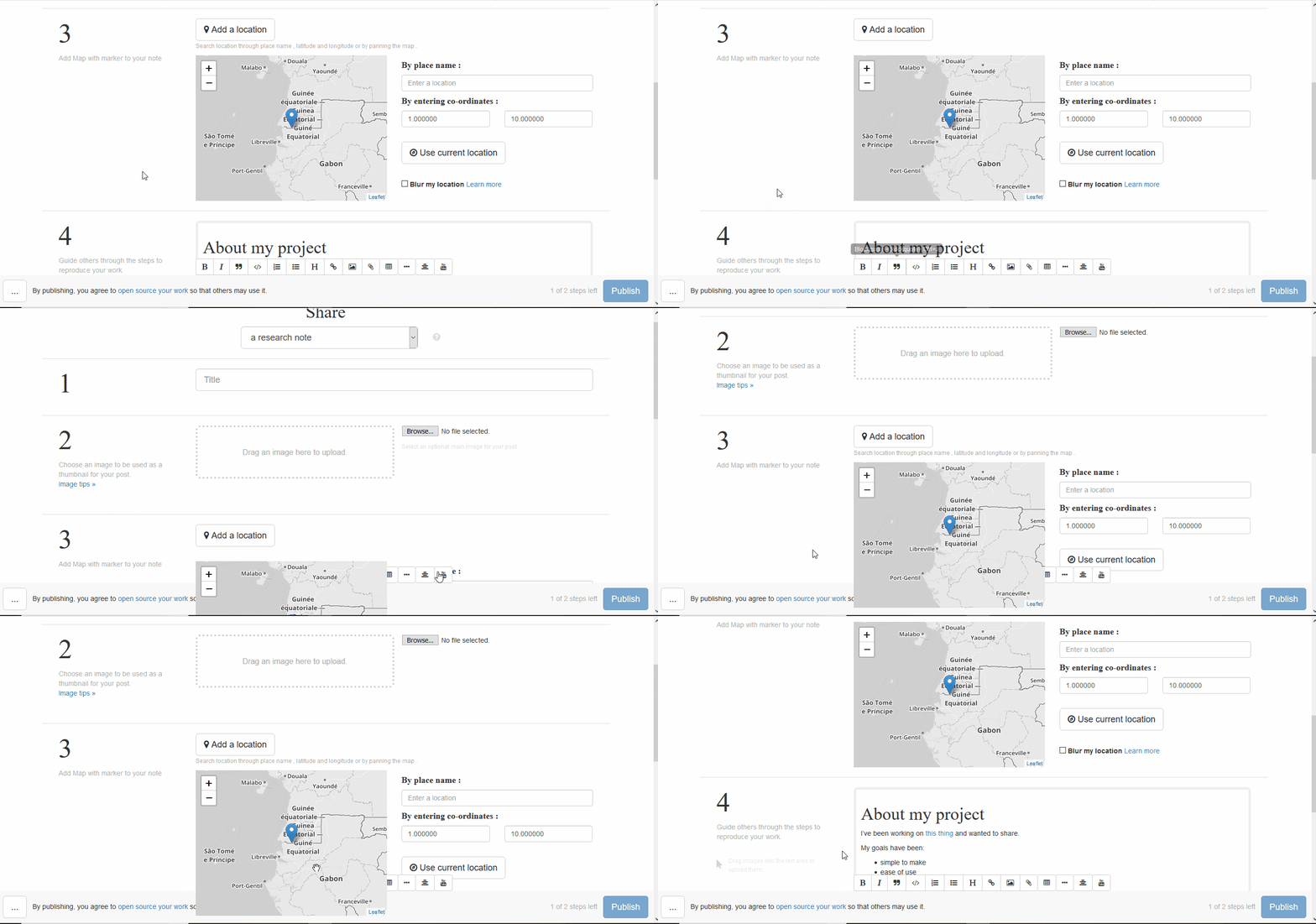
Please show us where to look
Open the editor, click on "Add Location" button, scroll down and scroll up.
Thank you!
Your help makes Public Lab better! We deeply appreciate your helping refine and improve this site.
To learn how to write really great issues, which increases the chances they'll be resolved, see:
https://publiclab.org/wiki/developers#Contributing+for+non-coders

From the code I have learned that the toolbar seems to be constructed with and somehow binded to this text area tag.
https://github.com/publiclab/PublicLab.Editor/blob/05695de81f79834686b7c0830252a6662b522216/examples/index.html#L225
Now a funny thing that happens when I just delete the class in the tag, like this:
<textarea>
The map simply does not show any image at all. It is definitely there since I can inspect it on my browser, but it is just blank. I'll keep looking into it to see if there's a relation between the two. I also tried to apply a CSS style position: relative; z-index: 1000; on the text area tag, but the map still overlaps