
zsh-sweep
 zsh-sweep copied to clipboard
 psprint
Linter for Zshell scripting language
:sponge: zsh-sweep
Usage: zsweep [--help/-h] [-C work-dir] [--auto] [--func]
                 [--script] [--src] [--dbg]

--help/-h        – this message
-C work-dir      – like -C in Git – first cd to a dir
--auto           – guess type of Zsh file
--func           – set input file type to function
--script         – set input file type to binary-script
--src            – set input file type to sourced-script
--dbg            – enable debug messages
Examples
Using is calling of zsweep binary on the wanted files to
verify. It is good to specify type of file (command script,
sourced script and autoload function, see above), however
in practice one just passes --auto to autodetect
the type.
To sweep a plugin.zsg file:
zsweep --auto zsh-sweep.plugin.zsh
To scan autoload functions of the project as example:
zsweep --auto functions/*(.)
To scan a command script of the project with CWD switch
via -C option (CWD is for current working dir):
# -C – cd to the given dir
zsweep -C ~/github/zsh-sweep --auto bin/zsweep
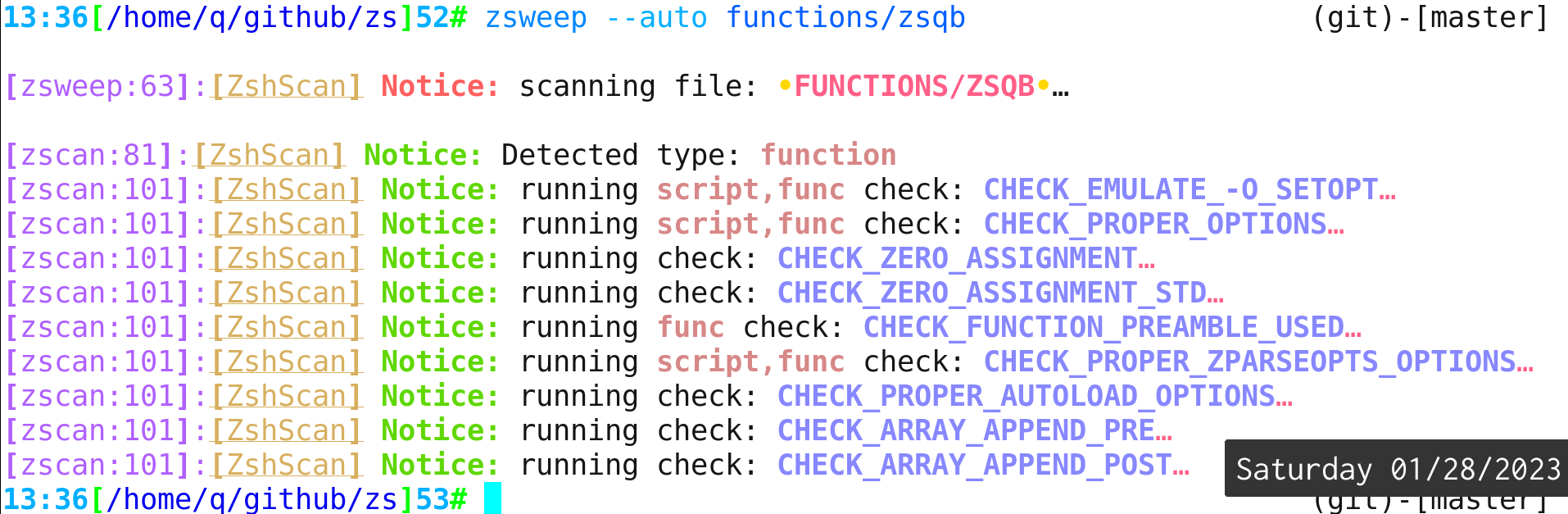
Screenshots
Installation
No plugin manager
    git clone https://github.com/psprint/zsh-sweep {CLONE-OUT-DIR}
    print 'zs_set_path=1' >> ~/.zshrc # add to $PATH
    print 'source {CLONE-OUT-DIR}/zsh-sweep.plugin.zsh' >> ~/.zshrc
Zinit
Without zinit-annex-bin-gem-node
zinit param'zs_set_path' for @psprint/zsh-sweep
With zinit-annex-bin-gem-node
zinit sbin'bin/zsweep' for @psprint/zsh-sweep
 psprint