

 pronebird
Scroll content a bit after hiding
Is it possible to show that new content is being loaded? For now, it's quite unclear to the user until they manually scroll to the bottom. For instance, it could be scrolling a bit to the bottom to show a part of the new cell that appeared.

The library is implemented as a non-intrusive infinite scroll control. The new rows replace the activity indicator if user remains at the bottom of the scroll view, however in all other cases it never takes user to the new content.
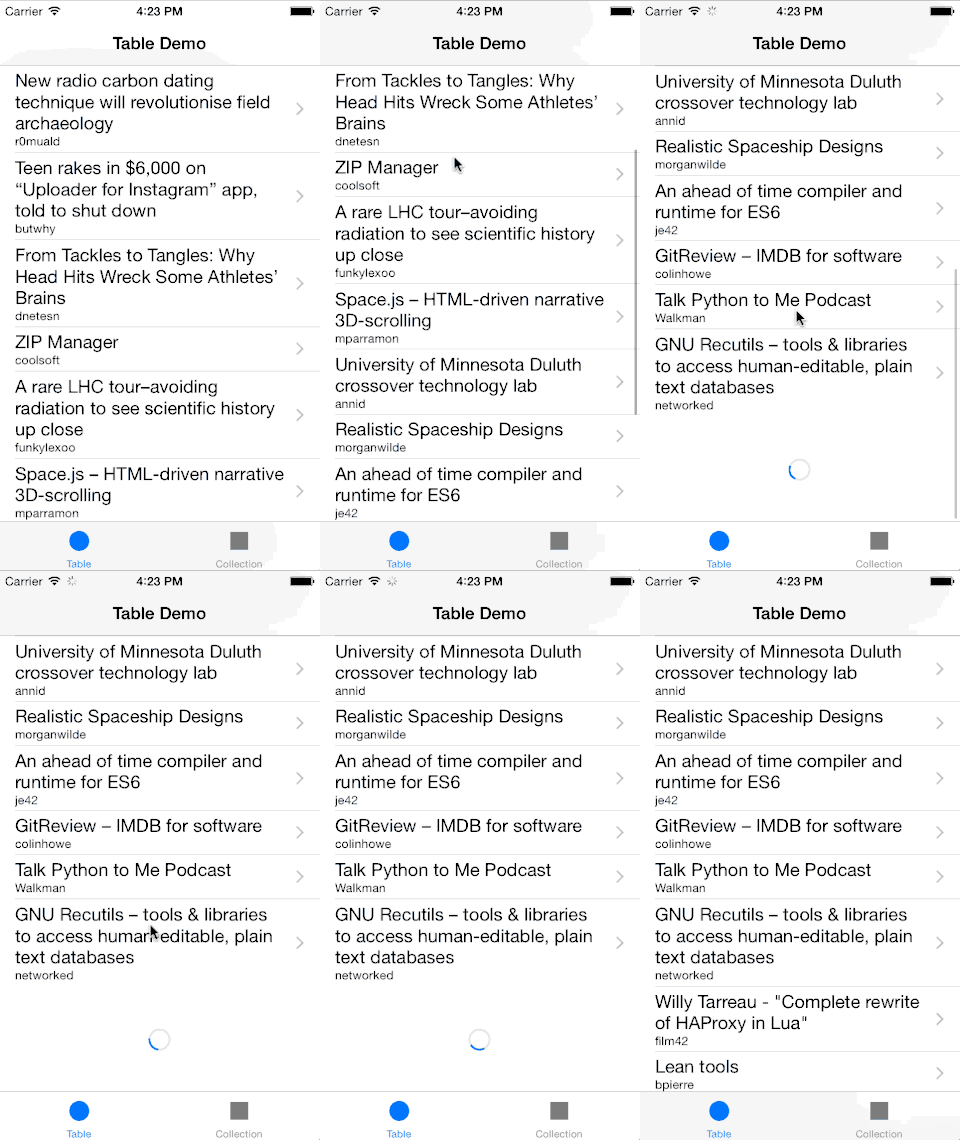
You can probably try implementing what you suggest outside of the library & see how it works. This is something that came to my mind:
class MyTableViewController: UITableViewController {
    var restoreOffset: CGPoint?

    override func viewDidLoad() {
        tableView.addInfiniteScroll { [weak self] (tableView) -> Void in
            // update table view

            tableView.finishInfiniteScroll { (tableView) in
                self?.restoreOffset = tableView.contentOffset

                // scroll to first added row
                tableView.scrollToRow(indexPath: /* indexPath of the first added row */, at: .middle, animated: true)
            }
        }
    }

    override func scrollViewDidEndDecelerating(_ scrollView: UIScrollView) {
        // restore scroll position after deceleration
        if let restoreOffset = restoreOffset {
            scrollView.setContentOffset(restoreOffset, animated: true)
            self.restoreOffset = nil
        }
    }
}
But I am not very enthusiastic about such complex scrolling behaviors as I think that, more often than not, it interferes with the user making the overall user experience worse.
Please elaborate more on your idea if I misunderstood you.
