
github-vscode-theme

github-vscode-theme copied to clipboard
 primer
Active settings header is hard to distinguish in GitHub Dark Default theme
Steps to reproduce
- Set the editor theme to GitHub Dark Default.
- Open the settings UI.
Expected outcome
The current setting header scrolled into view (e.g., Commonly Used, should be easily distinguishable from the rest of the settings headers.
Actual outcome
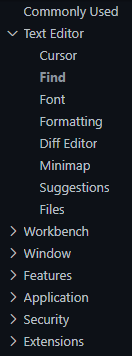
The current setting header scrolled into view is barely distinguishable from the rest of the settings headers.
Below is a screenshot illustrating this:
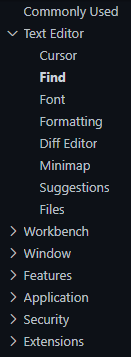
If I change settings.headerForeground to #c9d1d9 (the editor foreground color), then it is much more distinguishable:
Extension version: v4.1.1
