

 primary-theme
Mermaid git Diagrams Are Hard To Read
Howdy! First and foremost, I love this theme, you've done a phenomenal job.
I noticed that for git diagrams, the font and colors currently used are not very readable.
Screenshots in Light/Dark mode:


Example mermaid: ```mermaid gitGraph commit branch develop commit commit checkout main merge develop ```
I went and dug up the default mermaid themes and it didn't seem like the ones in Obsidian mapped to any of them, example here.
Am I doing something wrong? I'm also using the Style Setting plugin to tweak and have some minor css snippets I can supply but they wouldn't impact the diagram colors (as far as I can tell from a non-frontend developer 🙃)
Here is the export of the Style Settings for the Primary Theme:
{ "file_format_version": "1.0.0", "ICD": { "library_path": ".\vk_swiftshader.dll", "api_version": "1.0.5" }, "primary-ceciliamay@@font-preview-header": ""Karla", -apple-system, BlinkMacSystemFont, Helvetica, Arial, sans-serif", "primary-ceciliamay@@header-color__preset": "header-color__yrb", "primary-ceciliamay@@scrollbar-style": "scrollbar__hidden", "primary-ceciliamay@@h2-text-align": "center", "primary-ceciliamay@@h1-text-align": "center", "primary-ceciliamay@@h3-text-align": "center", "primary-ceciliamay@@h4-text-align": "center", "primary-ceciliamay@@vault-title__titlebar": true, "primary-ceciliamay@@vault-title__file-explorer": true, "primary-ceciliamay@@hide__note-header": false, "primary-ceciliamay@@hide__metadata-box": false, "primary-ceciliamay@@statusbar": "show__status-bar" }
Thank you for taking the time!

Thank you so much for reporting this bug and the kind words @bgk0018 !! Glad you're enjoying the theme 💖 Can you send me the code/text you're using to generate the mermaid diagram you've shown? I'd love to investigate further!

I updated my original post to actually escape the mermaid code block. TIL GitHub also interprets mermaid code blocks 🤣.
Thanks again for taking a look!
@bgk0018 Thanks for sending it in 😂
Though, copy-pasting the code, I get this error:
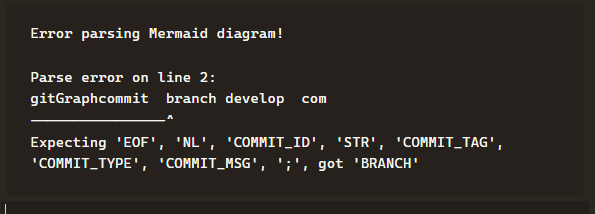
I have no idea how to go about mermaid diagrams so I'm hoping you can help me with this issue so I can help you further 👀Thank you in advance!!
Hey sorry, try this gist, make sure to grab the raw format: https://gist.github.com/bgk0018/f17aa22ef62408abc2199c2970c61785
Mermaid is very particular about whitespacing. If you have any trailing whitespaces (which apparently got added when I copied and pasted the above markdown locally) it'll throw a fit.
Let me know if that file gets you where you're going.
Thanks again!
Hey @ceciliamay ! I wanted to check back in and make sure the gist I provided got you where you're going. If it didn't, I can see if I can provide another route to reproduce.
Thanks!
Line 3011 in obsidian.css
.mermaid tspan, .mermaid text.messageText {
  font-size: var(--font-scale-1) !important;
  font-family: var(--font-monospace-theme) !important;
  font-weight: var(--font-regular);
  stroke: none !important;
  fill: var(--color-gray-10) !important;
}
The fill on this line is what's controlling the color of the text in the git diagrams. It's probably controlling more than that, but I found that modified the font color.