

 preactjs
Shallowly updating the page URL hides the currently focused input's datalist dropdown in Chrome
Describe the bug
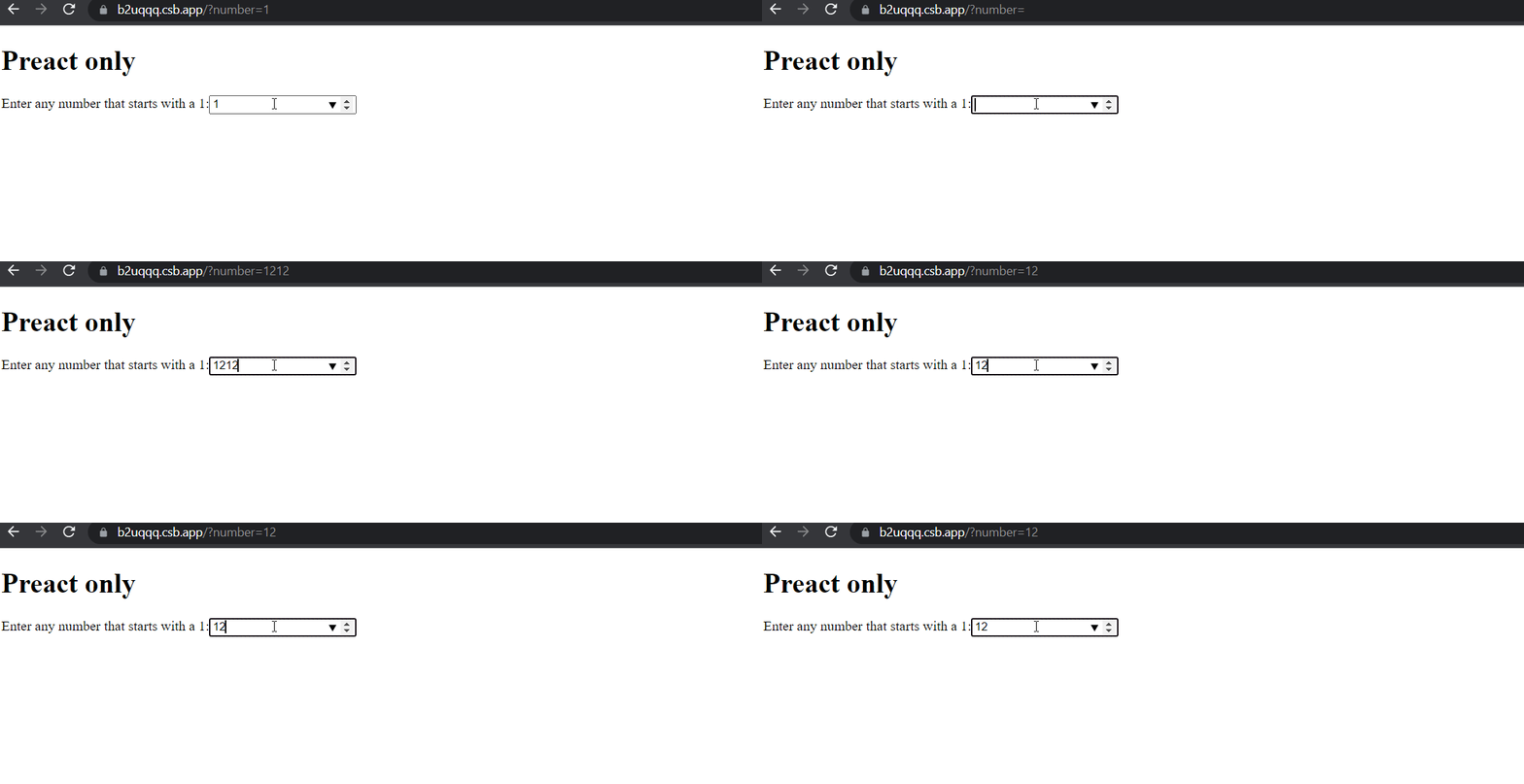
Let's say an input has a datalist that shows a dropdown menu of options to choose from. If the app updates the page's URL with the form's serialized data as a user types in that input, the datalist menu disappears and doesn't come back no matter what the user types. This is only reproducible 1) with Preact 2) in Chrome. It is not reproducible with vanilla JS, React, or in Firefox.
Here's a GIF demonstrating the bug:
To Reproduce
- Visit https://b2uqqq.csb.app/ (corresponding code: https://codesandbox.io/s/datalist-url-update-preact-only-b2uqqq?file=/src/index.js).
- Clear the input. The datalist should disappear (expected).
- Type a
1again in the input. - Observe that the datalist does not reappear (unexpected).
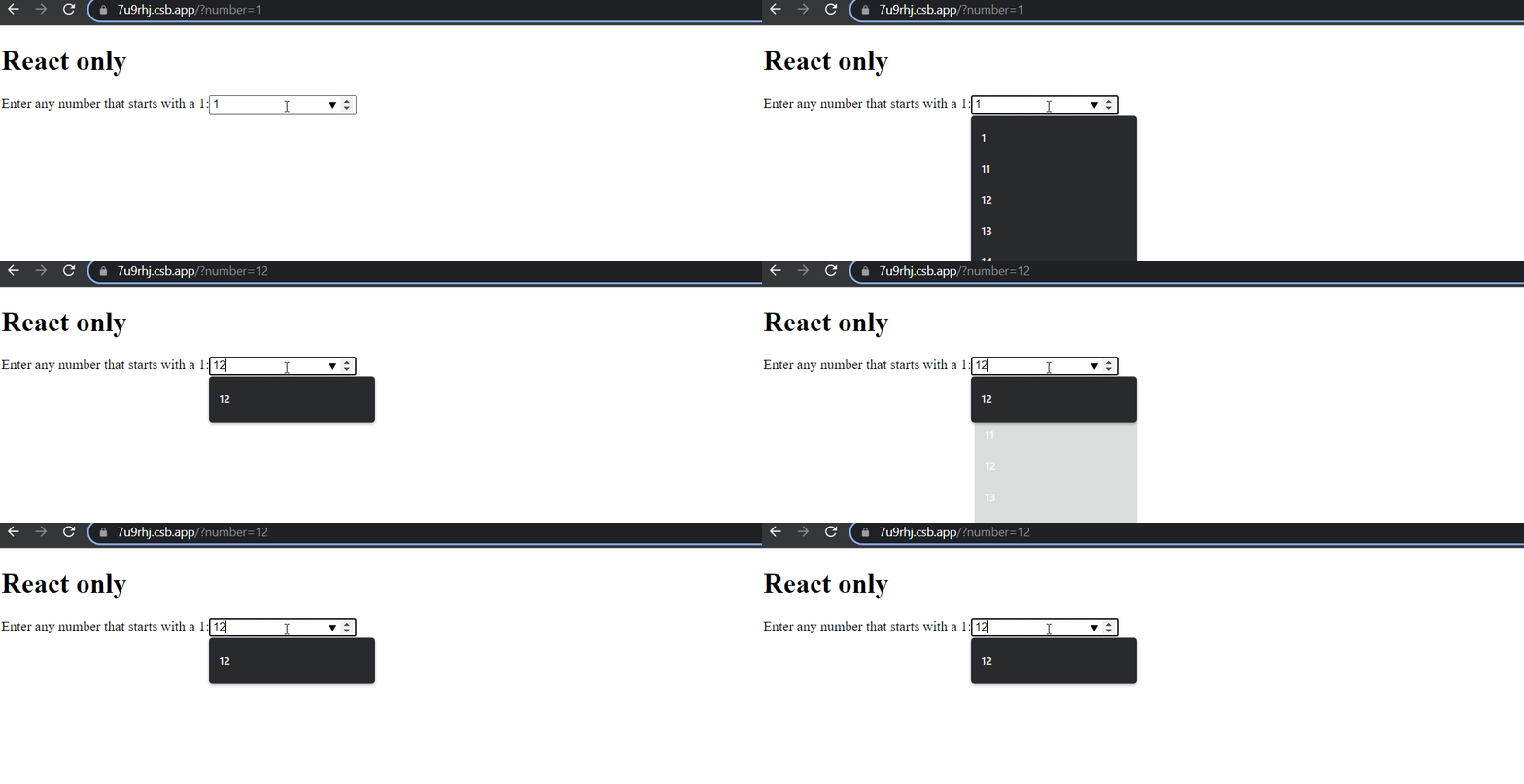
To verify that this is a Preact issue, I've prepared a separate sandbox that uses only React:
- Visit https://7u9rhj.csb.app/ (code: https://codesandbox.io/s/datalist-url-update-bug-pure-react-7u9rhj?file=/src/App.js).
- Clear the input. The datalist should disappear (expected).
- As before, type a
1. - Observe that the datalist reappears (expected).
Here's what the React version looks like:
Expected behavior
The datalist should've reappeared in step 3 in the first set of repro instructions.
Environment
- Preact version: 10.7.1
- Chrome version: 98.0.4758.102
Additional context
- Removing the line of code that updates the page URL fixes the issue.
- Issue is not reproducible in Firefox. Does this mean it's a Chrome bug? But then I'd expect it to occur for both React and Preact. So I'm wondering if Preact is doing something different that's triggering the bug in Chrome.

One thing I noticed is that if you blur the input and then refocus it by clicking into it with your mouse, the datalist menu reappears. I'm still not sure what logic specific to Preact is causing this bug. Anyone familiar with this or similar issues?
Also interesting: the bug doesn't happen in CodeSandbox's browser preview, only when viewing the Preact version in a proper Chrome tab/window. I haven't been able to get to the bottom of why this happens in Preact but not React - my guess is that it relates to event timing (none of the input properties seem to be involved in the bug).
