

 pop-os
Add Tor Browser to floating window exceptions
(1) Issue/Bug Description:
Tor Browser (from the portable Tor Browser Bundle for Debian-based distros) tiles in Pop!_OS's tiling window mode.
(2) Steps to reproduce (if you know):
- Turn on "Tile Window".
- Launch Tor Browser.
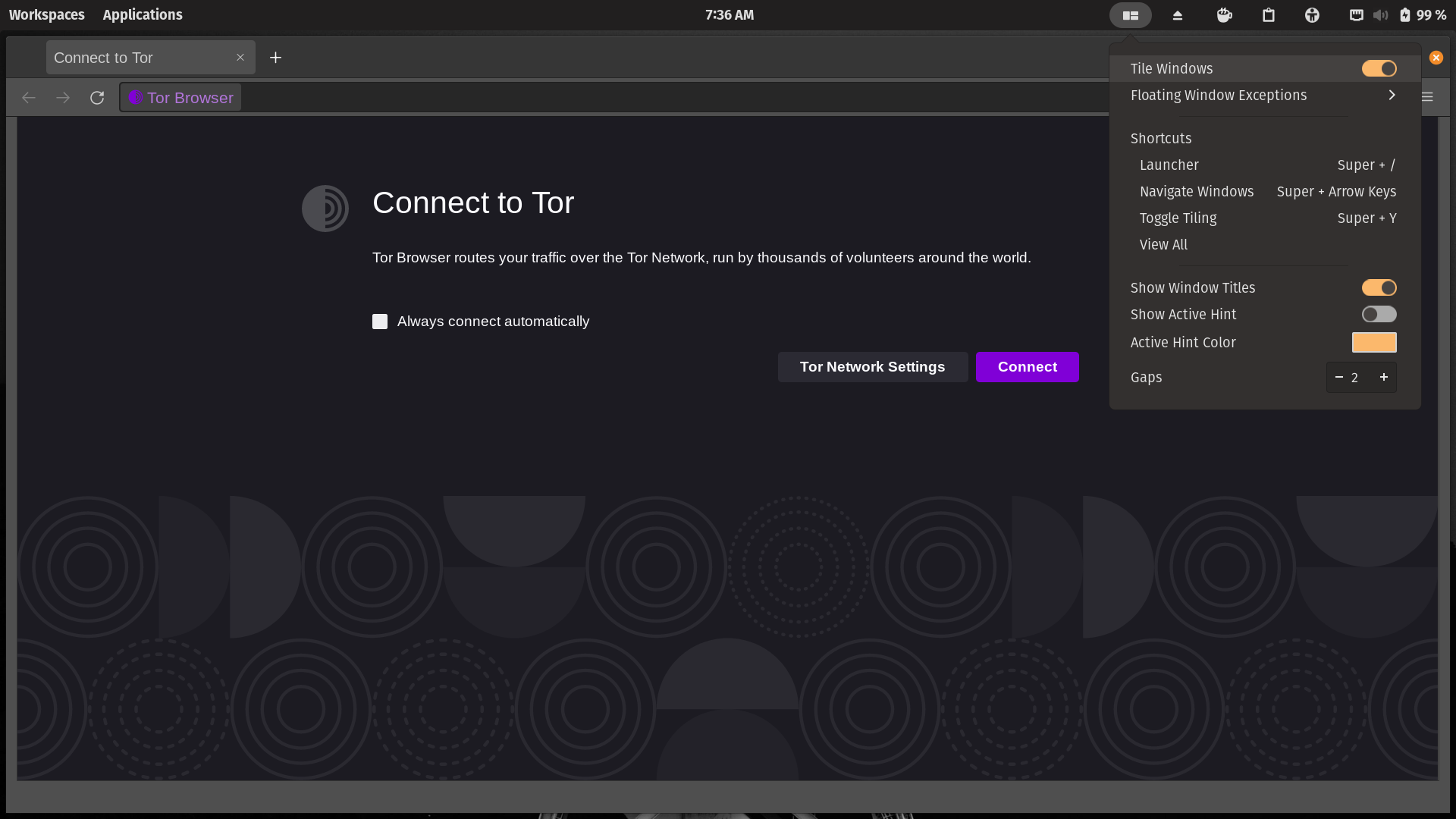
- Tor Browser viewport will resize upon tiling, thus creating grey bars and ignoring the default unmaximized/letterboxing behavior that prevents browser fingerprinting.
This affects both "Tor Browser" and "Tor Browser Launcher Settings"
Tor Browser screenshots
With no tiling windows:

Tor Browser before adding exception:
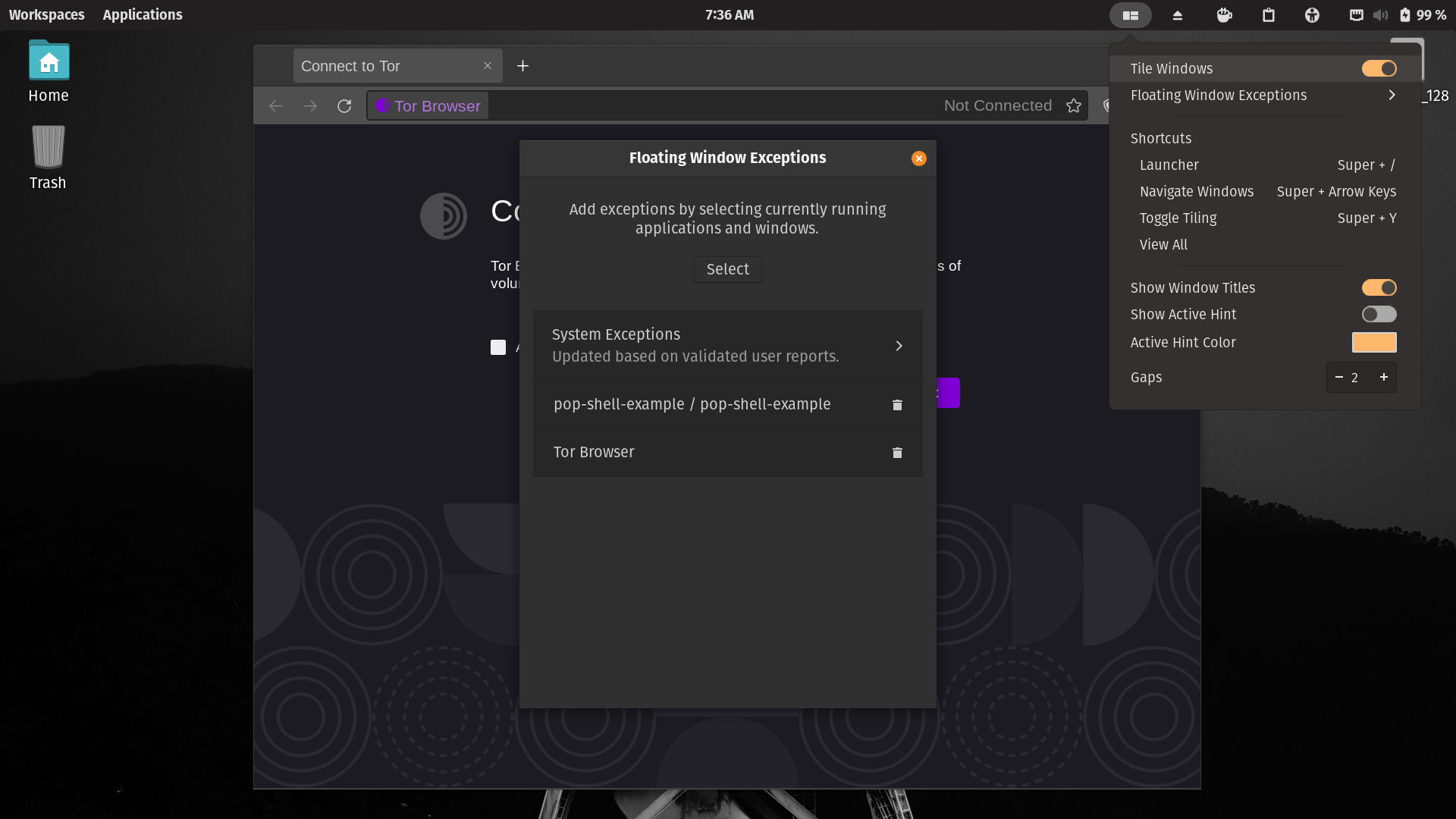
Tor Browser after adding exception:
Tor Browser Launcher Settings screenshots
With no tiling windows:

Launcher Settings before adding exception:

Launcher Settings after adding exception:

(3) Expected behavior:
Tor Browser should not tile when tiling window mode is activated in Pop!_OS.
Tor Browser stops tiling when I manually add it to the floating windows exception list. This could be resolved by adding Tor Browser to the default system floating windows exceptions list in Pop!_OS.
(4) Distribution (run cat /etc/os-release):
NAME="Pop!_OS"
VERSION="21.10"
ID=pop
ID_LIKE="ubuntu debian"
PRETTY_NAME="Pop!_OS 21.10"
VERSION_ID="21.10"
HOME_URL="https://pop.system76.com"
SUPPORT_URL="https://support.system76.com"
BUG_REPORT_URL="https://github.com/pop-os/pop/issues"
PRIVACY_POLICY_URL="https://system76.com/privacy"
VERSION_CODENAME=impish
UBUNTU_CODENAME=impish
LOGO=distributor-logo-pop-os
(5) Gnome Shell version:
40.4.0
(6) Pop Shell version (run apt policy pop-shell or provide the latest commit if building locally):
1.1.0~1648206495~21.10~28c3a18
(7) Where was Pop Shell installed from:
Built into Pop!_OS.
(8) Monitor Setup (2 x 1080p, 4K, Primary(Horizontal), Secondary(Vertical), etc):
Built-in primary 1920x1080 display on Microsoft Surface Pro 1.
(9) Other Installed/Enabled Extensions:
I think these don't interfere, but I'll list them anyways:
Manually Installed
- Caffeine
- Clipboard History
- OpenWeather
- Removable Drive Menu
Buit-in
- Cosmic Dock
- Cosmic Workspaces
- Pop COSMIC
- Pop Shell
- System76 Power
- Ubuntu AppIndicators
(10) Other Notes:
First, though this may be an apple and oranges comparison, the default configuration file in AwesomeWM includes Tor Browser in its default list of floating window exceptions to help prevent fingerprinting in Tor Browser.
Second, when using the instructions for installing Tor Browser on desktops instead of Tor on servers, change the final step to:
`$ sudo apt install deb.torproject.org-keyring torbrowser-launcher`
and the CLI execution command for "Tor Browser" in the application search is $ torbrowser-launcher. The "Tor Browser Launcher Settings" is $ torbrowser-launcher --settings.
