

 pop-os
Keyboard resizing breaks with more than one window tiled per dimension
(1) Issue/Bug Description:
This was hard for me to understand, I encountered it as just "sometimes keyboard resizing breaks my window layout." After some investigation, I think it only happens when using window management mode to resize a window if you are resizing it in any direction where the remaining space is occupied by more than one other window. In these cases, I am unable to increase the size of the window using Shift+Arrows. If I decrease the window size, it decreases dramatically and another window opposite it increases.
(2) Steps to reproduce (if you know):
- Turn tiling mode on in a fresh workspace.
- Open any four windows, using the default tiling scheme.
- Focus the last window opened (for me, bottom right) and
Super + Enterto enter window management mode: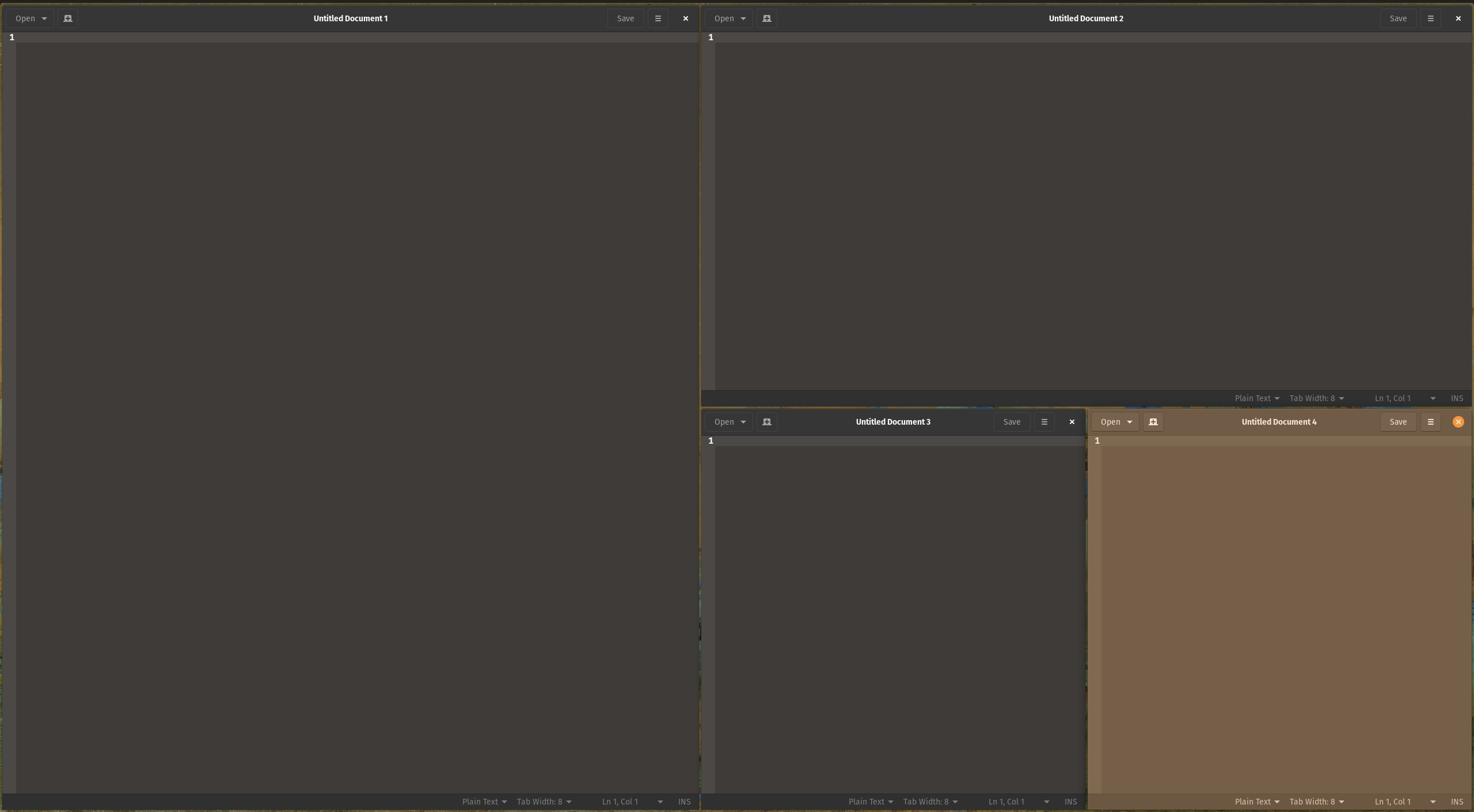
- Press
Shift + Right Arrowto increase this window's size. This doesn't do anything. - Press
Shift + Left Arrowto decrease this window's size. This will pretty much cut the window's size in half. It will also decrease the size of the windows above and to its left, and increase the size of the first-opened window. The layout should look like this: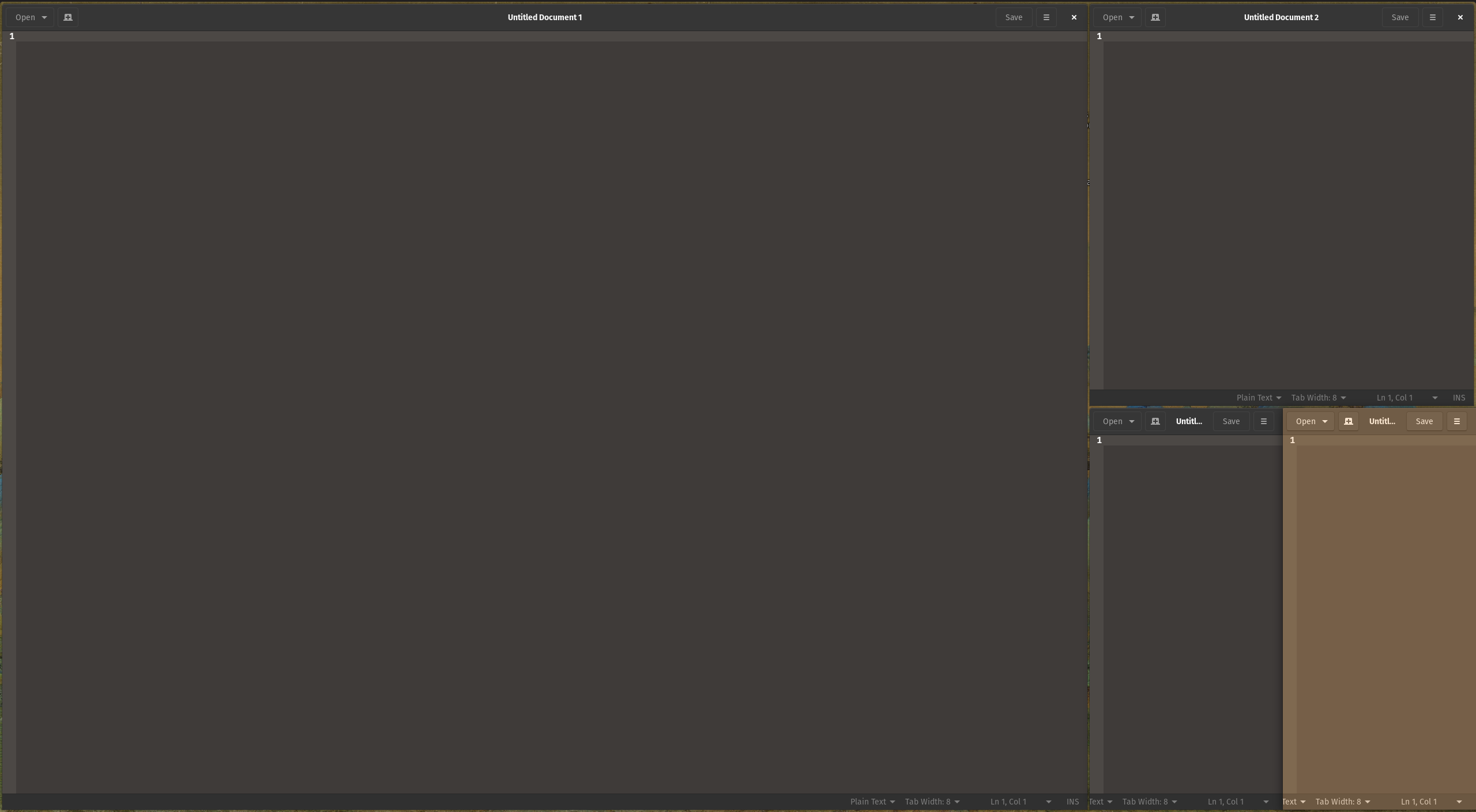
- One more
Shift + Left Arrowand the layout looks like this: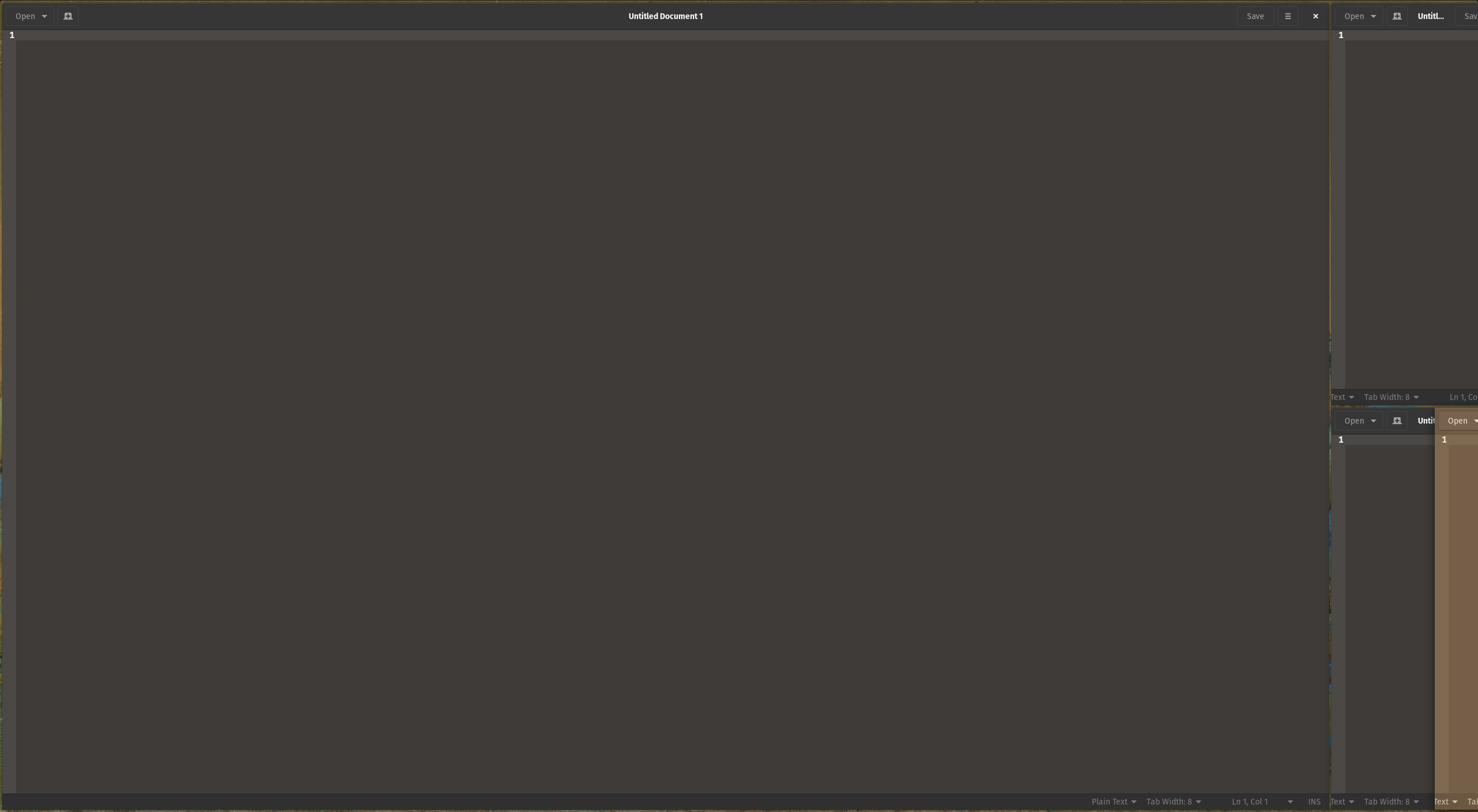
This can also be reproduced in other layouts where multiple windows take up the vertical or horizontal space, i.e. four stacked vertically or horizontally.
Resizing this window using the mouse works fine.
(3) Expected behavior:
I'd expect keyboard resizing to behave similar to resizing tiled windows using the mouse. In that case, only the selected window and the window immediately adjacent to it in the direction it's being resized should be affected.
(4) Distribution (run cat /etc/os-release):
NAME="Pop!_OS"
VERSION="21.10"
ID=pop
ID_LIKE="ubuntu debian"
PRETTY_NAME="Pop!_OS 21.10"
VERSION_ID="21.10"
HOME_URL="https://pop.system76.com"
SUPPORT_URL="https://support.system76.com"
BUG_REPORT_URL="https://github.com/pop-os/pop/issues"
PRIVACY_POLICY_URL="https://system76.com/privacy"
VERSION_CODENAME=impish
UBUNTU_CODENAME=impish
LOGO=distributor-logo-pop-os
(5) Gnome Shell version:
GNOME Shell 40.5
(6) Pop Shell version (run apt policy pop-shell or provide the latest commit if building locally):
pop-shell:
  Installed: 1.1.0~1642182148~21.10~21745c4
  Candidate: 1.1.0~1642182148~21.10~21745c4
  Version table:
 *** 1.1.0~1642182148~21.10~21745c4 1001
       1001 http://apt.pop-os.org/release impish/main amd64 Packages
       1001 http://apt.pop-os.org/release impish/main i386 Packages
        100 /var/lib/dpkg/status
(7) Where was Pop Shell installed from:
Upgraded from 20.10, originally installed from System76 website.
(8) Monitor Setup (2 x 1080p, 4K, Primary(Horizontal), Secondary(Vertical), etc):
1 x 2560 x 1440
(9) Other Installed/Enabled Extensions:
[email protected]
[email protected]
[email protected]
freon@UshakovVasilii_Github.yahoo.com
[email protected]
[email protected]
[email protected]
[email protected]@gmail.com
windowIsReady_Remover@[email protected]

Came here to report an issue very much like this so instead I'll just say that something like this also happens to me, across two different laptops, both of them typically connected to ultrawide monitors.
Where "this" is: Using [shift][left] to decrease the size of a tile in the left-most column will decrease the size by a lot more than usual, leaving it almost impossible to access and doing something to the state where it is very hard to untangle - I typically end up moving the windows do a different workspace to get a clean slate.
