

 pnp
pnp
[BUG] Get-PnPTenantTemplate and SiteLogo Property/Asset File.
Reporting an Issue or Missing Feature
Issue
Expected behavior
When extracting a tenant template for a Communication site, that has a custom "Site logo", and using persistAssetFiles set to true in the -Configuration argument, the <pnp:WebSettings SiteLogo="..." /> argument should point to a relative url of the image and the custom logo file should be downloaded to a SiteAssets folder.
Actual behavior
Upto a few days ago, the command Get-PnPTenantTemplate -SiteUrl https://tenant.sharepoint.com/sites/Site1 -Out .\Schema.XML -Configuration .\extractionOptions.JSON -Force would generate a XML schema file and associated assets, such as content type document templates (\_cts) and a custom site logo file (\SiteAssets)
However, from the end of last week 4/3 UK, the SiteLogo property is empty and the logo file is not downloaded. The correct URL for the site logo is carried in the <pnp:PropertyBagEntry /> though as shown below. I suspect that this may be due to an evergreen change in the platform as I now see some new options in the site Change the look/Header options when Extended is selected such as Logo alignment.

Steps to reproduce behavior
Connect-PnPOnline to a Communication site (or any other valid site type)
Get-PnPTenantTemplate -SiteUrl https://tenant.sharepoint.com/sites/Site1 -Out .\Schema.XML -Configuration .\extractionOptions.JSON -Force
Where extractionOptions.JSON looks like:
{
    "$schema": "https://aka.ms/sppnp-extract-configuration-schema",
    "persistAssetFiles": true
}
What is the version of the Cmdlet module you are running?
I have tested this with V1.9.0 and V1.9.62 nightly
Which operating system/environment are you running PnP PowerShell on?
- [x] Windows
- [ ] Linux
- [ ] MacOS
- [ ] Azure Cloud Shell
- [ ] Azure Functions
- [ ] Other : please specify

A bit more detail.
It appears to me as though the "Site Logo" and the "Site logo thumbnail" have been interchanged incorrectly by Get-PnPTenantTemplate.
Here is my site:
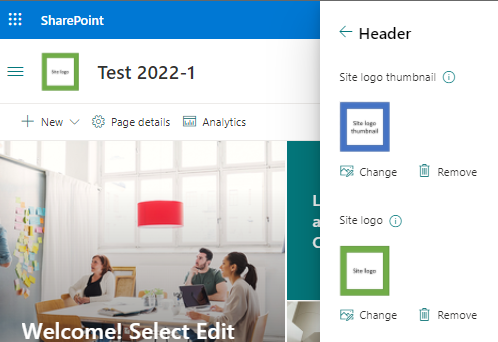
and here is what Get-PnPTenantTemplate with PersistAssetFiles delivers:

In this example, the "Site logo thumbnail" image is downloaded to a local \SiteAssets folder but still not the "Site logo" and the SiteLogo="{site}/SiteAssets/__sitelogo__SiteLogoThumbnail.png" property of the <pnp:WebSettings /> node is incorrectly pointing to the "Site Logo thumbnail"
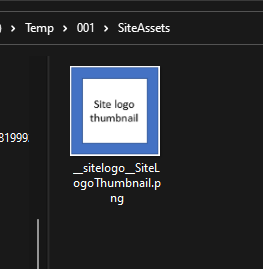
If I used this template to provision a new site, the __sitelogo__SiteLogoThumbnail.png would be incorrectly used as the "Site logo".
hi @BaronSparky , can you please try with the latest nightly and let us know ?

Hi @gautamdsheth Using the currently nightly build, (1.11.96), my experience is:
- WebSettings has:
<pnp:WebSettings ... SiteLogo="{site}/SiteAssets/__sitelogo__SiteLogoThumbnail.jpeg" ... /> - The
__sitelogo_SiteLogoThumbnail.jpegfile is downloaded to the/SiteAssestsfolder - The
<pnp:PropertyBagEntries>carries a<pnp:PropertyBagEntry Key="RectSiteLogoUrl" Value="/teams/202209201707498171-10/SiteAssets/__rectSitelogo__SiteLogo.jpg" Overwrite="false" /> - There is a
<pnp:Files> <pnp:File Src="SiteAssets/__sitelogo__SiteLogoThumbnail.jpeg" Folder="SiteAssets" Overwrite="true" Level="Draft" /> </pnp:Files>node
The __rectSiteLogo_SiteLogo.jpg isn't downloaded or included in the <pnp:Files> node so provisioning from this template would still be incomplete :(
This issue is stale because it has been open 14 days with no activity. Remove stale label or comment or this will be closed in 5 days
![github-actions[bot] avatar](https://avatars.githubusercontent.com/in/15368?v=4 "Published by a pub.dev verified publisher")
@BaronSparky - Can you please update to the latest release 2.1.x however you will need PS 7.2 or later to benefit from all the bug fixes and improvements.
PS5 support has been dropped in the new release.
Feel free to reopen if the issue persists. Thanks!

Hi @gautamdsheth Using the currently nightly build, (1.11.96), my experience is:
- WebSettings has:
<pnp:WebSettings ... SiteLogo="{site}/SiteAssets/__sitelogo__SiteLogoThumbnail.jpeg" ... />- The
__sitelogo_SiteLogoThumbnail.jpegfile is downloaded to the/SiteAssestsfolder- The
<pnp:PropertyBagEntries>carries a<pnp:PropertyBagEntry Key="RectSiteLogoUrl" Value="/teams/202209201707498171-10/SiteAssets/__rectSitelogo__SiteLogo.jpg" Overwrite="false" />- There is a
<pnp:Files> <pnp:File Src="SiteAssets/__sitelogo__SiteLogoThumbnail.jpeg" Folder="SiteAssets" Overwrite="true" Level="Draft" /> </pnp:Files>nodeThe
__rectSiteLogo_SiteLogo.jpgisn't downloaded or included in the<pnp:Files>node so provisioning from this template would still be incomplete :(
This is still happening for me in 2.3.0 - the __rectSitelogo__SiteLogo file is not downloaded as part of the template.

I just encountered the behavior @T-LeGranc mentioned in PnP.Powershell 2.4.0 with Powershell on OS X.
Name                           Value
----                           -----
PSVersion                      7.4.2
PSEdition                      Core
GitCommitId                    7.4.2
OS                             Darwin 23.4.0 Darwin Kernel Version 23.4.0: Fri Mar 15 00:19:22 PDT 2024; root:xnu-10063.101.17~1/RELEASE_ARM64_T8112
Platform                       Unix
PSCompatibleVersions           {1.0, 2.0, 3.0, 4.0…}
PSRemotingProtocolVersion      2.3
SerializationVersion           1.1.0.1
WSManStackVersion              3.0
