

 pnp
pnp
Get-PnPSiteTemplate with Pages handler ignoring centered text in Text Web Part
Reporting an Issue or Missing Feature
When extracting a PnP template from a site using the Pages handler, Text web parts on the page with centered text are not provisioned from the resulting template as centered.
Expected behavior
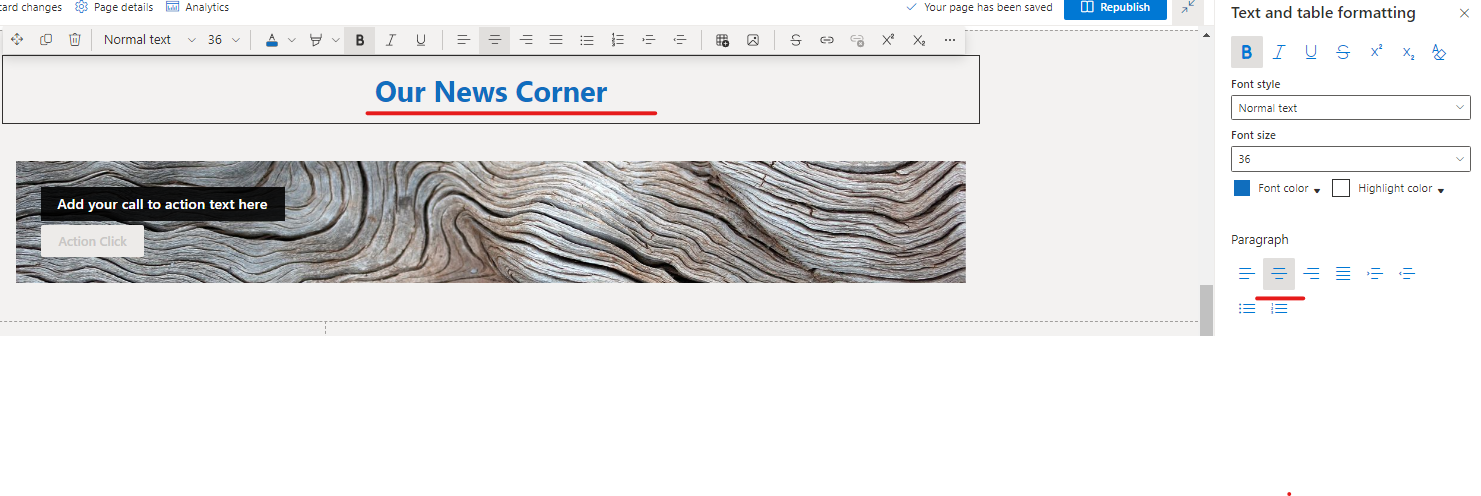
The page I have built has a 1 column section with a single Text web part. That text is set to 36px, Bold and Centered
 On the published page is renders like this:
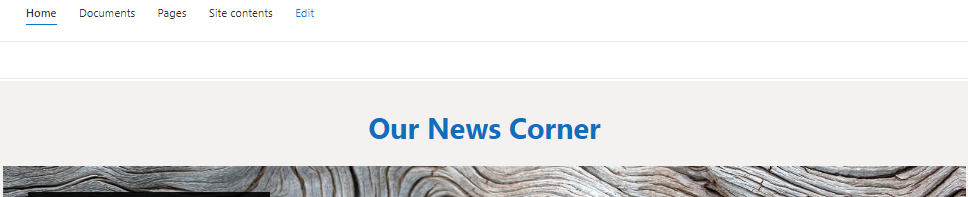 I expect that when I extract the page, it will create a template that will render just like this.
Actual behavior
After extracting the published page to a PnP template using the Pages handler, the generated XML looks like this:
<pnp:CanvasControl WebPartType="Text" ControlId="1f099f01-352d-498b-a528-47670cec5800" Order="1" Column="1"> <pnp:CanvasControlProperties> <pnp:CanvasControlProperty Key="Text" Value="<span class="fontColorThemeDarkAlt"><span class="fontSizeXxLargePlus"><strong>Our News Corner</strong></span></span>" /> </pnp:CanvasControlProperties>
After applying the template to a different site collection, the page renders like this (with the text misaligned to the left):
 When I "inspect" the page in the browser, the HTML is this:
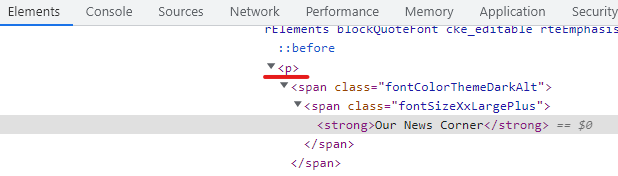 It looks like the extraction provisioning code is ignoring the 'style="text-align:center"' that should be in the paragraph (
<p>) for the page to render as desired.
Steps to reproduce behavior
As described above:
- Create a Modern SharePoint page with a single column section
- Add a text web part, add text, highlight the text, format it as centered, publish the page
- Call Get-PnPSiteTemplate in a script using the Pages handler
- Apply the resulting template to a new page
What is the version of the Cmdlet module you are running?
PnP.PowerShell 1.11.0
Which operating system/environment are you running PnP PowerShell on?
- [X] Windows
If you can suggest a workaround or some manual tweaking to the generated XML after-the-fact to get the desired result, that will be fine. But I do not seem to have any way to access the <p> tag to add the required attribute to make the text be centered when the page renders. The generated XML only lets me edit the <span> tags inside the paragraph.
Thanks in advance.

hey just so you know, and for anyone who might find this - a workaround i discovered was just editing the value tag to wrap the strong tag in another paragraph with piped in text-align style of center.
<pnp:CanvasControlProperty Key="Text" Value="<p style="text-align: center;"><strong>On Budget</strong><br>🟢 $<strong>&lt;&gt;</strong> (12%)</p>" />
