

 pnp
pnp
Invoke-PnPSiteTemplate doesn't retain client side page header settings
Reporting an Issue or Missing Feature
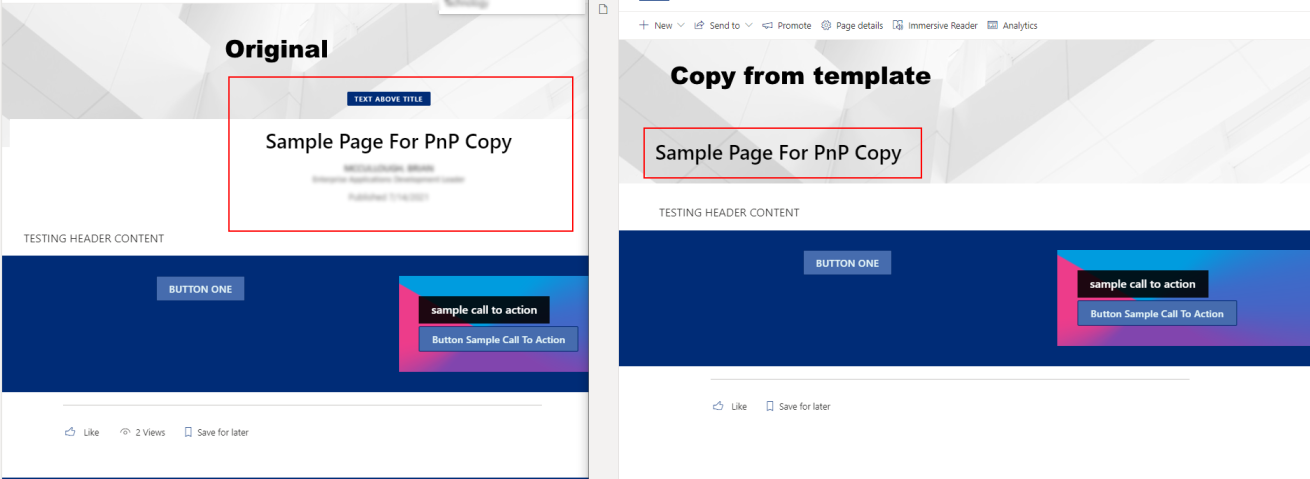
Modern Page and Page Template headers are not applied correctly upon Invoke-PnPSiteTemplate.
Expected behavior
Page is copied with the header settings retained.
Actual behavior
Page is copied with webparts and sections, however the header settings are not retained.
Steps to reproduce behavior
$clientId = "" $clientSecret = "" $sourceSiteUrl = "" $targetSiteUrl = "" Connect-PnPOnline $sourceSiteUrl -ClientId $clientId -ClientSecret $clientSecret
$basetemplate = Get-PnPSiteTemplate -IncludeAllClientSidePages -Handlers PageContents,Pages -OutputInstance -Schema LATEST
$template = New-PnPSiteTemplate foreach($page in $basetemplate.ClientSidePages) { $page.PageName if ($page.PageName -eq "Sample-Page-For-PnP-Copy.aspx") { $template.ClientSidePages.Add($page) $templatePage = $template.ClientSidePages[$template.ClientSidePages.Count - 1] $page.Header.TextAlignment $templatePage.Header.TextAlignment } <# if($page.PromoteAsTemplate -eq $true) { Write-Host "^^^^^^^ TEMPLATE ^^^^^^"
    $template.ClientSidePages.Add($page)
    $templatePage = $template.ClientSidePages[$template.ClientSidePages.Count - 1]
    $page.Header.TextAlignment
    $templatePage.Header.TextAlignment
}
#>
}
<# inspect the template properties before applying and note that they are correct #> $template.ClientSidePages[0].PageName $template.ClientSidePages[0].Header.TextAlignment $template.ClientSidePages[0].Header.LayoutType
$template.Files.AddRange($basetemplate.Files)
Connect-PnPOnline -Url $targetSiteUrl -ClientId $clientId -ClientSecret $clientSecret Invoke-PnPSiteTemplate -InputInstance $template -Connection $connection -Handlers PageContents, Pages
What is the version of the Cmdlet module you are running?
1.6.0
Which operating system/environment are you running PnP PowerShell on?
- [ X] Windows


I too have this issue, a <Header> with LayoutType="NoImage" in the template is still created with FullWidthImage by the template invoke.

@anthonywhite could you please include a small template to reproduce the issue ? it would speed things up a lot, thanks
@anthonywhite could you please include a small template to reproduce the issue ? it would speed things up a lot, thanks
<pnp:Provisioning xmlns:pnp="http://schemas.dev.office.com/PnP/2021/03/ProvisioningSchema">
  <pnp:Preferences Generator="PnP.Framework, Version=1.5.0.0, Culture=neutral, PublicKeyToken=null" />
  <pnp:Templates ID="CONTAINER-TEMPLATE-D6DC9DA2E979463CBC7EE218677CDB76">
    <pnp:ProvisioningTemplate ID="TEMPLATE-D6DC9DA2E979463CBC7EE218677CDB76" Version="1" BaseSiteTemplate="STS#3" Scope="RootSite">
      <pnp:ClientSidePages>
        <pnp:ClientSidePage PageName="Empty.aspx" Title="Empty" Overwrite="true">
          <pnp:Header Type="Default" LayoutType="NoImage" TextAlignment="Left" />
        </pnp:ClientSidePage>
      </pnp:ClientSidePages>
    </pnp:ProvisioningTemplate>
  </pnp:Templates>
</pnp:Provisioning>
Hi @anthonywhite , thanks for the template.
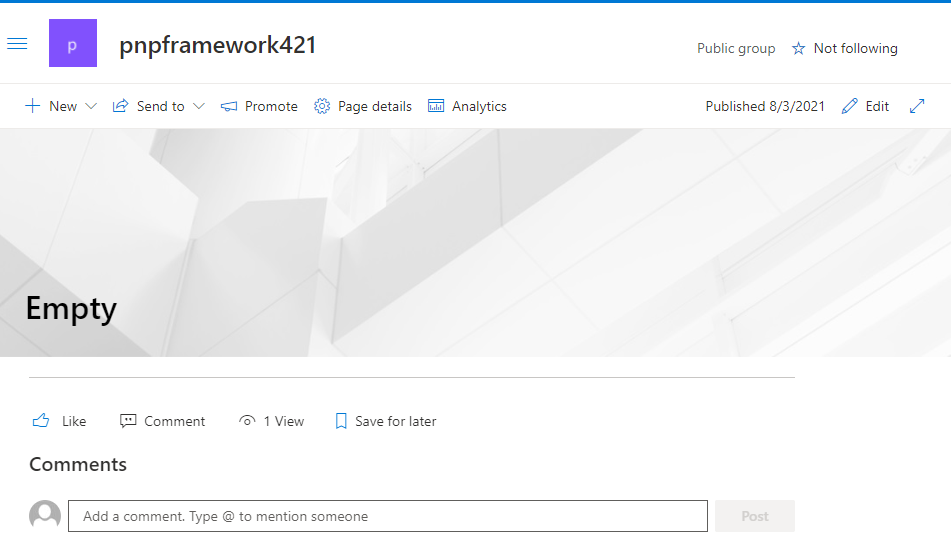
In your example you have <pnp:Header Type="Default" LayoutType="NoImage" TextAlignment="Left" /> with Type="Default", this ignores any other setting and just sets the default header.
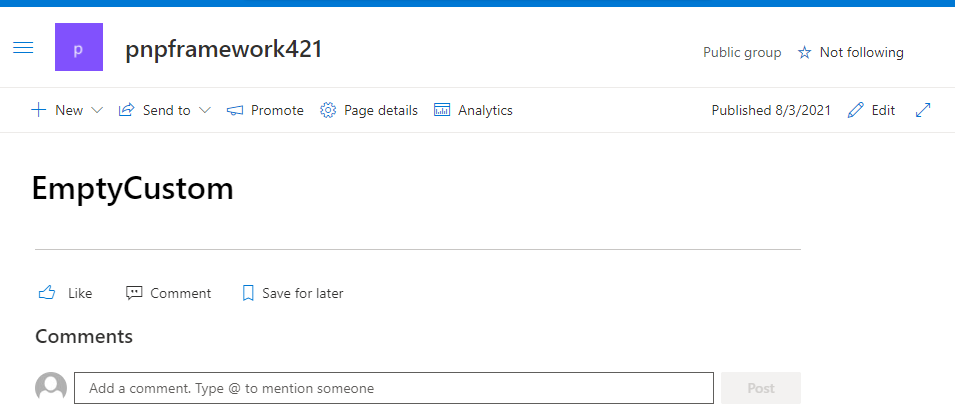
To be able to change the LayoutType, please set Type="Custom", so <pnp:Header Type="Custom" LayoutType="NoImage" TextAlignment="Left" />
This is how Empty.aspx looks with Default:
This is how it looks with Custom:
@brianpmccullough could you check if the comment above relates to your case too, with <pnp:Header > element having Type="Default" instead of Type="Custom" ? could you please check if with Custom it works correctly ? thanks 😃
@jackpoz Ok, setting Type="Custom" works, but in that case I suggest my issue is that Get-PnPSiteTemplate does not set Type="Custom" in the exported template for a page header that has been edited to Plain in the UI. It still exports with Type="Default" LayoutType="NoImage" which means it does not produce the same page as the site it was exported from.
I just confirmed this behaviour with 1.6.49
Thanks!! Will take a look here. Sorry just returning from vacation!
Also, I'll look to apply that change to the PowerShell sample above that dynamically gets, modifies, and applies a template. I suspect as mentioned, the default behavior of getting the template is not setting it as custom, perhaps when it should.
@brianpmccullough Are there any updates to this issue? We are facing the same issue and are provisioning hundreds of pages....


