

 pmndrs
Attempting to add custom effect to the chain disables MSAA
I'm trying to add an OutlineEffect with code that mirrors the example in the docs:
import { useContext, forwardRef, useMemo } from 'react';
import { EffectComposer } from 'react-postprocessing';
import { useThree } from 'react-three-fiber';
import { OutlineEffect } from 'postprocessing';

export const Outline = forwardRef((options, ref) => {
  const { scene, camera } = useThree();
  const effect = useMemo(() => new OutlineEffect(scene, camera, options), [
    scene,
    camera,
  ]);
  return <primitive ref={ref} object={effect} dispose={null} />;
});

export default function Effects() {
  return (
    <EffectComposer>
      <Outline />
    </EffectComposer>
  );
}
But it breaks MSAA. Commenting out the <Outline /> line restores it. What's the trick to use to keep MSAA working with custom effects in the chain, and can it be documented?
that's how all the effect wrappers work, so that's really odd. can it be perhaps that outline simply doesn't work with msaa due to some internal reason? do you want to ask @vanruesc ? https://github.com/vanruesc/postprocessing he already said that some effects my have artifacts, but i wasn't aware of something that would break it alltogether. in the worst case: SMAA.

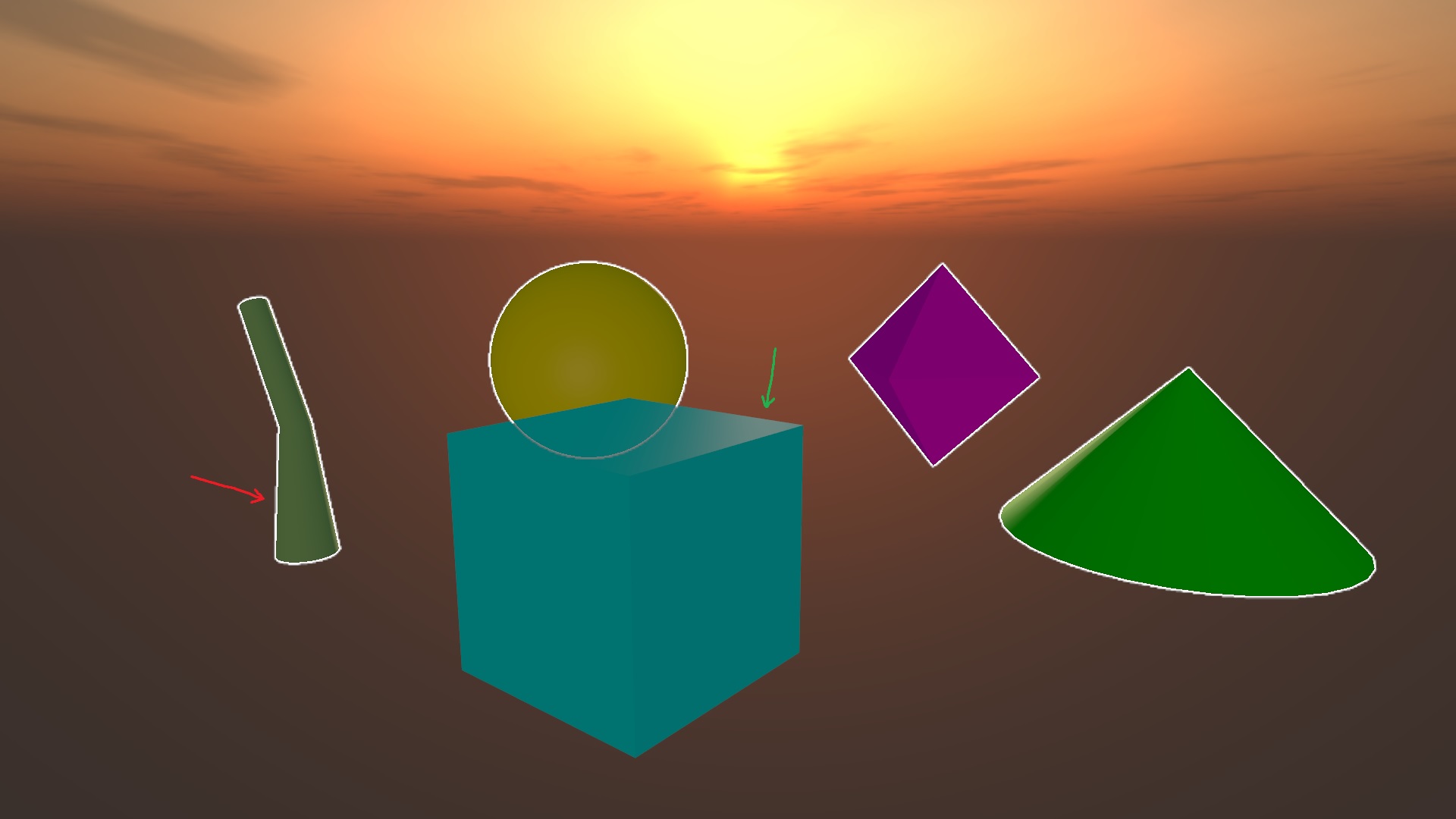
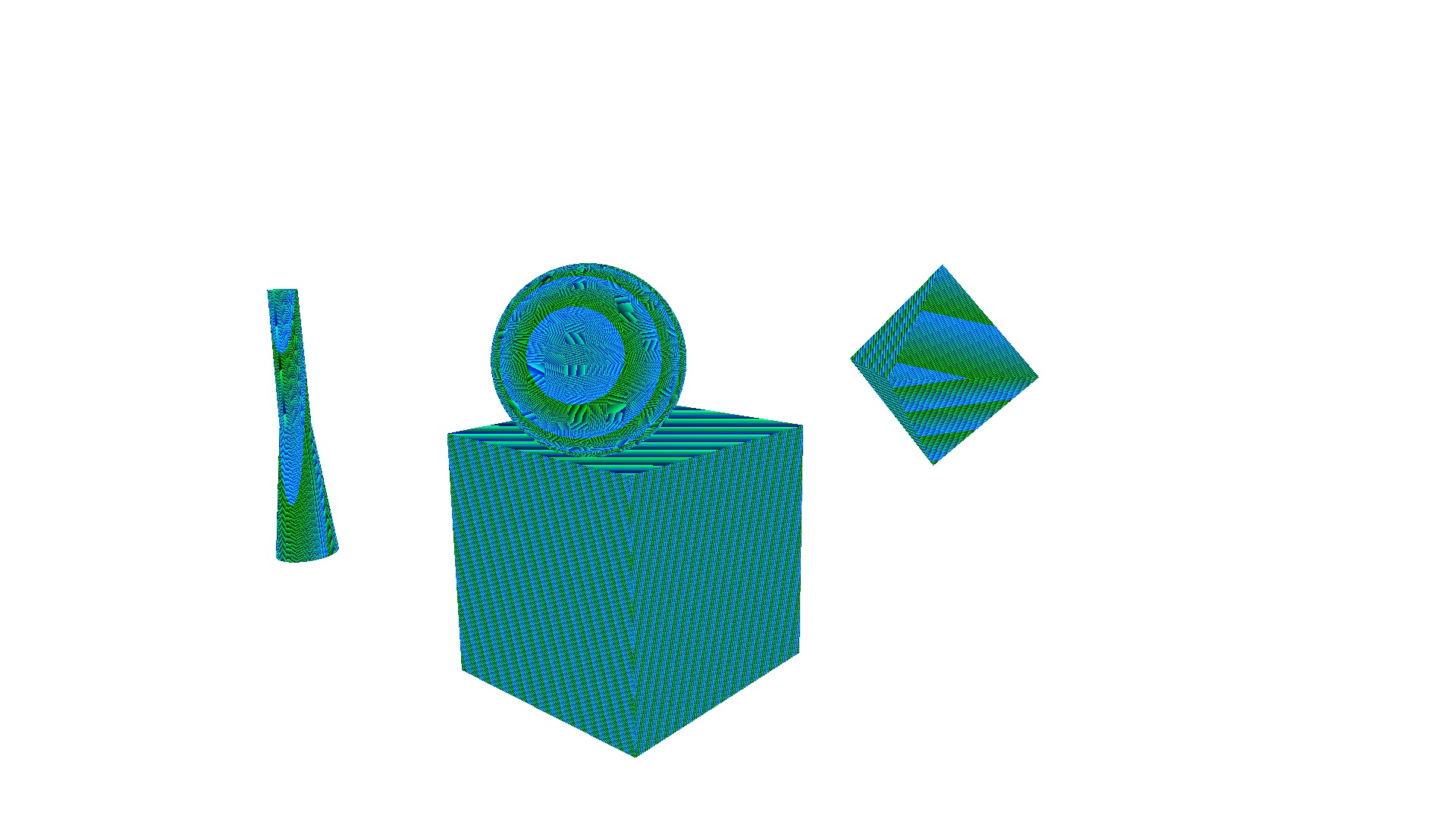
The OutlineEffect doesn't break MSAA; it's still active (green arrow), but the effect performs geometry-based depth comparisons which introduces new aliasing artifacts (red arrow). To my knowledge there is no antialiasing solution for depth values that correctly interpolates adjacent depth values. SMAA removes the artifacts because it's an image effect that can be applied after the OutlineEffect.
| Outline with MSAA | Outline Depth (aliased) |
|---|---|
 |
 |

Ah, that makes sense @vanruesc thanks for clarifying. Attempting to add an SMAA layer at the end of the chain strangely still results in aliasing (just on the outline).
<EffectComposer multisampling={0}>
  <Outline />
  <Noise premultiply />
  <Vignette eskil={false} offset={0.1} darkness={1.1} />
  <SMAA />
</EffectComposer>
Ordering doesn't seem to help. Do I need a separate effects chain?
I'm afraid in this case you need to use a second EffectPass to apply the SMAAEffect after the OutlineEffect because if you render them together in one pass, SMAA won't know about the outline.
The two effects are technically compatible, but Outlines don't play nice with SMAA because they introduce aliasing artifacts.
@gsimone works on selections right now, i think we also should introduce effect passes back. then we should be able to cover 100% of postprocessing declaratively. right now it just naively creates a single pass.
yeah it'd be great to have this out-of-the-box. OutlinePass is a pain in the ass as a whole, I have some helpers that use React.Context to make it easier here, if it's of use to anyone: https://gist.github.com/CharlieHess/203a561288f7b3b78eb2a3527ba21aa9
Hey @CharlieHess, we are testing outlines and selective bloom on this PR https://github.com/react-spring/react-postprocessing/pull/24
