

 pixiebrix
PLACEHOLDER: Modify Sidebar empty/onboarding state to include Page Editor instructions
As part of our Onboarding Squad sprint 3, we will be modifying the Sidebar empty state to encourage users to open the page editor. Specific copy/specifications TBD.

Additional consideration: "restricted" and "member" teams users should not be directed to open the Page Editor

I aligned with Todd on splitting out #4186 for the case of restricted and member teams. This solution will focus on non-restricted users.
(From Todd) Current behavior is:
- If user is not logged in, we show them a button to connect to PixieBrix
- If they have no extensions installed, we show them the “Activate a pre-made blueprint from the Public Marketplace.” and “Follow the Quick Start Guide to start creating your own bricks in minutes.” actions
- If they have extensions, but no side panels for the page we show “No panels activated for the page”
This issue focuses on the second bullet above where no extensions are installed and the user opens the Sidebar on a valid page (the case where they try to open it on the Chrome Web Store or Options page is Issue #4180 and #4179 .
As a starting point, we'll add information to the Sidebar stating how to open the PixieBrix page editor.
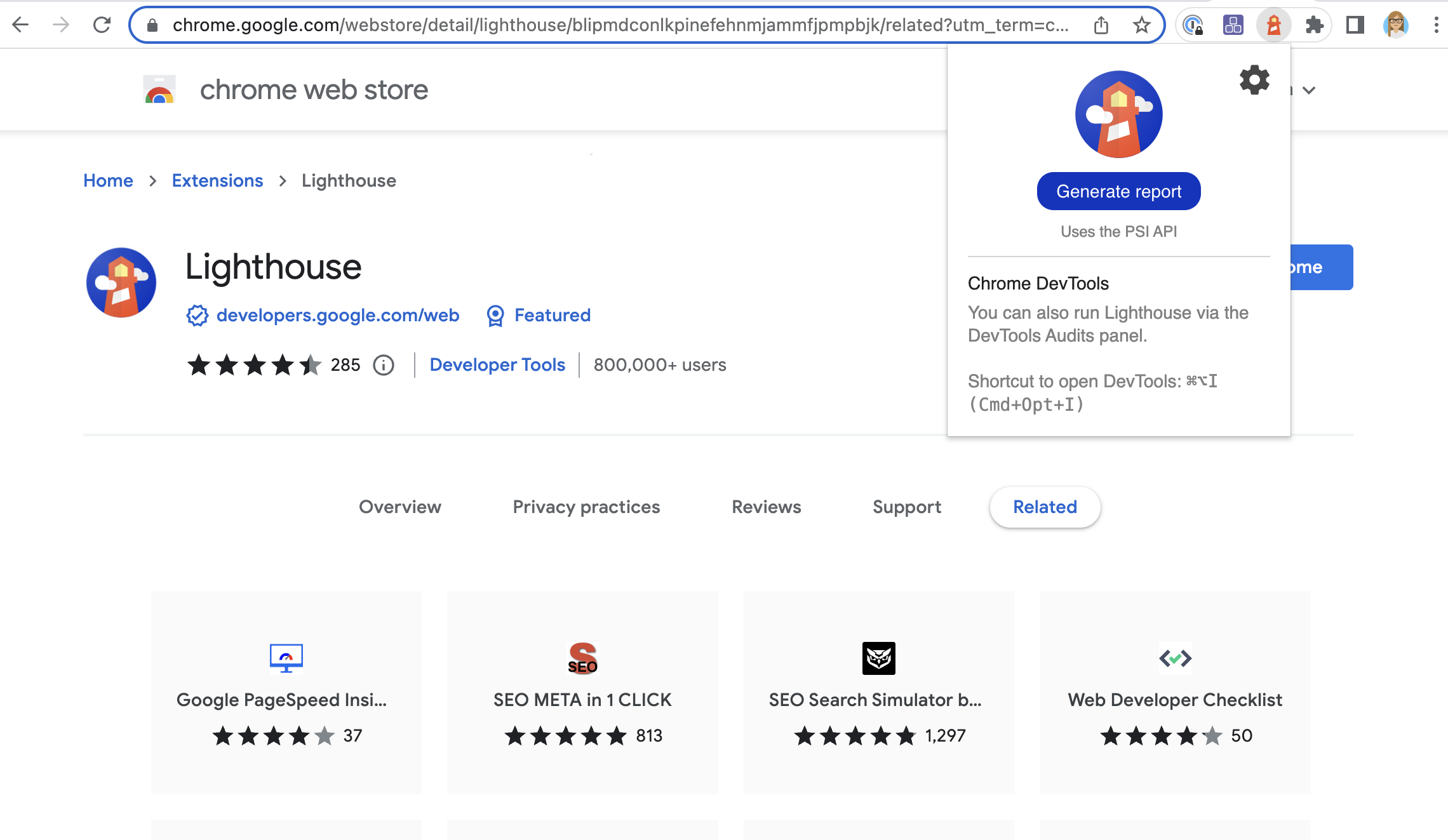
The Lighthouse chrome extension has the same issue that we do with needing to get people into dev tools, and they call it out. We want to do something like this:
@icugideon -- Passing to you to do a quick mock-up.
