

 pixie-io
Add Pixie UI support for script bundle env var
Problem
When installing Pixie in an air gap environment , the Pixie UI will fail to load, unless you set up the script dev environment:
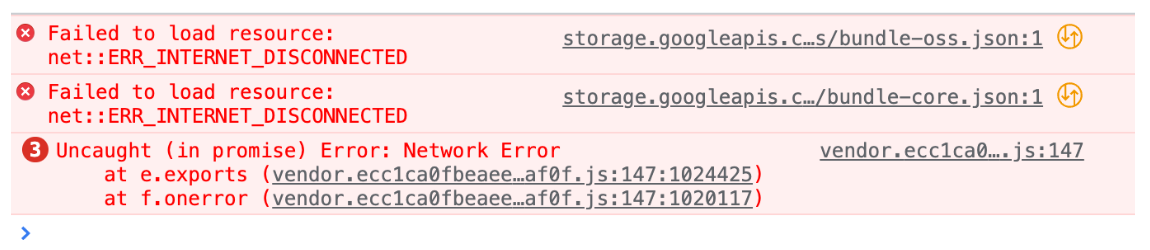
Feature request The UI should honor an env variable at build time to point somewhere else for the bundle. The UI should also provide a more useful error message when it fails to load a bundle.

Done in this commit.
Here's what changed:
-
Two new env vars, in
script_bundles_config.yamlfor each environment ink8s/cloud/*:-
SCRIPT_BUNDLE_URLS: A JSON-stringified array of URL strings. Defaults to the OSS bundle. Pixie's UI tries to load a JSON document from each URL in this array. User can override, see below. -
SCRIPT_BUNDLE_DEV: A JSON-stringified boolean. Defaults to"false". If"true", bundles are queried with a cache-busting timestamp parameter to make script development a bit easier. The instructions as-is still work, it's only the defaults that work differently.
-
-
There's a new
localStoragekey,px-custom-script-bundle-paths.- If set, it replaces the value of
SCRIPT_BUNDLE_URLSand forcesSCRIPT_BUNDLE_DEVon. - If it isn't set, the old
localStoragekeys are checked like before.
- If set, it replaces the value of
-
If Pixie's UI fails to load a script bundle, it now shows an error view linking to these instructions.

@NickLanam I ran into the new UI error when following the self-hosted install guide using a minikube test cluster.

I was using the default yamls (I didn't change SCRIPT_BUNDLE_URLS or SCRIPT_BUNDLE_DEV), so I wasn't expecting to see this error.
It looks isDev is getting set to true in script-bundle.tsx, given that I get the SCRIPT_BUNDLES_OVERRIDDEN error. Yet, pl-script-bundles-config shows
Name:         pl-script-bundles-config
Namespace:    plc
Labels:       app=pl-cloud
Annotations:  <none>

Data
====
SCRIPT_BUNDLE_DEV:
----
false
SCRIPT_BUNDLE_URLS:
----
[ "https://storage.googleapis.com/pixie-prod-artifacts/script-bundles/bundle-oss.json" ]

BinaryData
====

Events:  <none>