

 pierrejoye
Empty archive on windows
I'm using php 8.1 on windows which officially bundles version 1.19.5 (there doesn't seem to be a way to upgrade it as there is no dll anymore)

And the zip files created appear empty (but have the correct file size)

I have no idea where to look as this is one very weird bug
It works correctly with the same version on linux


The relevant difference is the libzip version (1.5.1 on Linux, but 1.7.1 on Windows). As of libzip 1.6.0, "Do not accept empty files as valid zip archives any longer.". I'm not exactly sure whether this is actually the problem; could you please clarify (a code snippet might be helpful to understand the issue).
there doesn't seem to be a way to upgrade it as there is no dll anymore
Did it ever work for you using a DLL packages with any of the official Windows PHP binaries? To my knowledge, it did not, since the zip extension was built statically into these binaries.

I just tried from a simple barebone snippet
<?php
$archive = new ZipArchive();
$archive->open('test.zip', ZipArchive::CREATE);
$archive->addFile('absolute_path_to_an_existing_file.jpg');
$archive->close();
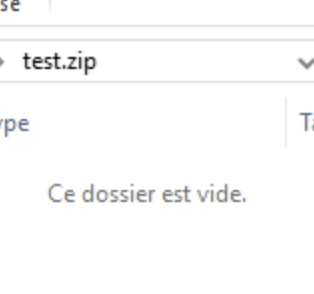
But with the correct file size in the zip info (eg in this case 72kb, which is the size of the image I'm adding)
If I add an entryname like test.jpg as second param of addFile then the file appears, so it seems it's adding them but somehow outside of the zip file structure and it's not visible
I don't see any issue.
If test.zip doesn't exists, your script work
$ rm -f test.zip
$ php foo.php
$ unzip -t test.zip
Archive:  test.zip
    testing: document.pdf             OK
No errors detected in compressed data of test.zip.
And if it is an empty file:
Deprecated: ZipArchive::open(): Using empty file as ZipArchive is deprecated in /tmp/foo.php on line 3
In such case, better to add the ZipArchive::OVERWRITE option
Else something specific to Windows (that I don't know anything about)

Yes just add a @unlink('test.zip') if you need but this is not the issue
I managed to reproduce it with a path as well
$archive->addFile('absolute_path_to_an_existing_file.jpg', '\\foo\\test.jpg');
This creates the foo directory but there is no test.jpg inside
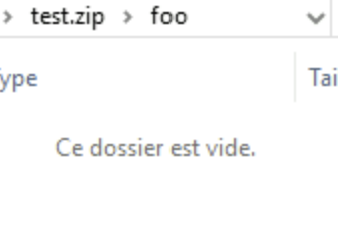
That's a bug or limitation of the Windows explorer. Checking the file with 7-zip shows that the file is there.
Indeed, it's visible with 7Zip
It happens with `/foo/test.jpg' as well but without the first slash it works fine
But the issue is that this script produces different zip files when run on windows and linux because on linux the created zip is visible even with the prepended slash when opened with the windows zip explorer but if created with windows then it's not
So there might be a bug in libzip https://libzip.org/documentation/zip_file_add.html
Uh oh – from the spec, paragraph 4.4.17.1 :
The name of the file, with optional relative path. The path stored MUST NOT contain a drive or device letter, or a leading slash. All slashes MUST be forward slashes '/' as opposed to backwards slashes '' for compatibility with Amiga and UNIX file systems etc.
If I don't specify the $entryname, and use __FILE__ or such as $filepath, I get an archive which violates all of that. Fixing this might cause quite some BC breakage, though.
Well it does seem to be automatically fixing the $entryname under linux (aka removing the leading slash), so I wonder how much of a BC break that would really be
Well it does seem to be automatically fixing the $entryname under linux (aka removing the leading slash),
For me, it does (using current PHP master with libzip 1.5.1).
so I wonder how much of a BC break that would really be
I was thinking about automated tests.
Anyhow, I'm really unsure what to do here. As is, the filenames are stored as given (even UNC paths on Windows), and that doesn't comply with the spec. However, 7zip (and maybe others) have no problems with this.
How about just adding a deprecation notice if the filenames are non spec compliant? And just let users make sure they pass the correct one? Because right now the problem is that it's not documented or warned about and libs building on top don't know about the spec, resulting in this bug
How about just adding a deprecation notice if the filenames are non spec compliant?
For me, a deprecation means that support for something will be removed in a future version. If we don't want to remove, an E_NOTICE might be more appropriate.
@remicollet, thoughts?
Well it does seem to be automatically fixing the $entryname under linux (aka removing the leading slash),
For me, it does (using current PHP master with libzip 1.5.1).
It doesn't for me (libzip 1.9.1)
<?php
$archive = new ZipArchive();
$archive->open('test.zip', ZipArchive::CREATE);
$archive->addFile(__FILE__);
$archive->close();

$archive->open('test.zip');
for ($i=0 ; $i<$archive->numFiles ; $i++) {
	printf("%4d: %s\n", $i, $archive->statIndex($i)['name']);
}

$ php /tmp/foo.php
   0: /tmp/foo.php
BTW, again, this is a behavior related to libzip, so change (if really needed) have to be discussed there, not here. The extension is only bindings for the library.