

 pedroSG94
RTMP to FACEBOOK and Audi/Video sync issue
Hi, @pedroSG94 , during tests I noticed 2 things, issues and would like to ask your help.
1. Streaming to Facebook 4k (360 degree) video via RTMP - library version 2.0.0, where using classes:
import net.ossrs.rtmp.ConnectCheckerRtmp;
import net.ossrs.rtmp.SrsFlvMuxer;
works fine when streaming to Facebook, but all upcoming versions, like 2.1.1, etc. are failing. I see lot of Video/Audio frame discarded logs and connection fails after some time too. I'm not sure if it's related to those classes or not, do you have any thought what could cause this?
2. Audio/Video Sync issue - when I'm using newer library, like mentioned above, 2.0.0 works fine for sure, but later ones are causing issues. with live streaming time, audio and video has an increasing delay compared to each other. Video will be late after 15-25 minutes more and more. So like at every frame there is a minimal difference which is increasing. I tried to follow all realted issues reported about audio sync and code changes, like resync audio, etc. but all failed for some reason.
Thanks in advance!

To know the reason we need know if you have the problem in encoder or rtmp module.
First of all, try to use encoders of version 2.0.0 with rtmp module of 2.1.4 and backwards. With this, we can know if the problem is rtmp module or encoder module and locate the problem. Also, check timestamps of video and audio frames provided by Mediacodec.BufferInfo (getVideoData and getAacData callbacks) in the each library version. Share me a logcat of this because it could be really uselfull.

hi, @pedroSG94 , I made changes. I set latest 2.1.4 library, but removed manually RTMP and added RTMP from 2.0.0 version, I adjusted some classes in rtplibrary because of changes to make it compile and run.
Result:
1. Streaming to Facebook 4k - works fine, no "video/audio frame discarded" messages, so seems this confirms that something goes wrong when trying to use latest library versions to stream RTMP to Facebook. It may be related that I'm streaming 4K video, 16-20Mbps. Do you have any suggestions how to make it work with Facebook too?
2. Audio/Video Sync issue - still issue there, audio/video sync issue may be related to encoder and not RTMP module. Also I noticed same delay at both RTMP and RTSP, which also confirms the same. I will try again, to use 2.0.0 encoder and see, but I'm sure it will work.
Thanks!
Hello,
1 - I checked rtmp module 2.0.0 vs 2.1.4 and the packetization time is the same so it is not an efficiency problem in code. Also, I can't reproduce disconnection problems and I can't see any "frame discard" in logs using facebook with same video parameters.
I could find 2 things that could be related with your problem but it isn't a code error or similar only a different way to store frame cache. Since I can't reproduce it, If you want, I can create a branch with this change and share you it to test. Meanwhile, you can try the following things to avoid frame discarded:
- Increase cache size:
//Try with 200. Default value 60
rtmpClient.resizeCache(newSize);
- Increase transfer chunkSize:
//try with 65535. The range is 1 to 16777215. Default value 128
rtmpClient.setWriteChunkSize(chunkSize);
About disconnections, share me reason string but the socket is configured exactly equal to 2.0.0.
2 - I did a fast check and the code in timestamp is the same but I will check it better tomorrow.
hi, @pedroSG94 , would like to give an update to you:
1. Facebook 4k RTMP - your suggestions worked, with library 2.1.3 I was able to stream toward FB with RTMP in 4k resolution... So seems RTMP module is fine, but needs these changes bacuase of high bandwidth/bitrate and resolution, packeting has to be adjusted. Live streaming to YouTube, there are audio issues, that i was able to solve by combining some changes from "Audio ticking" issue reported earlier here.
2. Audio/video sync increasing delay - by streaming the audio and video gets delayed more and more... first minutes its not noticable, but after 5-10-15-20 minutes delay is more and more for some reason. There is no delay at library 2.0.3, but at library 2.1.3 there is an increasing delay when streaming to my platform and to Facebook too, both RTMP and RTSP. This may be related to Encoder module.
Do you have some magical tricks to adjust encoding? I'm trying to go now by minor versions of library and compare code changes to try to identify the changes that could cause this. If you have any suggestions or thgouths, please do not hesitate to share!
Thanks!
The delay increase only after the audio fix? Sorry I had so much time today. I was looking into it but the only different found was the fix to avoid timestamp exceptions: https://github.com/pedroSG94/rtmp-rtsp-stream-client-java/blob/master/encoder/src/main/java/com/pedro/encoder/BaseEncoder.java#L97 Anyway, It is not used in most of cases and it was created to avoid crash in AudioEncoder in few devices. I will check encoders in detail tomorrow and maybe I can reproduce the delay if it is a general case with all devices after apply audio fix.
hi, @pedroSG94 , no, there is delay for me even without fixes... I'm not sure if it's only for my device or it's only noticable when high resolution/bandwidth is used? But it's the same for both RTMP/RTSP.
Are you planning to implement WebRTC too in the library?
hi, @pedroSG94 , no, there is delay for me even without fixes... I'm not sure if it's only for my device or it's only noticable when high resolution/bandwidth is used? But it's the same for both RTMP/RTSP.
Are you planning to implement WebRTC too in the library?
Ok, I will try with high resolutions on facebook.
No, I haven't plan to implement WebRTC because that technology is totally different from this one. This is designed for one to many in one way and WebRTC is many to many on both ways.
The only new protocols that could be supported are HLS, SRT or other protocol designed for the same porpuse of RTSP/RTMP, but for now, I have no plan to do it because I have plan to port this library to iOS first. After that, depend of my time and if I can find a good server to test and documentation I will start one of this protocols or other protocol depend of the users demmand.
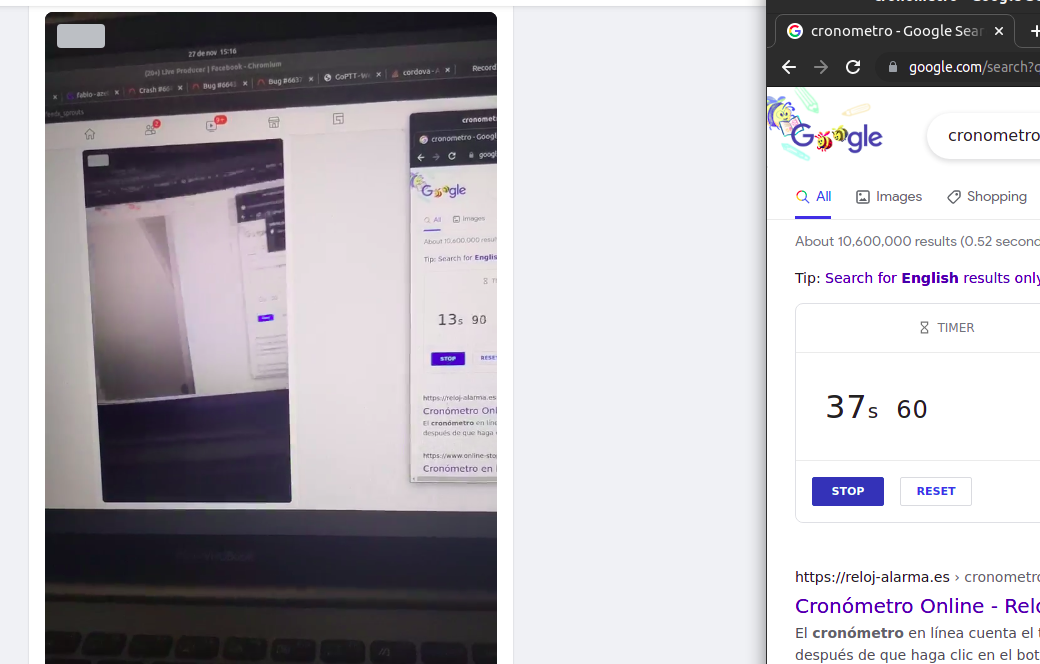
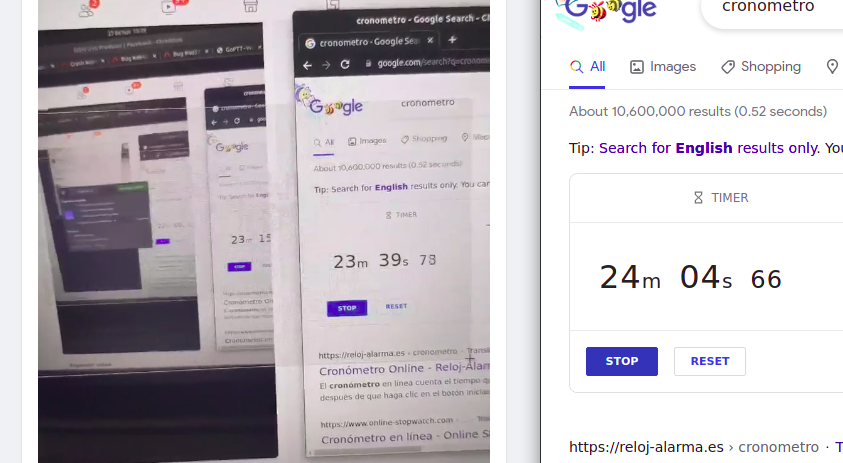
I did test with facebook using 4k stream with 21Mb or bitrate and the delay is the same at start and after 24min
After 24min:
I recommend you try to reset player to check if it is the reason because sometimes this is the main reason about delay.
About VideoEncoder and AudioEncoder code. The only differentces beetween 2.0.3 and 2.1.4 (Version 2.0.3 was released 30 May) are: BaseEncoder: https://github.com/pedroSG94/rtmp-rtsp-stream-client-java/commits/4b85bce8475deb97380dad3bbe51aca6d24087ea/encoder/src/main/java/com/pedro/encoder/BaseEncoder.java Fix offset of Frame class to avoid overflow buffer exception. VideoEncoder: https://github.com/pedroSG94/rtmp-rtsp-stream-client-java/commits/master/encoder/src/main/java/com/pedro/encoder/video/VideoEncoder.java Change the way to choose codec (priorize hardware codec) and send video info after call requestKeyFrame method AudioEncoder: https://github.com/pedroSG94/rtmp-rtsp-stream-client-java/commits/master/encoder/src/main/java/com/pedro/encoder/audio/AudioEncoder.java Change the way to choose codec (priorize hardware codec)
So the only difference could be that you are using other codec. You can check it on logcat.
@pedroSG94 , 2. audio/video sync issue - sorry if I wasn't clear enough. There is delay of video compared to audio, not overally delay, but sync issue, audio and video are out of sync with increasing delay, like 1-2ms every frame (or more).
I use the same player, my own wowza streaming engine, but also when streaming to facebook it's the same, audio and video gets more and more off sync when using latest libraries. At library 2.0.0, 2.0.3 this works fine, in the same player and in Facebook too.
Did you use a 4k resolution live stream during stream? I will check the codec?
btw, how to check the actual codec picked and used for actual video and audio?
@pedroSG94 , 2. audio/video sync issue - sorry if I wasn't clear enough. There is delay of video compared to audio, not overally delay, but sync issue, audio and video are out of sync with increasing delay, like 1-2ms every frame (or more).
I use the same player, my own wowza streaming engine, but also when streaming to facebook it's the same, audio and video gets more and more off sync when using latest libraries. At library 2.0.0, 2.0.3 this works fine, in the same player and in Facebook too.
Did you use a 4k resolution live stream during stream? I will check the codec?
btw, how to check the actual codec picked and used for actual video and audio?
Anyway, it is weird because encoders code is similar as metioned above. To check your codec used your only need check your logcat because your device log it alone. Also, you can execute the same code that you are using in the VideoEncoder/AudioEncoder to know the codec name and compare it with the other library version and know if you have the same name. This is the code executed in 2.1.4:
/**
   * choose the video encoder by mime.
   */
  @Override
  protected MediaCodecInfo chooseEncoder(String mime) {
    List<MediaCodecInfo> mediaCodecInfoList;
    if (force == CodecUtil.Force.HARDWARE) {
      mediaCodecInfoList = CodecUtil.getAllHardwareEncoders(mime, true);
    } else if (force == CodecUtil.Force.SOFTWARE) {
      mediaCodecInfoList = CodecUtil.getAllSoftwareEncoders(mime, true);
    } else {
      //Priority: hardware CBR > hardware > software CBR > software
      mediaCodecInfoList = CodecUtil.getAllEncoders(mime, true, true);
    }

    Log.i(TAG, mediaCodecInfoList.size() + " encoders found");
    for (MediaCodecInfo mci : mediaCodecInfoList) {
      Log.i(TAG, "Encoder " + mci.getName());
      MediaCodecInfo.CodecCapabilities codecCapabilities = mci.getCapabilitiesForType(mime);
      for (int color : codecCapabilities.colorFormats) {
        Log.i(TAG, "Color supported: " + color);
        if (formatVideoEncoder == FormatVideoEncoder.SURFACE) {
          if (color == FormatVideoEncoder.SURFACE.getFormatCodec()) return mci;
        } else {
          //check if encoder support any yuv420 color
          if (color == FormatVideoEncoder.YUV420PLANAR.getFormatCodec()
              || color == FormatVideoEncoder.YUV420SEMIPLANAR.getFormatCodec()) {
            return mci;
          }
        }
      }
    }
    return null;
  }
Where force is CodecUtil.Force.FIRST_COMPATIBLE_FOUND and color is FormatVideoEncoder.SURFACE in your case.
hi, @pedroSG94 , I'm still checking why is such a difference for me.
Another strange thing: library 1.8.0 works much faster for me compared to 2.x.x versions. FPS is about 10-15% higher, all the rest, camera settings, etc. resolution is the same, but still encoder in version 1.8.0 is more efficient, what could be the reason?
Thanks!
Video and Audio encoders had so much changes from version 1.8.0 but it is essencially the same but without few sanity checks like fix timestamp, choose codec method or force CBR mode so the only reason could be this sanity checks, CBR mode and that you are using other codec
Did you check codec name to know if you are using the same codec? How did you check that the delay is in encoder and not in other side?
hi, @pedroSG94 , using library 2.1.4 this is in logcat around selecting encoders, at this library with streaming for longer time I get more and more delay of audio compared to video:
I/AudioEncoder: 1 encoders found
    Encoder OMX.google.aac.encoder
    Encoder selected OMX.google.aac.encoder
I/OMXClient: MuxOMX ctor
I/AudioEncoder: prepared
W/VideoCapabilities: Unrecognized profile 2130706433 for video/avc
    Unrecognized profile 2130706434 for video/avc
I/VideoEncoder: 1 encoders found
    Encoder OMX.qcom.video.encoder.avc
W/VideoCapabilities: Unrecognized profile 2130706433 for video/avc
    Unrecognized profile 2130706434 for video/avc
I/VideoEncoder: Color supported: 2141391876
    Color supported: 2130708361
    Encoder selected OMX.qcom.video.encoder.avc
I/OMXClient: MuxOMX ctor
I/VideoEncoder: Prepare video info: SURFACE, 3840x2160
W/VideoCapabilities: Unrecognized profile 2130706433 for video/avc
    Unrecognized profile 2130706434 for video/avc
I/VideoEncoder: bitrate mode CBR not supported using default mode
Using library 2.0.5, there is not sync issue of audio compared to video, after streaming for an hour audio and video are in sync just fine, here is the lgocat:
I/AudioEncoder: 1 encoders found
    Encoder OMX.google.aac.encoder
    Encoder selected OMX.google.aac.encoder
I/OMXClient: MuxOMX ctor
I/AudioEncoder: prepared
I/VideoEncoder: 1 encoders found
W/VideoCapabilities: Unrecognized profile 2130706433 for video/avc
    Unrecognized profile 2130706434 for video/avc
I/VideoEncoder: Encoder OMX.qcom.video.encoder.avc
W/VideoCapabilities: Unrecognized profile 2130706433 for video/avc
    Unrecognized profile 2130706434 for video/avc
I/VideoEncoder: Color supported: 2141391876
I/VideoEncoder: Color supported: 2130708361
    Encoder selected OMX.qcom.video.encoder.avc
I/OMXClient: MuxOMX ctor
I/VideoEncoder: Prepare video info: SURFACE, 3840x2160
W/VideoCapabilities: Unrecognized profile 2130706433 for video/avc
    Unrecognized profile 2130706434 for video/avc
I/VideoEncoder: bitrate mode CBR not supported using default mode
as I see the same encoders are selected, but still in version 2.1.4 the encoder is causing an issue, while in version 2.0.5 it's working fine, no audio video sync issue.
I tried to use latest RMTMP module 2.1.4 with encoder 2.0.5 and there was no sync issue, I'm using facebook to stream to also to strema to my own platform I'm using same players.. So the only difference is encoder that's why I think it may be related to encoder.
I will try to use 2.1.0 and see if any difference there.
Any thoughts?
We only can try to find the exact commit that produce this problem and revert it. Try to find the exact library version that start to fail and after that we can start compile commit to commit to know where is the problem. I know that this is a pain in ass but I don't know other solution.
yes, I'm on it already...will let you know. I'm spending too much time on this camera, I should focus on my platform instead and some features like face detecton bluring, etc. Not because of your library, which is great, but this cam is also a pain to develeop a bit. I'm just not sure if could get out of it more than 16-17 FPS when streaming to youtube and facbeook, because in caemra stitching takes power + encoding via this library, so at the end seems will not be able to get more than 16-17 FPS. I can do stitching myself on my server, which I do already, but my paltform is the only one that supports live streaming in dual fisheye mode as far as I know. :( I'm not sure if would work a bit faster with LightOpengl class? I tried once to use it but didn't work.
LightOpenGlView and OpenGlView should have a similar performance right now since I did a refactor to filters. The only difference is that LighOpenGlView only use 1 "layer" and OpenGlView use 2 or more "layers" (2 + num of filters currently added to stream). I don't think that this could produce a big performance issue right now since that layer is really basic but this always depend of your GPU. I think that from 1.8.0 to 2.1.4 the library performance using OpenGlView should be better or similar (depend of case) in that part.
@pedroSG94 , I debugged the issue that was causing for me audio and video increasing delay in baseencoder, this code change was causing that on theta 360 camera device:
  // int size = Math.max(0, Math.min(frame.getSize(), byteBuffer.remaining()) - frame.getOffset());
  int size = Math.min(frame.getSize(), byteBuffer.remaining());
The first line I replaced with the one from earlier library 2.0.5 and there was no delay anymore, if that makes sense.
Thanks for your inputs!
Hello,
I'm glad that you solved the problem!
Can you share me values examples of frame.getSize(), byteBuffer.remaining() and frame.getOffset() to compare old line and this line in thetha 360? (a logcat with that values could help). That change was to avoid bufferoverflow exception and I want revert it without cause this error again.