

 pbek
pbek
Tags: `Add tag` show existing tags as you type with their parent tags
Expected behaviour
Go to Tag panel, click on Add tag button, type your tag and if it exist, it will appear showing all parent tags as well.
This will significantly help in situations where tag name is generic and appear under different trees of tags (i.e. you might have tag performance appear in databases > performance and in personal > performance, just as example).
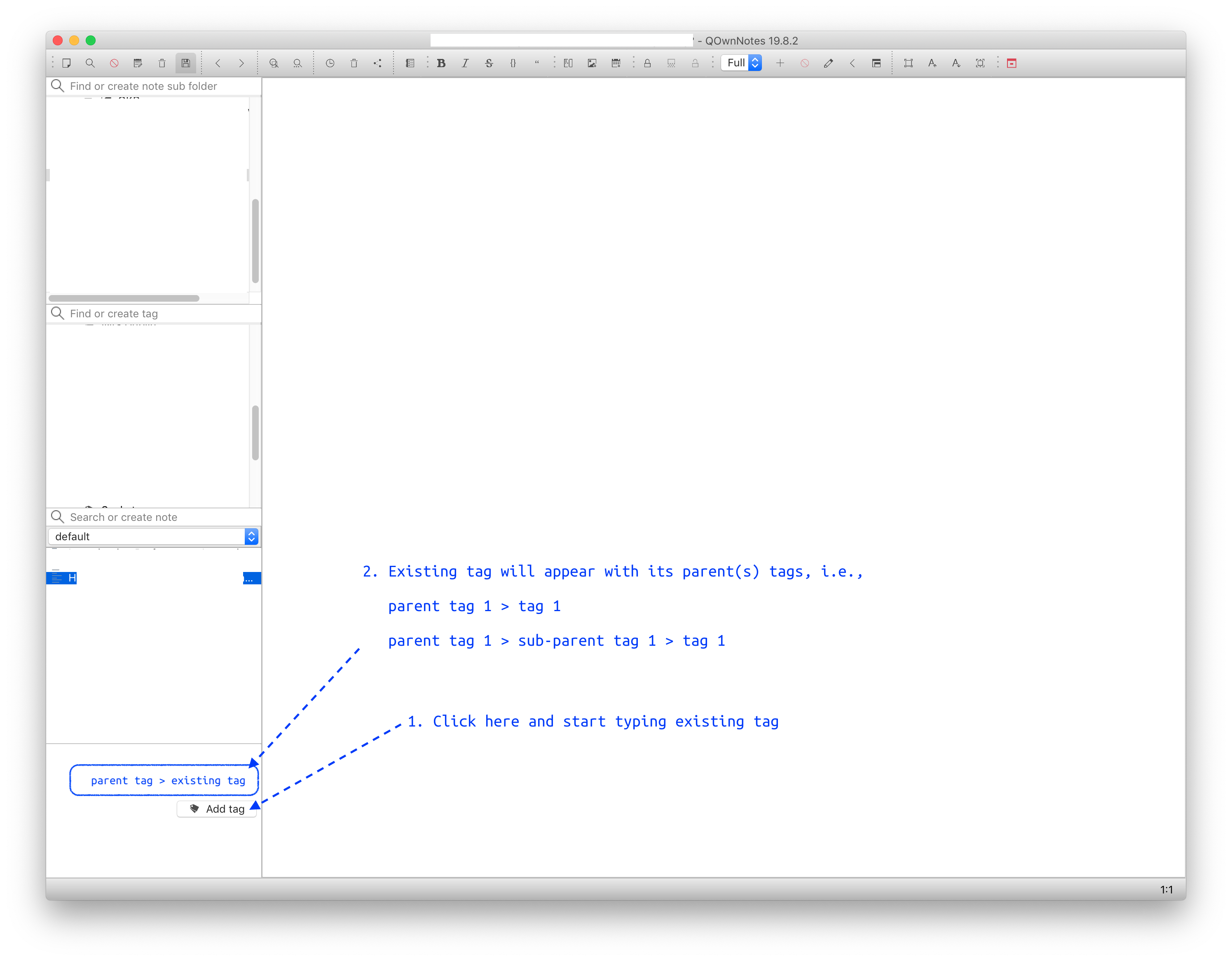
Actual behaviour
Go to Tag panel, click on Add tag button, type your tag and if it exist, it will appear showing only itself (parent tags will not be shown).
P.S. Really, huge thank you for such a great software!

I'm sorry, I didn't seem to get a notification for this GitHub issue.
P.S. Really, huge thank you for such a great software!
Thank you for your kind words.
I just confirmed that the QCompleter can only take a string list, not one list to show and one list to put into the text edit. Plus there currently is no handling for duplicate tag names in different parent tags. So this currently can't be done without a lot of effort. :/

But keep in mind that you can also tag a note by double-click on the tag in the tag list.
@pbek, Wasn't aware of that feature, and now just tested it. Save ton of time this way, thanks again!