

 pauldipietro
add qff feed preferences page
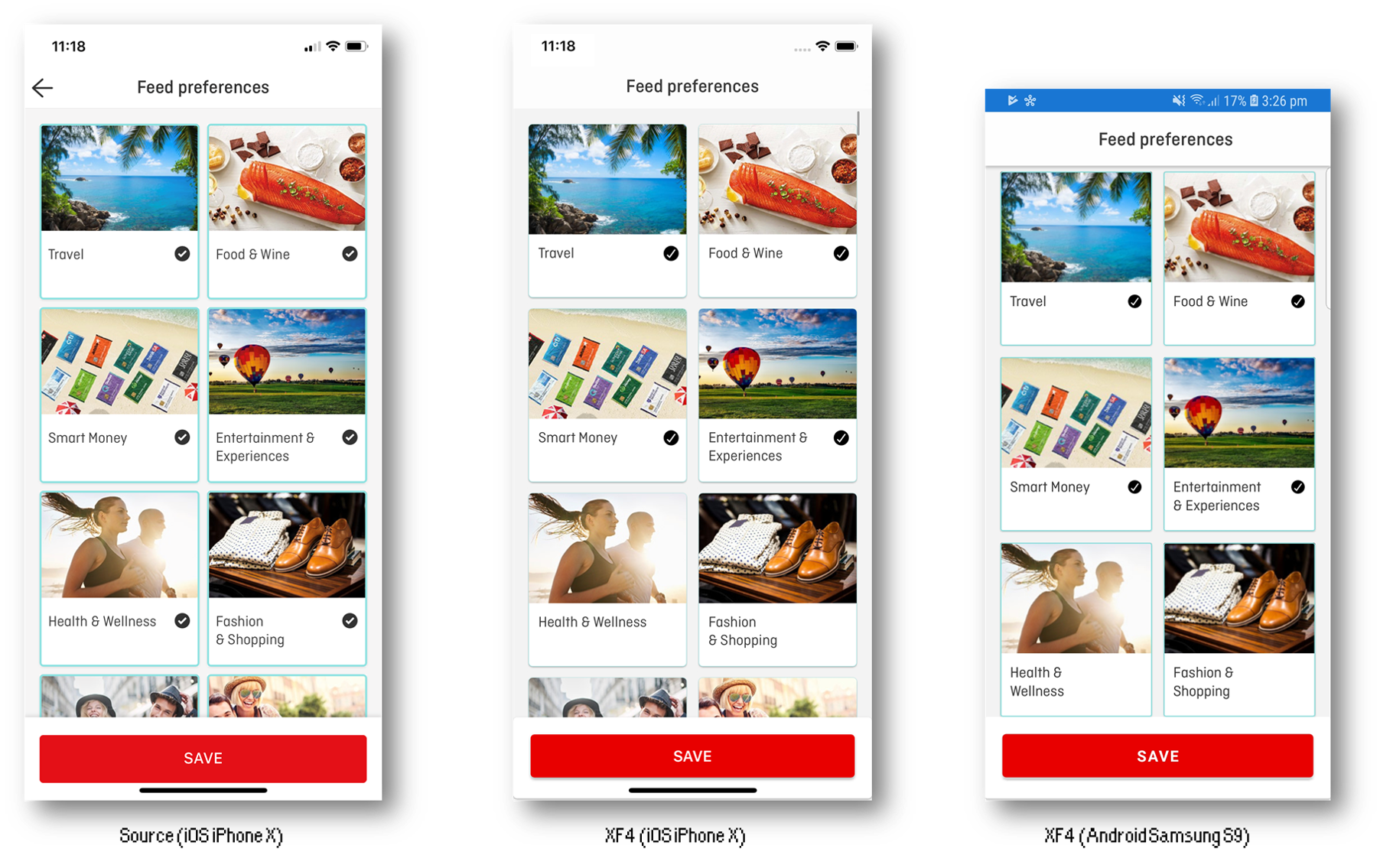
I picked another screen from the Qantas app to recreate.
Screenshots
What went well?
I was able to easily create a grid based layout - which I understand would have been painful/custom renderer territory pre CollectionView days. The layout is pretty basic and it was appropriately easy to create with the CollectionView control. I consider it a success and so will focus on the 'things to improve' below.
What didn't go well?
These points may be CollectionView related or just me doing a Bad. To date in my apps I have use XF embedding and most list-based screens are done natively, so I'm not super familiar with the Right Way to do it in XF.
-
The Material/Visual marker did not seem to be inherited by the template, so I had to specify it there explicitly - not sure if bug or feature
-
I wasn't sure how to alter the 'selected item' style from code, it looked like it needed XAML and VSM work which didn't seem code friendly, so I 'covered' the default view with a content view to prevent the selection colour from being displayed. It worked but resulted in a more nested layout than would otherwise be needed
-
I hacked in an appearance animation but it wasn't good (see missing/desired things)
-
Not a
CollectionViewthing, but I couldn't get android to build once bumping the target sdk to 9 - to get my screenshot I copied the screen into my VisualChallenge project and ran it from there.
How is the performance?
I don't know about performance as compared to ListView, but performance in Release builds was good for both iOS and Android. However, when scrolling very quickly in Android it was possible to reliably cause an ObjectDisposedException because of the appearance animation.
Missing or Desired Things:
-
I missed the
VerticalScrollbarVisibilityproperty -
I'd like to be able to offset all the content in the
CollectionViewby some amount so that the first items appear lower than they do by default, but still allow scrolling to be flush with the top of the collection view. Notice in my iOS screenshot that I am actually slightly scrolled down to make the content match the source. -
I'd like to have proper appearance hooks for items to allow for us to animate in content with more sophistication than what is currently possible. In my code you can see I hack an animation onto the end of the template definition, which feels pretty bad and it's probably just a coincidence that it works. Ideally we'd have an appearance callback that gives us enough information to do things like staggered appearance, don't reanimate things that have already animated, animate items differently based on their position in a grid layout etc.
For example,
UITableViewDelegatehas aWillDisplay(UITableView tableView, UITableViewCell cell, NSIndexPath indexPath)method, which allows you to do things like use the row index to delay an item's appearance by a small amount, and keep track of which items have been animated so that you don't reanimate them (e.g. when scrolling back up). Other things that might be useful for aCollectionViewis an indication of where the item is in the grid span - like in my screenshots here, if you know the item is in 'column 0' of the grid, you can animate it in from the left, or if it's in 'column 1' of the the grid, you can animate it in from the right. -
I found the selection api a little awkward for my use case, I wonder if it makes sense to have an
ItemTappedkind of event -
This might not be
CollectionViewrelated, but I wasn't sure how to add pizzaz to my selection change. Ideally, I'd have faded the checkbox in and out on selection, but with a binding I didn't see a good way to intercept that.

I had a play around with trying to hack entrance animations onto the items - they are in a commit on my entrance-animations branch, toggled by clicking the 'save' button.
Given the super hacky method it's easy for this to stop working properly after too much back and forth scrolling, but the results are ok and it shows the kind of effects we could achieve with a proper ItemAppearing callback - video: https://ryandavis.io/content/images/2019/04/entrance-animations.m4v.
(Some of these are a bit gratuitous but I do use staggered fade and staggered fade up a bit in the native world 😎)