

 pauldipietro
Parallel scrolling gallery view
This is a poc for a gallery viewer similar to the one found in iOS where you have one full-size view of the selected image and a collection of preview images. You can scroll trough the preview images and the full-size view and the other collection will adapt to the scroll position.

Screenshots
| iOS Photos app (comparison) | iOS | Android |
|---|---|---|
 |
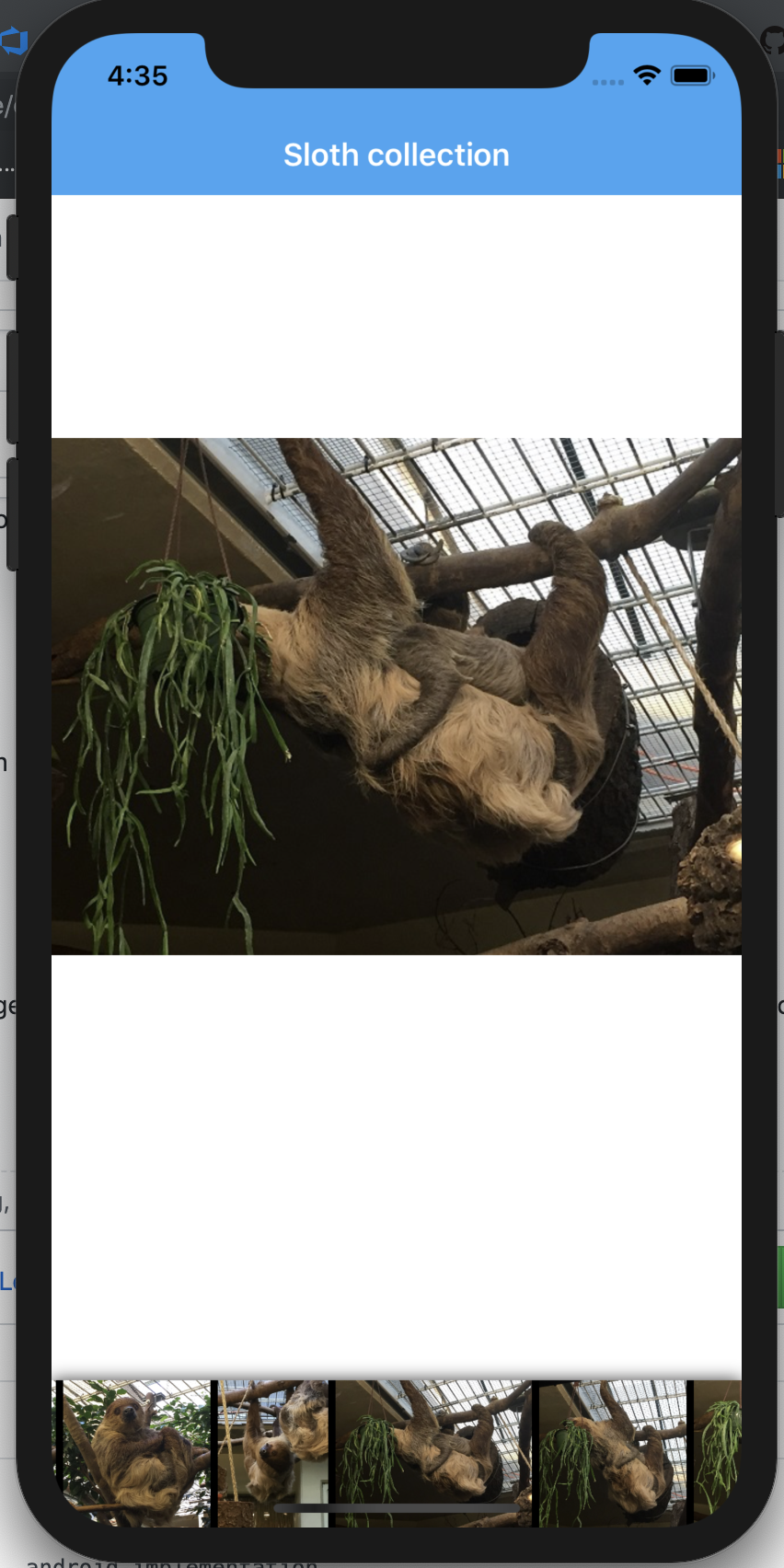 |
 |
What went well?
- Setting the general layout (horizontal list) and snap points worked really good and were quite handy
- Scroll to worked good even when i triggered it multiple times when scrolling past multiple images
- Good documentation of the available API
- @jonathanpeppers glidex for XF work really well. I did not correctly scale the images which is normally a huge problem on android and the performance is ok after adding glide.
What didn't go well?
- My biggest problem was sizing: I had to do two sizing task - letting the full-size view fill the whole screen for one image at a time and letting the images in the preview scale themself and take as much space as they needed. For the first one, i added my own measurement logic to a custon view which i used as a container for the collection view items:
protected override SizeRequest OnMeasure(double widthConstraint, double heightConstraint)
        {
            var collection = Parent as CollectionView;
            if (collection != null)
            {
                var size = new Size(collection.Width, collection.Height);
                return new SizeRequest(size, size);
            }
            return base.OnMeasure(widthConstraint, heightConstraint);
        }
Sizing the preview-images was quite tricky. Just setting Aspect to Fill and hoping they would take their own space ended in this:
 I guess there is an elegant solution to this problem but I ended up getting the size of the images using ImageSharp and binding that to the WidthRequest of the image. That is really slow and hacky obviously but i could not find a better way without spending to much time.
- The other problem are missing api's. My approach required scroll events and scroll position properties, i used a custom CollectionView renderer for this. The second api that was missing is something to set the ContentInset as it is called on iOS. I put that into my custom renderer as-well. iOS:
var horizontalInset = Frame.Width / 2 - Frame.Height / 2;
ItemsViewController.CollectionView.ContentInset = new UIEdgeInsets(0, horizontalInset, 0, horizontalInset);
Android:
SetClipToPadding(false);
var horizontalInset = w / 2 - h / 2;
SetPadding(horizontalInset, 0, horizontalInset, 0);
- While android does not have a scroll indicator, iOS apparently has one? I think every platform should behave the same here, so either disable or enable it on all platforms. An API to set the scroll indicator visibility for horizontal/vertical would be great.
How is the performance?
Good! Loading the images results in a huge performance hit on Android and I did not spend to much time on optimization but i think the collection view performance is totaly ok. If you test this solution, please use a real device because the performance and scrolling is much better compared to the simulator.
Missing or Desired Things:
As i said, the missing API's:
- Scrolling (events, x/y positon)
- ContentInset (left, top, right, bottom)
- Scroll bar visibility
Documentation on how the sizing works, specially for images.
