pathak22
How to avoid blocky reconstruction
@pathak22
How to remove the blocking artifact in the patch loction after reconstruction of image? What value to be set in this part of code?
image_ctx[{{},{1},{1 + opt.fineSize/4 + opt.overlapPred, opt.fineSize/2 + opt.fineSize/4 - opt.overlapPred},{1 + opt.fineSize/4 + opt.overlapPred, opt.fineSize/2 + opt.fineSize/4 - opt.overlapPred}}] = 2117.0/255.0 - 1.0 image_ctx[{{},{2},{1 + opt.fineSize/4 + opt.overlapPred, opt.fineSize/2 + opt.fineSize/4 - opt.overlapPred},{1 + opt.fineSize/4 + opt.overlapPred, opt.fineSize/2 + opt.fineSize/4 - opt.overlapPred}}] = 2104.0/255.0 - 1.0 image_ctx[{{},{3},{1 + opt.fineSize/4 + opt.overlapPred, opt.fineSize/2 + opt.fineSize/4 - opt.overlapPred},{1 + opt.fineSize/4 + opt.overlapPred, opt.fineSize/2 + opt.fineSize/4 - opt.overlapPred}}] = 2*123.0/255.0 - 1.0
The above values are used to set mean value in R. G. B. But we want to make this region fully transparent [no blocky artifact].
Can you please guide us on this regard


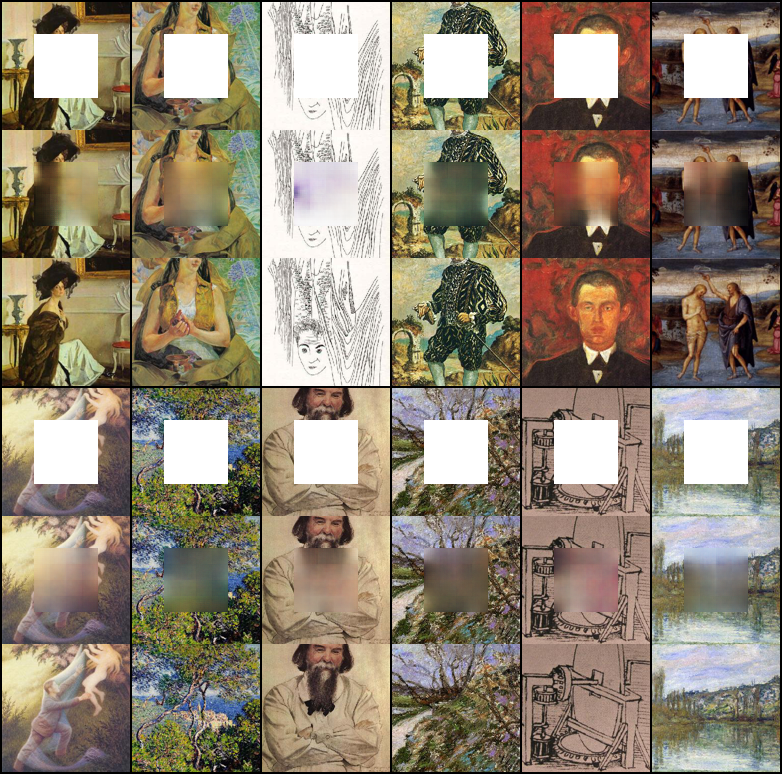
Surprising! Is it the from the trained model I released? This very result looks much better when I tried. For instance see this figure here: https://people.eecs.berkeley.edu/~pathak/context_encoder/resources/result_fig.jpg
Could you give more details? thanks!
@harshithabk any details? I have faced the same problem when trying to run the model on a different dataset. The reconstructed area is simply 16 blocks (attached the example)