

 patchthecode
`scrollToSegment` does not pass animate param to `scrollToHeaderInSection` methods
(Required) Version Number: 8.0.2
I have a vertical calendar view with 1 year range. I want it to start at the current month, which is last month in the range. To do this, I call scrollToSegment(.end, animateScroll: false) on my JTACMonthView. I do this in view controller's viewDidLoad(). The method works, but it scrolls to the end with the (very fast) animation. I looked into the scrollToSegment method and I noticed that it calls scrollToHeaderInSection but it doesn't pass animateScroll param to it. scrollToHeaderInSection's animation param defaults to true, so it always animated, no matter what I send to scrollToSegment. When I update the method to pass the param to scrollToHeaderInSection, the calendar shows current month without animation.

hmm.. i will have to take a look.
In the mean time, can you try scrollToDate(date, animateScroll: false) ?
Use any date in the last month.

When I tried scrollToDate, it shot past the last month
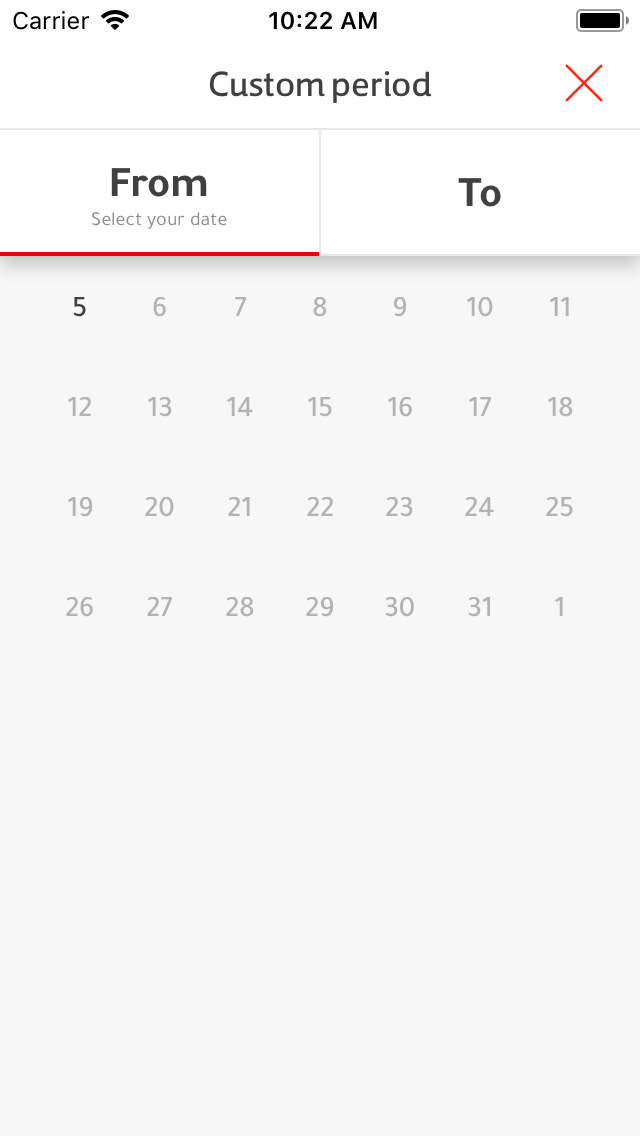 note the big gap at the bottom. That probably deserves separate issue :)
I see.
You have scrollingMode set to .none
And yes, you are right. This deserves a separate issue. I think it already has one. I have not gotten to it yet. Hoping some does a pull request as I am on multiple projects right now.
However, your issue looks simple to fix. It looks like i simply fogot to pass the false parameter.