

 packagesdev
An error occurred in the destination for the data.
Hi,
I am trying to build a package which contains a Python Framework. I try to add the Framework as a Payload and get an error when I expand everything and try to save my work before building it. "The document “DEP_munki” could not be saved. An error occurred in the destination for the data." I am using macOS Big Sur and I even tried the developer beta of Monterey. I have no issue with the same project on Catalina. I am using the pythonframework from the munki repository.

It could be a Full Disk Access restrictions. See http://s.sudre.free.fr/Software/Packages/Q&A_7.html

Nope, I set those. And this only happens with the Python Framework so far. I redownloaded it a few times to be sure it is not the file I have that is corrupt.
I'm wondering whether it's not related to this:
https://twitter.com/jmfd/status/1384264578763083779
I have to say that I don't understand that tweet so maybe, but I can't tell.
Apple introduced a regression in Big Sur with one of the basic functions to save property list (.plist) on disk. Packages uses one of these functions.
Is there a restriction on how many levels of subfolders can be used within the payload? As shown in the below screenshot, I started this project by adding the FOA folder. I then expand one level at a time and save. This works well until I "expand one level" the 512 folder. Having done that and then attempting to save, I get a 'The document “ATK for Reaper.pkgproj” could not be saved. An error occurred in the destination for the data.' error. If I remove the subfolders of 512 I am again able to save.
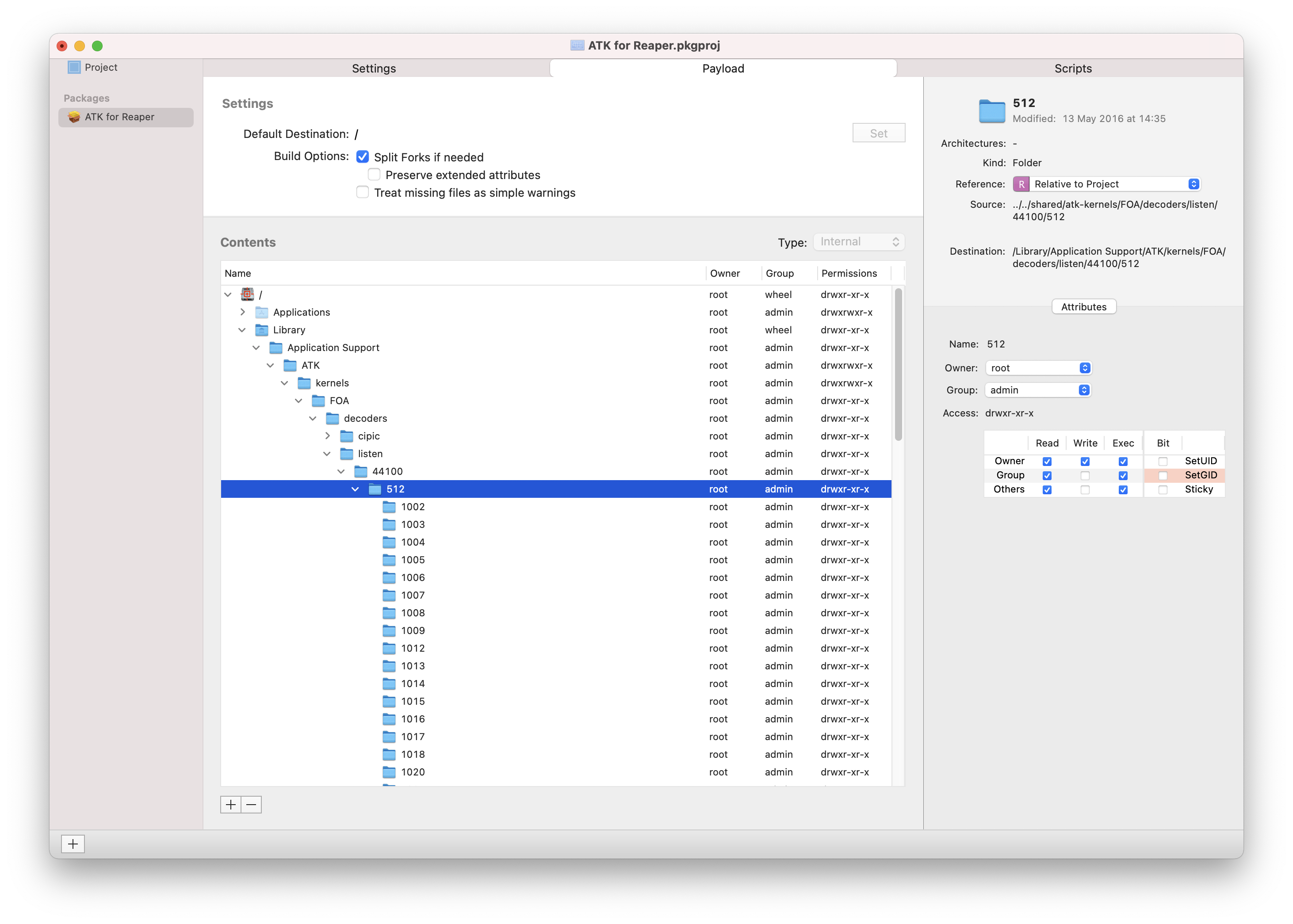

Reverting to packages v. 1.1.2 made this problem go away, so it seems to be a restriction on folder depth introduced at some point since then.
So the problem is indeed due to a bug in Apple's frameworks.
It's not impossible that the problem does not appear with version 1.1.2 because this version might not have been using the same conversion API.
I will add a workaround in version 1.2.10.