

 pFindStudio
pLink2.3.9 does not extract spectra from raw files
After updating from 2.3.8 to 2.3.9 I can not get pLink2 to work off raw files. The same protocol as before, no changes to set up other than updated pLink. It starts and then hangs on for 60+ min at this step
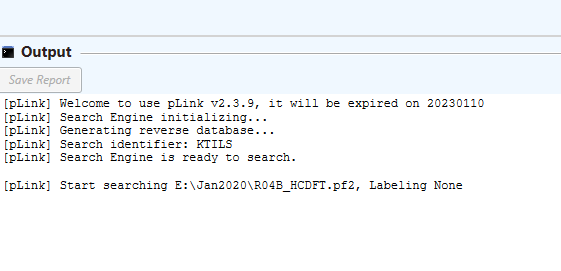
Normally within seconds from the start pLink2 engages MSFileReader to start extracting raw files. Nothing happens with the updated version.
Log files stays like that: debug] Loading element settings...
[debug] Loading Quant settings...
[debug] Loading enzyme settings...
[debug] Loading amino acids settings...
[debug] Loading modification settings...
[debug] Loading linker settings...
[debug] Initialize constants...
[debug] Loading sumo settings...
[debug] Loading instrument settings...
[debug] Loading database settings...
[pLink] Generating reverse database...
[pLink] Search identifier: KTILS
[pLink] Search Engine is ready to search.
[debug] Initialize search state...
[debug] Initialize thread state...
[debug] Initialized Searcher::init()
[debug] Preprocess Initialized.
[debug] OpenScorer Initialized.
[debug] OpenScorer Initialized.
[debug] RefinedScorer Initialized.
[debug] ModificationDecorator Initialized.
[debug] XLink Initialized.
[debug] Preprocess Initialized.
[debug] OpenScorer Initialized.
[debug] OpenScorer Initialized.
[debug] RefinedScorer Initialized.
[debug] ModificationDecorator Initialized.
[debug] XLink Initialized.
[debug] Preprocess Initialized.
[debug] OpenScorer Initialized.
[debug] OpenScorer Initialized.
[debug] RefinedScorer Initialized.
[debug] ModificationDecorator Initialized.
[debug] XLink Initialized.
[debug] Preprocess Initialized.
[debug] OpenScorer Initialized.
[debug] OpenScorer Initialized.
[debug] RefinedScorer Initialized.
[debug] ModificationDecorator Initialized.
[debug] XLink Initialized.
[pLink] Start searching E:\Jan2020\R04B_HCDFT.pf2, Labeling None
[debug] Current time: Thu Jan 16 15:57:32 2020
pLink2.3.9 is still able to search files extracted previously (this what I used it for before today), but can not search new raw files, or the old raw files that were renamed (to force extraction).

Dear @vladtheimpalerSr ,
Sorry for the problem. It seems pParse failed to start. As pParse in pLink2.3.9 has also been updated, it may require re-installation of MSFileReader. Please un-install and re-install MSFileReader according to the wiki.
If the problem still exists, please help me test pParse in command line mode.
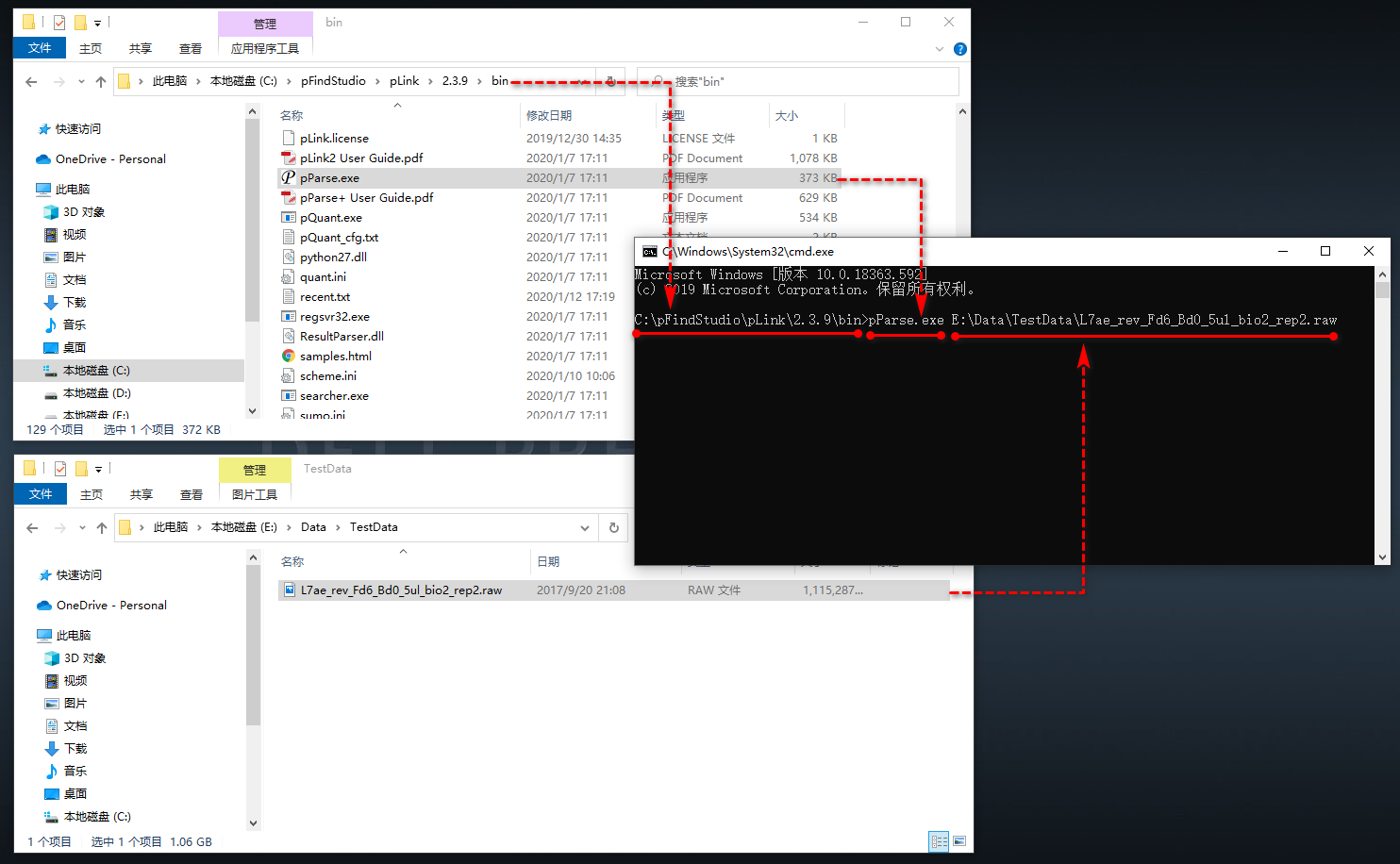
- Goto the pLink2.3.9 bin folder
- Type cmd in the address bar to open a command prompt in current path
- Type
pParse.exe path_of_raw_filein the command prompt and hitenterto run pParse
Please see the screenshot below for reference.
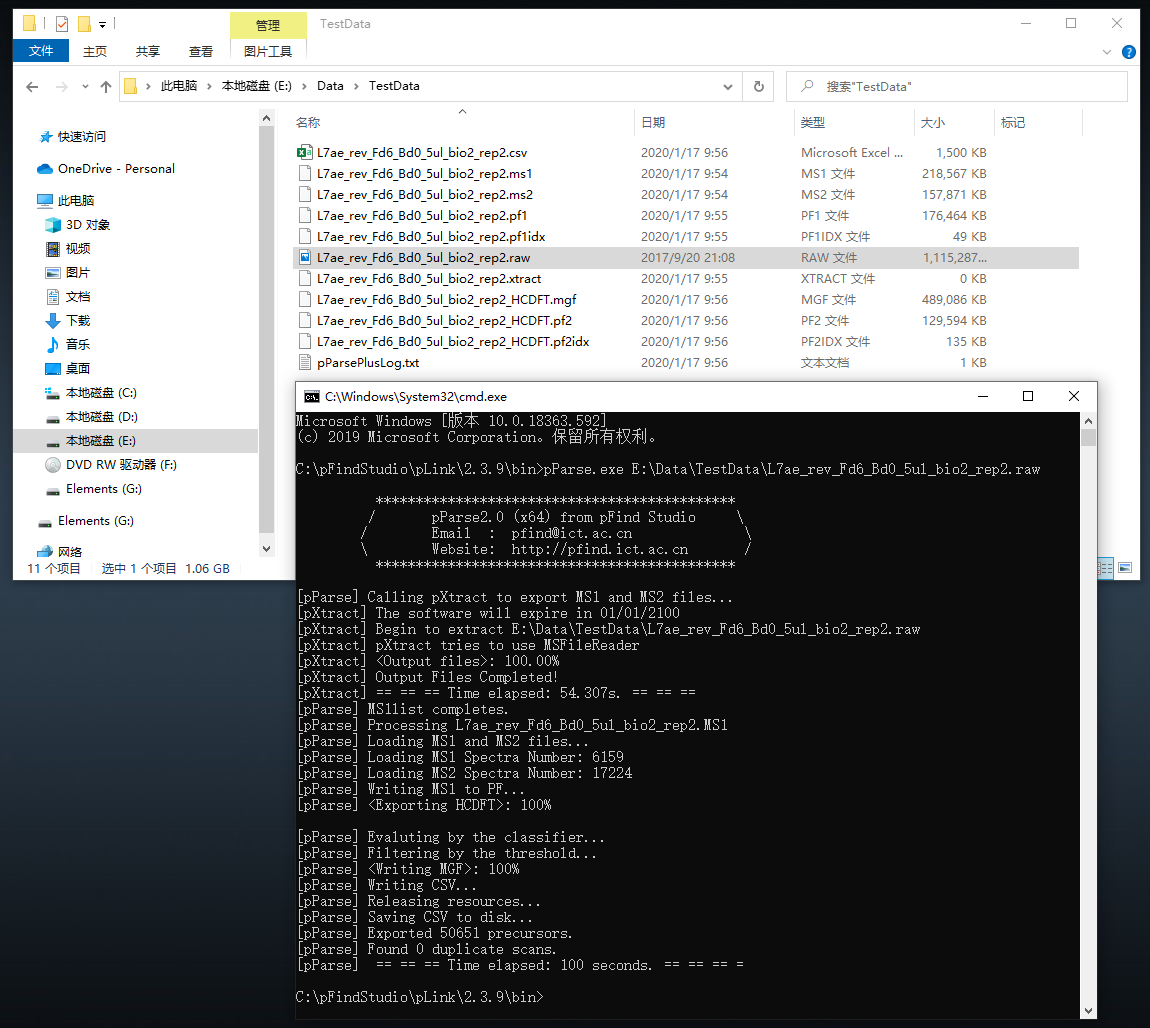
After pParse finished, you should see many files generated in the raw folder, and running time would be printed on the command prompt. If not, please post the error information, so that I can debug for you.

Uninstalling and reinstalling MSFileReader didn't have any effect.
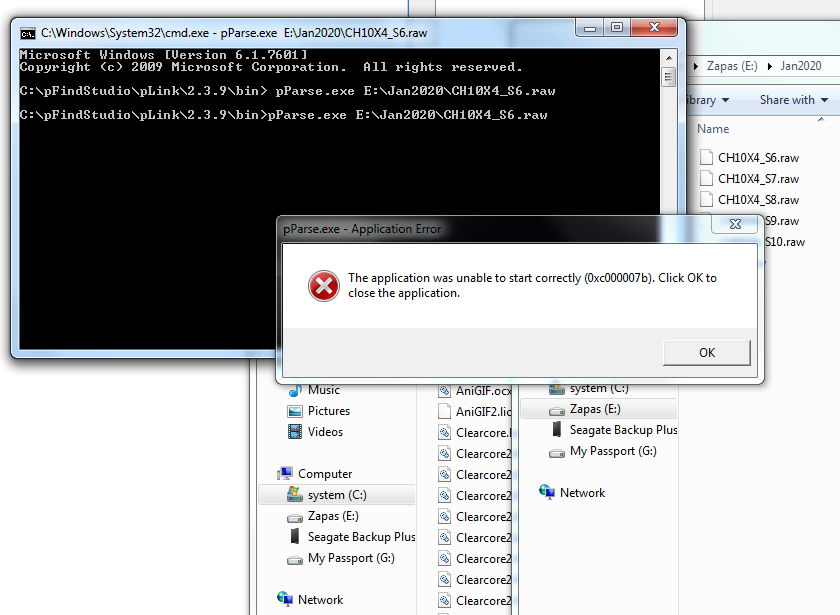
Following the advice I have used the cmd line from the pLink bin, got error message (same, with and without space before pParse.exe

Dear @vladtheimpalerSr ,
Thanks for your tests.
I found that the problem only appears on some Win 7 OS, everythink is OK on Win 10 OS.
For Win 7 OS, please download and install the x64 version of Microsoft Visual C++ Redistributable for Visual Studio 2015, 2017 and 2019 from this page.
Note Visual C++ 2015, 2017 and 2019 all share the same redistributable files. So you only need to download and install one executable file, the direct download link is this.
After that, pParse should be OK to run.
@vladtheimpalerSr @01joy I also had the same problem before, and re-installing msfilereader using “run as administrator” option solved the problem. My OS is win 7. Hope to help you.

Had the same error as @vladtheimpalerSr running pLink 2.3.10 on Win10. Calling pParse.exe from the command line did only return an error message. Installing Visual C++ 2015, 2017, 2019 fixed this, so consider installing it even if you're on Win10. Thanks @01joy
