

 owncloud
[UX] Difficulties scanning the full page
Problems focusing a complete document to scan
Steps to reproduce
- Open the iOS App 1.2.3
- Users press "plus button" and click on "Scan document"
Expected behavior
Scan the entire page
Actual behavior
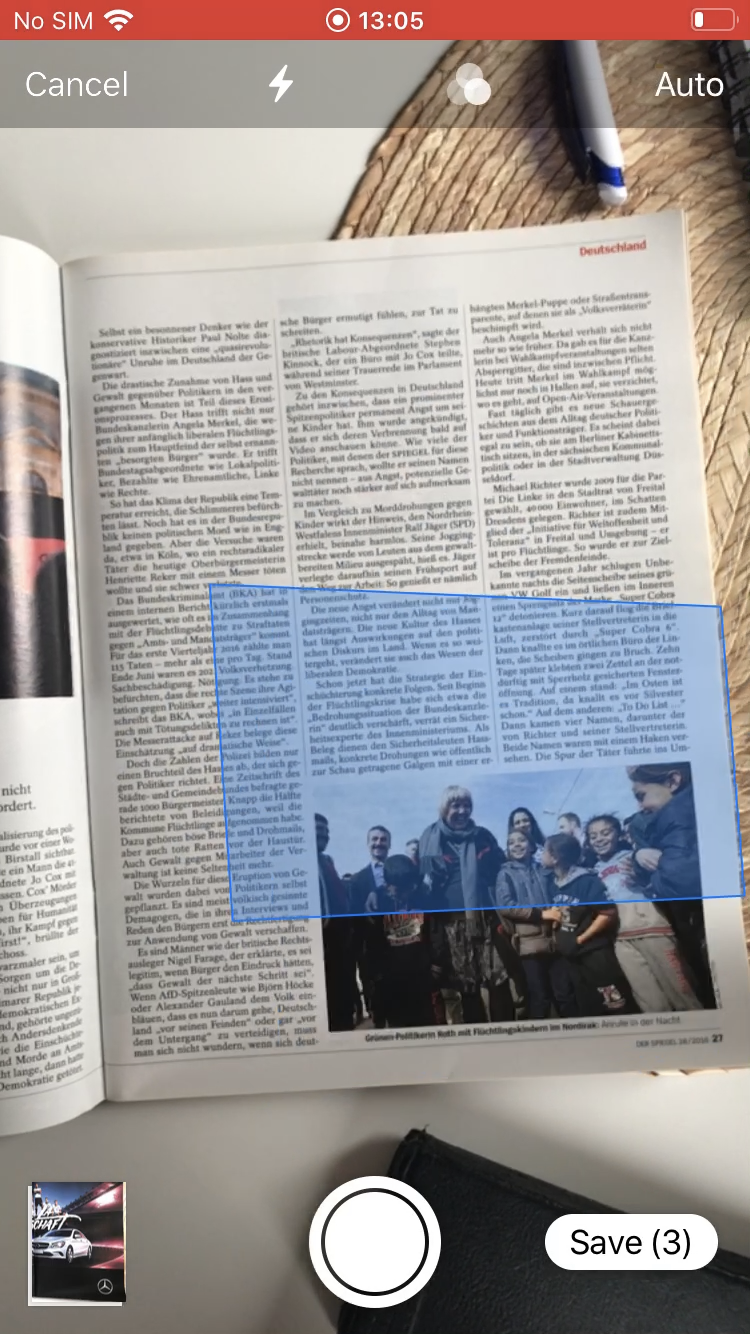
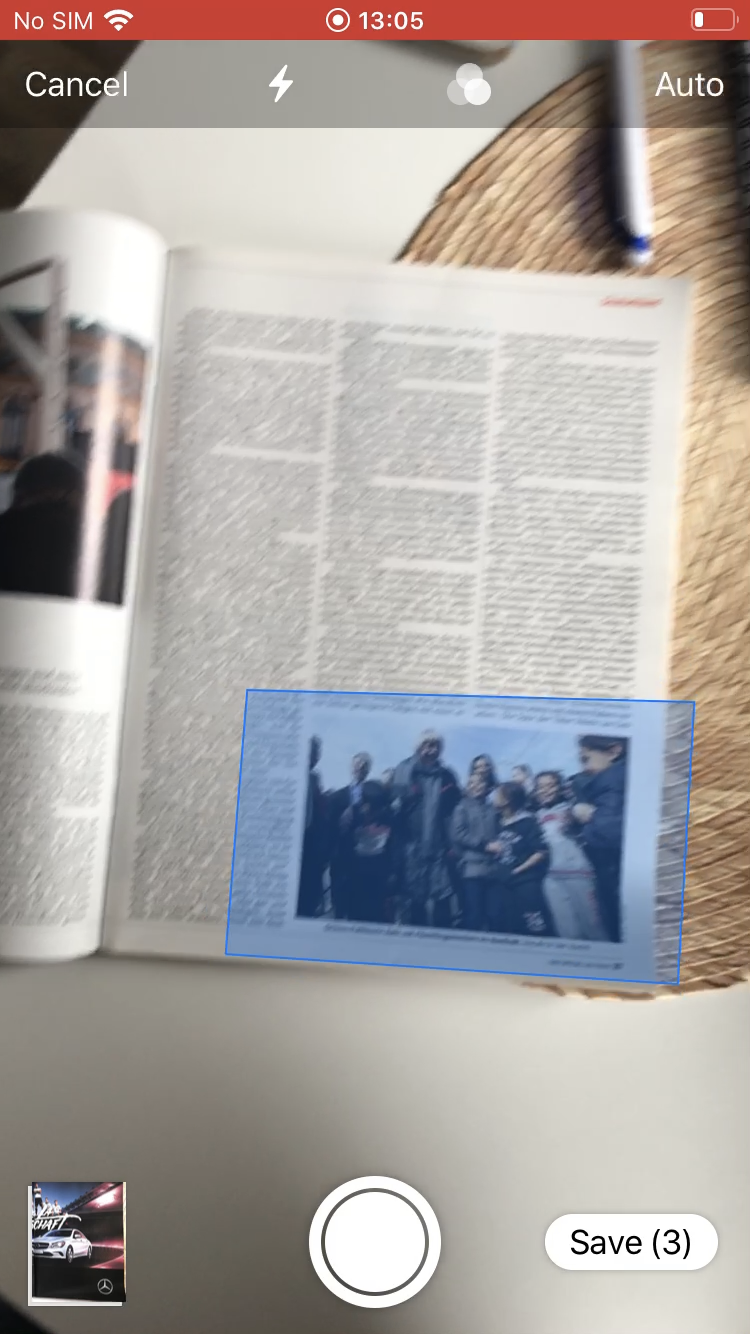
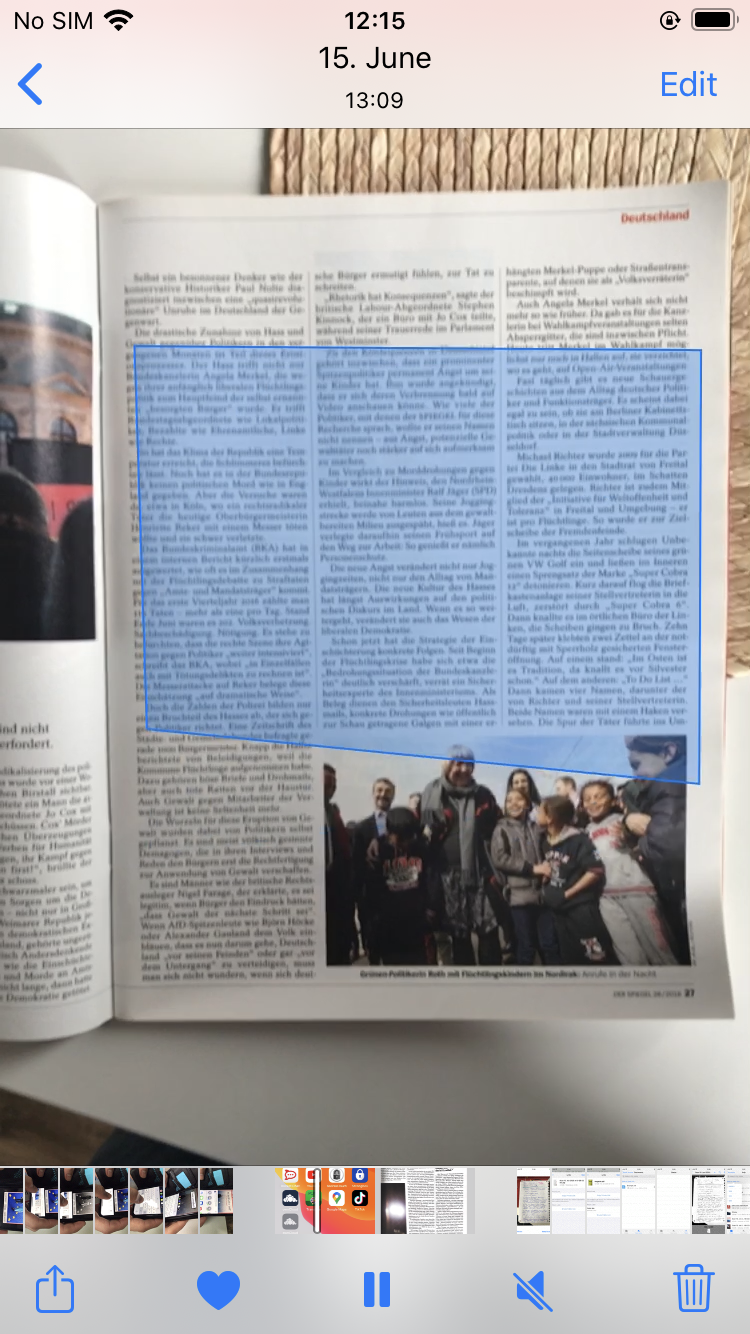
Sometimes a blue box appear moving faster unable to focus on the complete document to scan it
iOS 1.3.2
Tell us what could be improved:
Scan the complete document without dragging to adjust the hole page If the camera is having troubles to focus the document an advice could appear:
- Place your mobile around 20cm to scan the entire document
Videos: Participant_G: 5:37Min/ 7:10Min/ 7:35Min | Participant_FA3: 0:21Min | Participant_AB: 0:34 Min
 |
 |
 |
|---|
(https://cloud.owncloud.com/index.php/f/5160419)
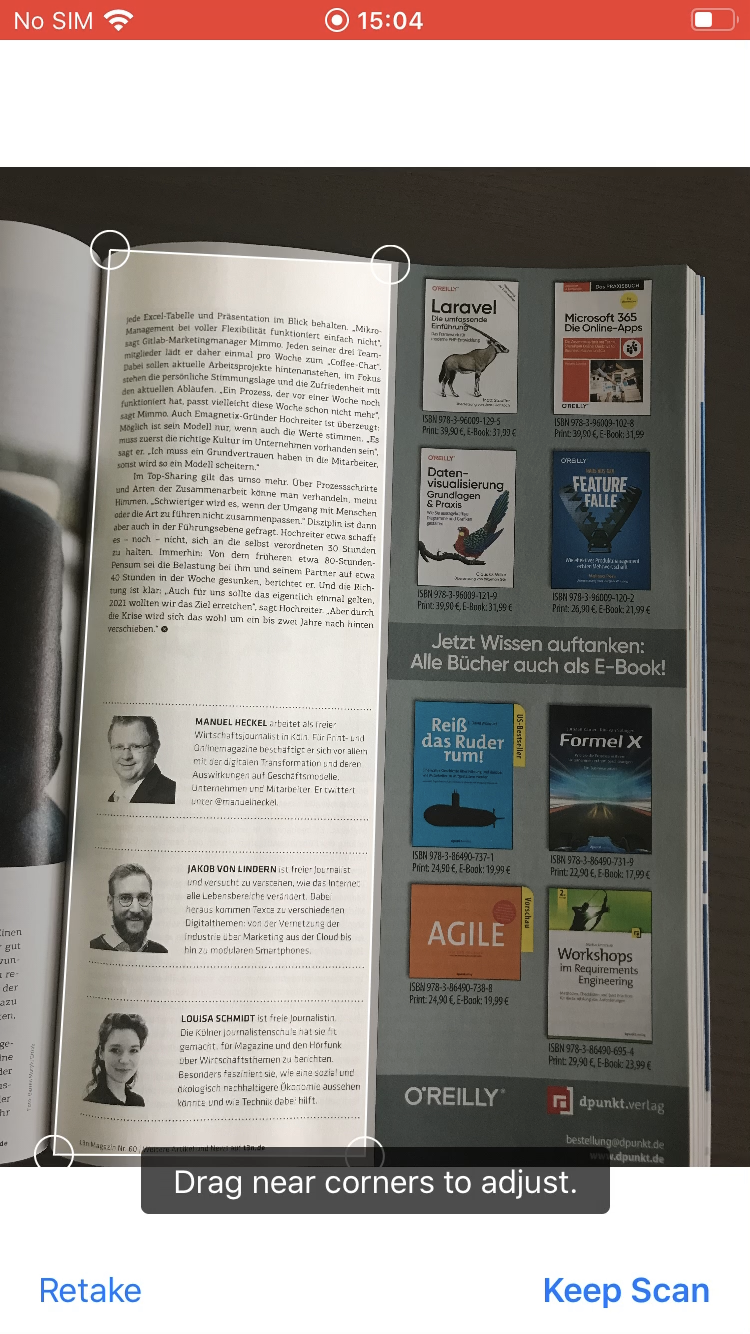

@CarolinaCst We use a black box document scanner solution from iOS Vision framework. And this UI is provided by the system component. Nothing we could easily change. In case system page edges detection algorithm is having issues due e.g. bad lighting conditions or lacking contrastful separation from the page background, the only workaround would be to press "Shutter" button manually and to drag markers to corners of the page...
As @michaelstingl already mentioned in #757 we could show a short tutorial to the user or something similar.
