

 owncloud
Windows Client does not remove folder icon after delete sync connection removed
Pre-submission Checks
- [X] I checked for similar issues, but could not find any. I also checked the closed issues. I could not contribute additional information to any existing issue.
- [X] I will take the time to fill in all the required fields. I know that the bug report may be dismissed otherwise due to lack of information.
Describe the bug
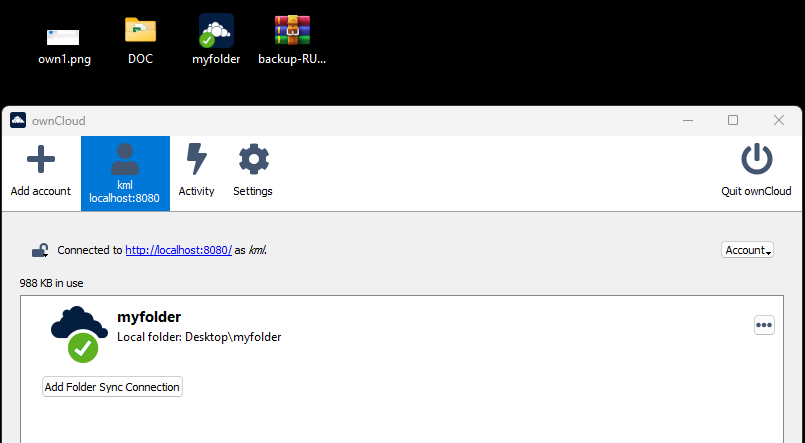
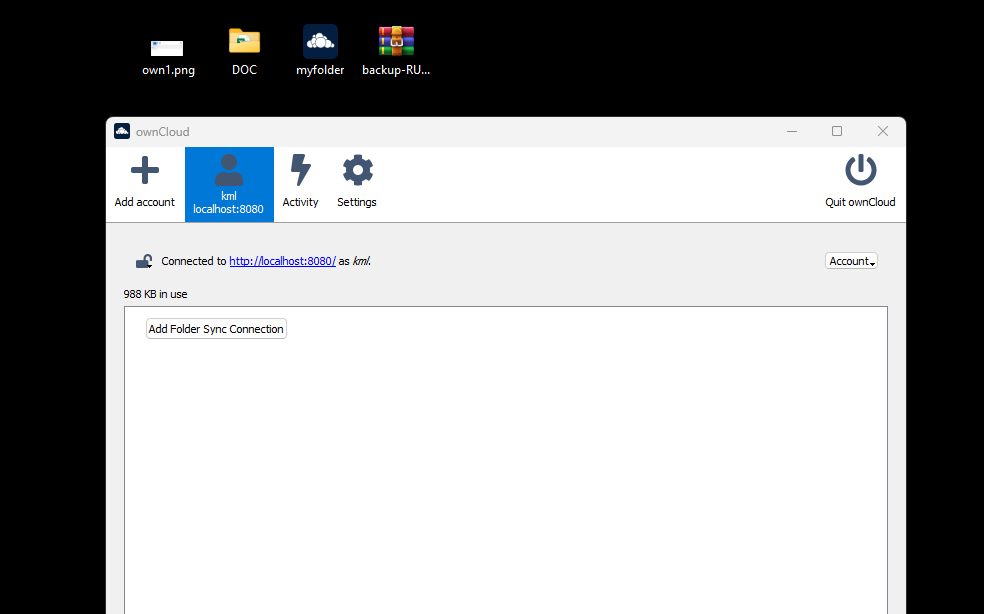
owncloud client does not remove folder icon after sync connection removed. it's confusing which folder is sync
Expected behavior
1- Remove default Sync folder with ui. 2- "Add folder sync connection" button then select my folder on my desktop. 3- Next step add new folder on root path. 4- Finish wizard and wait all folder for synced. After I see folder icon changed my folder. 5- After I remove Syncf folder connection with ui. 6- Wait 1 minitue. After refresh desktop. I see owncloud icon.
We can remove Desktop.ini file then fix it. But we need to go folder option then uncheck hide system file then we can remove Desktop.ini file.
It can be automatic remove after sync folder connection removed.
Steps to reproduce the issue
No response
Screenshots
Logs
No response
Client version number
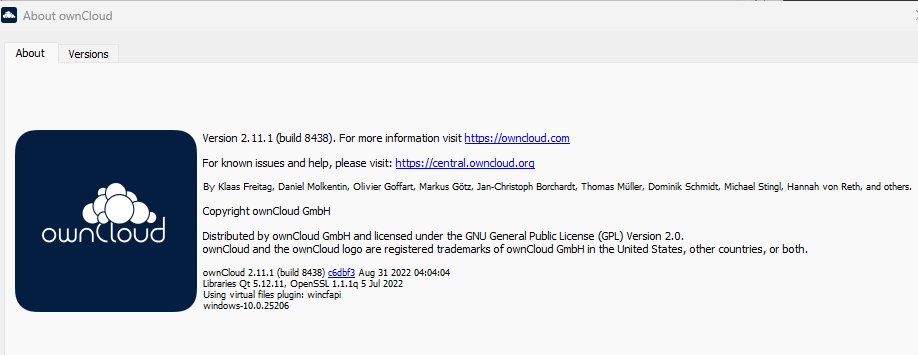
ownCloud 2.11.1 (build 8438) windows-10.0.25206 os Windows 11 22H2
Desktop environment (Linux only)
No response
Client package version and origin (Linux only)
No response
Installation path (Windows only)
C:\Program Files\ownCloud
Server information
ownCloud10.11.0 (stable) on docker machine
Additional context
No response

Known limitation, workaround in the docs: https://doc.owncloud.com/desktop/2.11/removing.html#windows-navigation-sidebar

This issue was marked stale because it has been open for 30 days with no activity. Remove the stale label or comment or this will be closed in 7 days.
![github-actions[bot] avatar](https://avatars.githubusercontent.com/in/15368?v=4 "Published by a pub.dev verified publisher")
The issue was marked as stale for 7 days and closed automatically.