

 owncloud
Make local storage size adjustable
Currently the cache size is 10Mb, which may be a little small. Do we want the cache size adjustable in Preferences? Maybe also with the ability to clear it, just like Dropbox or Drive?
EDITED by @davivel
See https://github.com/owncloud/android/issues/756#issuecomment-240070815 below for updated scope.

Clearing the cache is already possible via settings -> apps -> owncloud -> clear cache. I do not know if an extra in-app setting is needed.
I think an extra in-app setting would be nice. In addition, downloaded files go to the SD card, so clearing the cache via settings doesn't delete the images on the SD card.
I think there should be a distinction between files that are kept in sync, and files that are temporarily downloaded for viewing. Temp files should be stored in cache, and files that are to be kept in sync should be stored on the SD card.

This is something we had discussed in some other issue and would be the way google drive/dropbox is doing it. The main benefit of our system is that other apps (like audio player) can use the downloaded files directly as they are stored in a normal file system.
If you just chose "Keep file up to date" for all of your music files, then audio players would still be able to use the downloaded files directly. Do we not want to store cached files (that are downloaded when we open the file) in the cache?
Also, and this is probably a separate bug, but when uninstalling ownCloud it doesn't clean up its folders from the SD card.
currently keep file up to date is not necessary for this. And from a user view it is not intended to have all files that one wants to use within other apps have to been checked via this checkbox.
Currently this is our intention: all opened files are stored in the filesystem and not in the cache. There are quite a few issues regarding this.
The second paragraph is definitive a new issue. Please create it.
We should go further with this one, extend the LRU cache concept to the files synced in the local owncloud folder and let the user to decide the maximum local storage to be used to keep synced files (excluding those marked to be kept-in-sync).
We shouldn't keep extending the settings to improve the use of network or storage only for images. Same concepts are applicable to all the files synced by the app.
I'm sure the idea of the global LRU has been commented in some other place, but I cannot find the issue, so I'll re-title this one.

Hi, I set the PIN code to protect the access to my client app (Android) for security, because I'm interested in accessing to my files remotely via Webdav and NOT to store it in my phone. But I found that all the accessed files are stored directly in my filesystem, in a completely unprotected way! So, the PIN code is ineffective regarding accessed data from my cloud. Moreover, the files are not removed when I close the app. Can I disable that "feature" and have access to my data without caching it? Or can it be removed securely after closing the app, or after a (short) period of time automatically? Thank you!

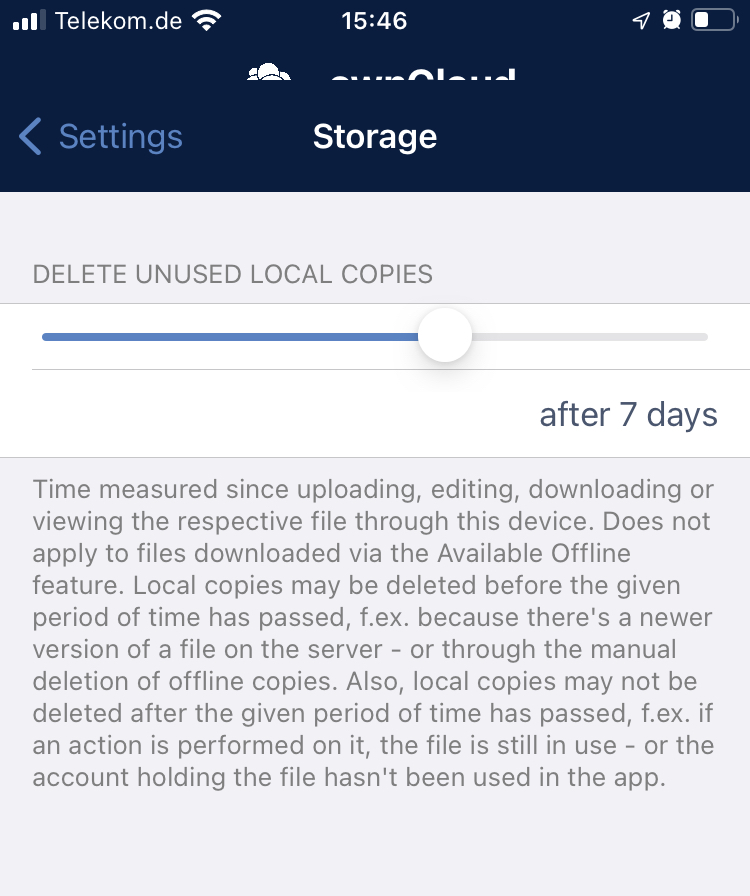
ownCloud iOS app has a setting to keep cache small, by auto-deleting unused local copies after some time, not to limit the cache by size. Could help for the Android app too.
@jesmrec do we have an issue for this?

