

 ouch-org
Doesn't work if compiled in Alpine Linux
Version
0.4.1
Description
I installed ouch in my alpine linux (on a VMware virtual machine) using cargo (with cargo install ouch)
However it failed to create , extract or list archive files.
Here are some pictures:
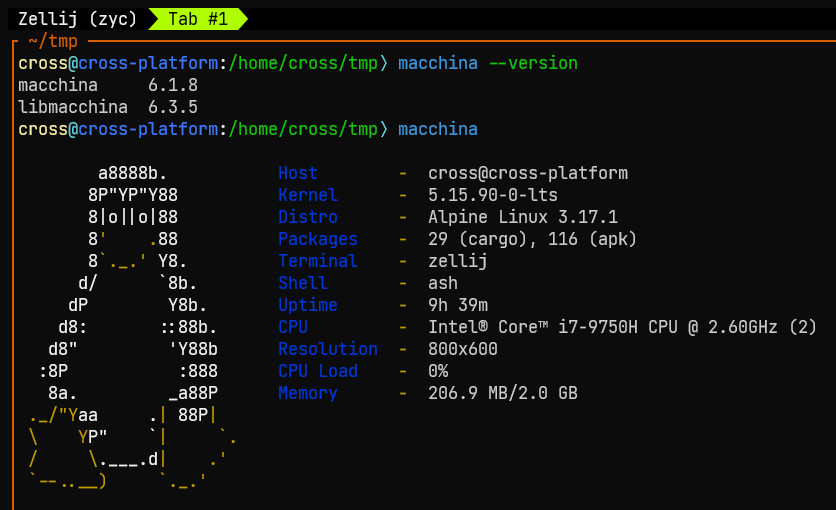 (Some basic info. Well, the shell I actually use is nushell)
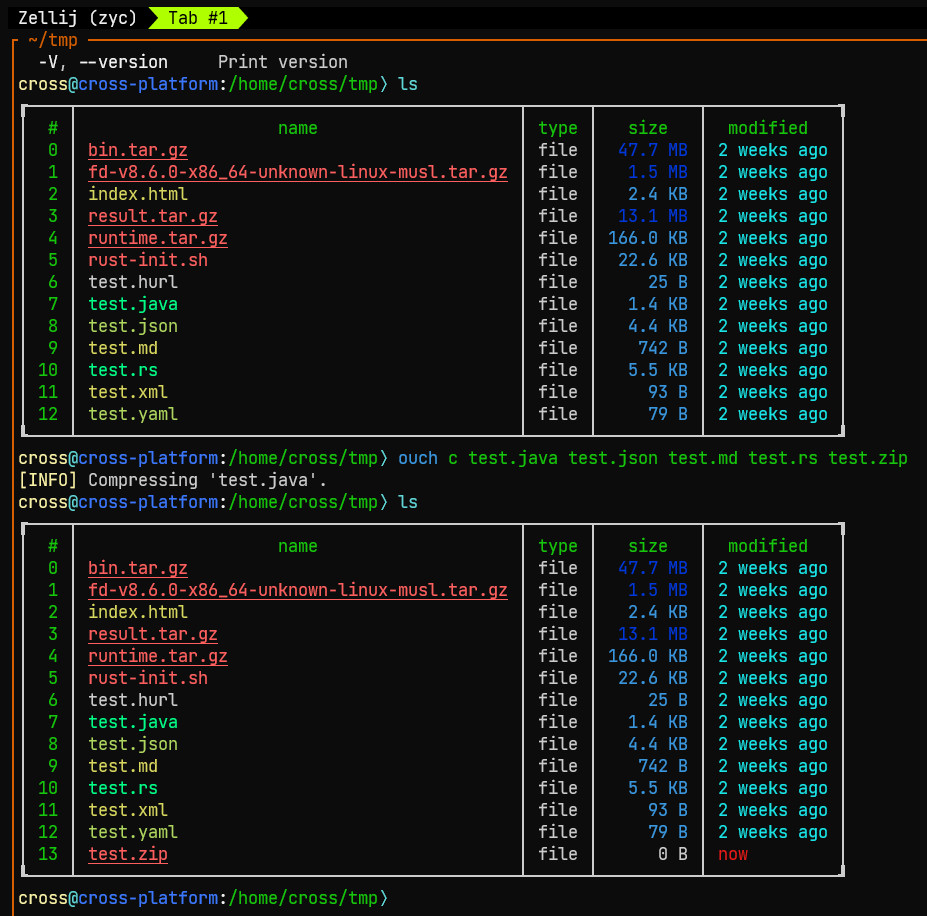 (I tried to create a
 test.zip but it failed. An empty zip file was created)
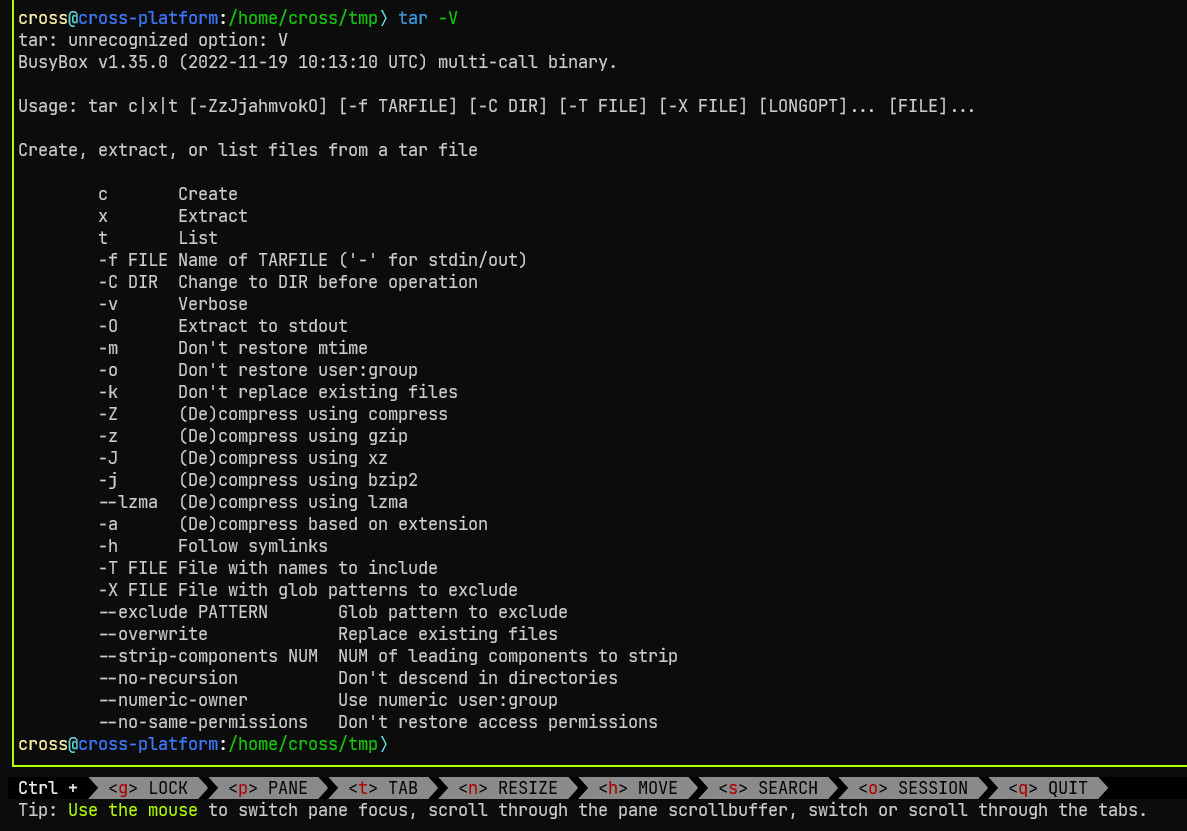
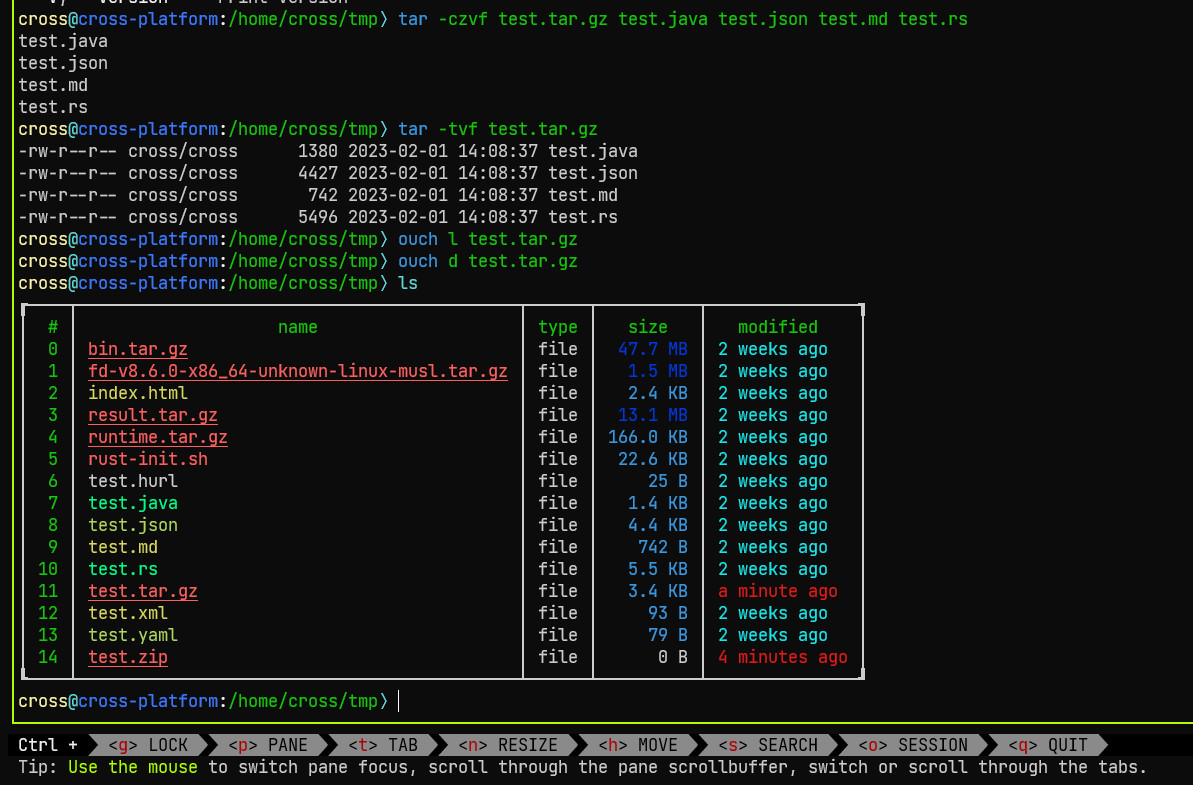 (With tar in busybox, a tar.gz was successfully created. Ouch cannot even read it, let alone extract it)
Current Behavior
No response
Expected Behavior
No response
Additional Information
No response

Can you create a minimal reproducible example? This definitely looks like a bug, but it is hard to tell what exactly is happening and how to reproduce this from just the screenshots.

Can you create a minimal reproducible example? This definitely looks like a bug, but it is hard to tell what exactly is happening and how to reproduce this from just the screenshots.
Failed to create:
Steps:
- install ouch (version 0.4.1) using
cargo install ouchin Alpine Linux 3.17.1 - prepare some files, for example, test1.txt test2.txt test3.txt test4.txt
- Archive these prepared text files by
ouch c test1.txt test2.txt test3.txt test4.txt test.zip
Current Behavior:
only [Info] Compressing 'test1.txt' was print to the screen
only an empty zip file was created, witch can not be read by ouch or any other archive manage software such as tar
Expected Behavior
create a zip file containing test1.txt, test2.txt, test3.txt and test4.txt
Failed to extract:
Steps:
- install ouch (version 0.4.1) using
cargo install ouchin Alpine Linux 3.17.1 - prepare a archived file, for example, zellij-x86_64-unknown-linux-musl.tar.gz
- extract the content from the archive file by
ouch d zellij-x86_64-unknown-linux-musl.tar.gz
Current Behavior:
nothing happened, no info print to the screen, no file extracted
Expected Behavior
extract the content from the archive file
Failed to list:
Steps:
just like extracting, replace the decompress subcommand with list submmand
Current Behavior:
nothing happened, no info print to the screen
Expected Behavior
list the content from the archive file
I can't reproduce any of these, might be something specific to alpine. Have you tried using the prebuilt binaries? https://github.com/ouch-org/ouch/releases/tag/0.4.1
I can't reproduce any of these, might be something specific to alpine. Have you tried using the prebuilt binaries? https://github.com/ouch-org/ouch/releases/tag/0.4.1
Thanks for the reminder.
I just downloaded ouch-x86_64-unknown-linux-musl.tar.gz and tried it.
It works.
Good! Thank you!
But... how was those prebuilt binaries built? Is there anything need more than just cargo build?
The prebuilt binaries are built here automatically with github actions like this:
RUSTFLAGS="-C strip=symbols" cargo +nightly build --release --target x86_64-unknown-linux-musl
I'm not sure why cargo install wouldn't work, not doing anything at all sounds weird
The prebuilt binaries are built here automatically with github actions like this:
RUSTFLAGS="-C strip=symbols" cargo +nightly build --release --target x86_64-unknown-linux-muslI'm not sure why
cargo installwouldn't work, not doing anything at all sounds weird
Thank you very much!
I'll try this build command in my spare time and see if it work for my situation;
Since the prebuilt binaries work, shall I close this issue? Or should I leave it open until the cargo install issue is fixed?
Did you run cargo install ouch recently? Can you confirm that was version 0.4.1?
I double-checked and the 0.4.1 code in crates.io is the same as 0.4.1 in our GitHub releases, so that should work :smiling_face_with_tear:.

Did you run
cargo install ouchrecently? Can you confirm that was version0.4.1?I double-checked and the
0.4.1code in crates.io is the same as0.4.1in our GitHub releases, so that should work 🥲.
Sure.

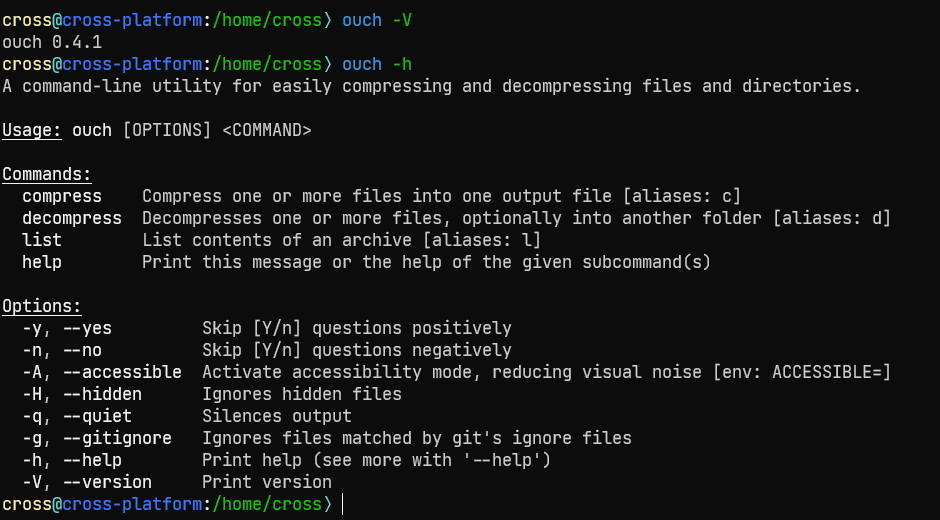
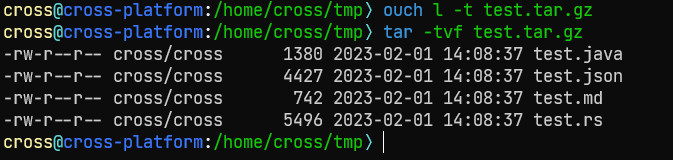
I have tried building from source code, too:
- Clone the repository(
git clone https://github.com/ouch-org/ouch.git) - Checkout the tag 0.4.1(
git checkout 0.4.1) - Add nightly (
rustup install nightly) - Execute
RUSTFLAGS="-C strip=symbols" cargo +nightly build --release --target x86_64-unknown-linux-musl. - Confirm version
target/x86_64-unknown-linux-musl/release/ouch -V(the result isouch 0.4.1)
This does not work either. Failed to create, extract or list archive files, just like cargo install ouch.
Is there an option to enable logging so I can share more information about this problem?
Thanks for the info, we don't have extra logs, and we can't reproduce it, I don't even know where to start debugging.
This may be a long journey but if you want to dig deeper into it, you can try to add some println! lines in src/archive/zip.rs to see if the for loop is iterating. If something is off, you can up to the caller of that in src/commands/*.rs or src/commands/mod.rs.
I'll leave the issue open until someone can confirm that it compiles fine in Alpine.
From repology, I see that the Ouch package for Alpine Edge is on version 0.3.1, maybe it wasn't updated for a reason? idk.
EDIT: I'll also change the title because we now know that it works with the pre-built binary.
Thanks for the info, we don't have extra logs, and we can't reproduce it, I don't even know where to start debugging.
This may be a long journey but if you want to dig deeper into it, you can try to add some
println!lines insrc/archive/zip.rsto see if theforloop is iterating. If something is off, you can up to the caller of that insrc/commands/*.rsorsrc/commands/mod.rs.I'll leave the issue open until someone can confirm that it compiles fine in Alpine.
From repology, I see that the Ouch package for Alpine Edge is on version
0.3.1, maybe it wasn't updated for a reason? idk.EDIT: I'll also change the title because we now know that it works with the pre-built binary.
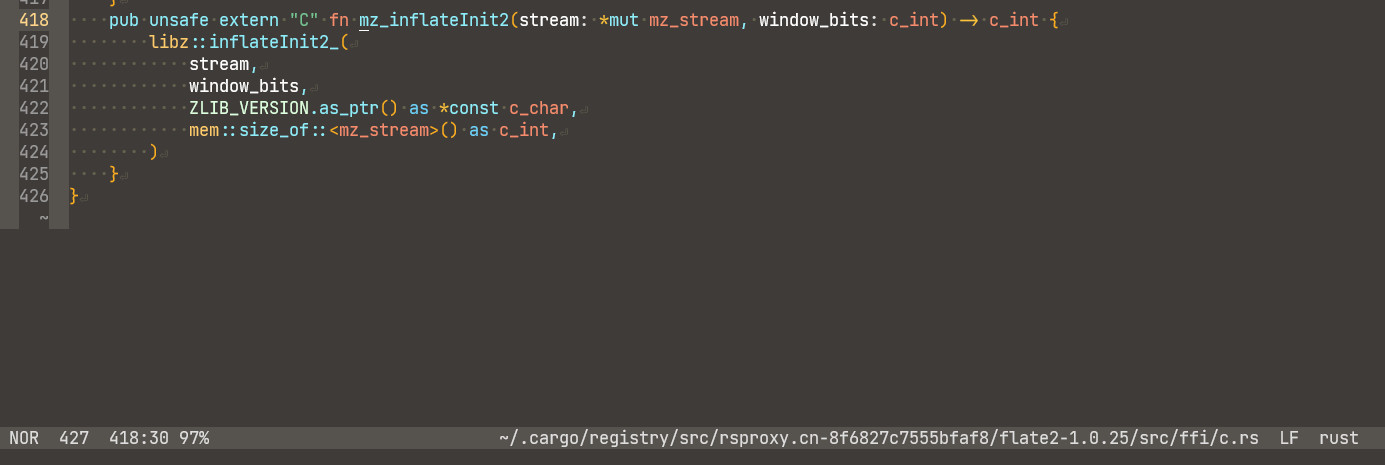
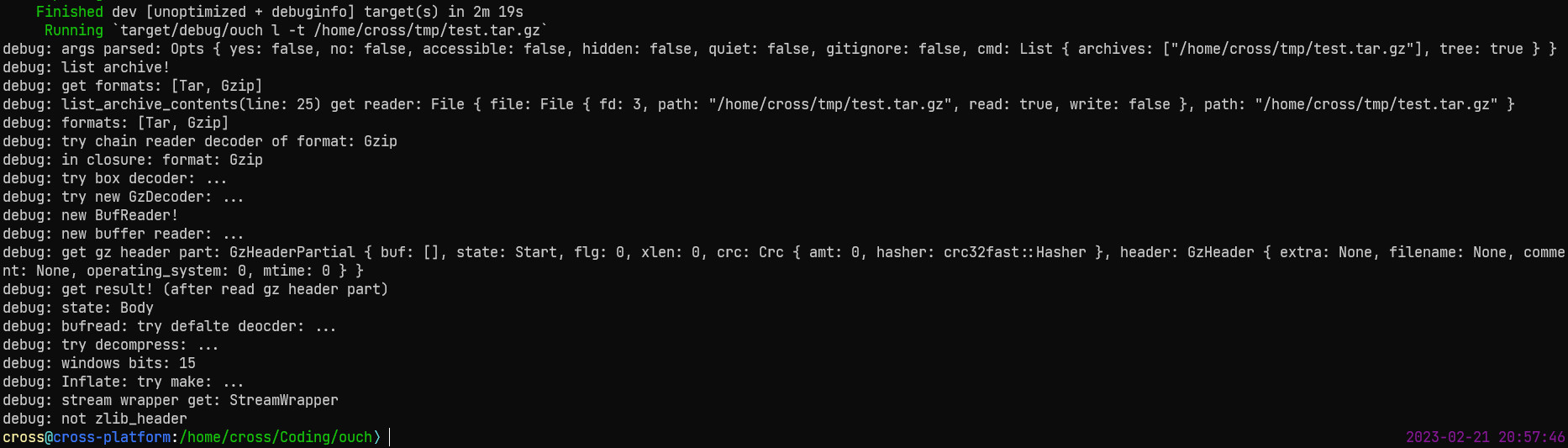
I tried to add some eprintln! lines in ouch and flate2 (one of ouch's dependencies).
It turns out that the call to libz-sys's inflateInit2_ function failed ("debug: mz_inflateInit2:" was not printed to the screen).
(Call chain:
-
ouch: src/main.rs: line 41 -
ouch: src/commands/mod.rs: line 100 -
ouch: src/commands/mod.rs: line 309 -
ouch: src/commands/list.rs: line 18 -
ouch: src/commands/list.rs: line 49 -
flate2: src/gz/read.rs: line 135 -
flate2: src/gz/read.rs: line 137 -
flate2: src/gz/bufread.rs: line 440 -
flate2: src/gz/bufread.rs: line 460 -
flate2: src/deflate/bufread.rs: line 168 -
flate2: src/deflate/bufread.rs: line 171 -
flate2: src/mem.rs: line 380 -
flate2: src/mem.rs: line 382 -
flate2: src/ffi/c.rs: line 186 -
flate2: src/ffi/c.rs: line 189
)
I don't know why ...
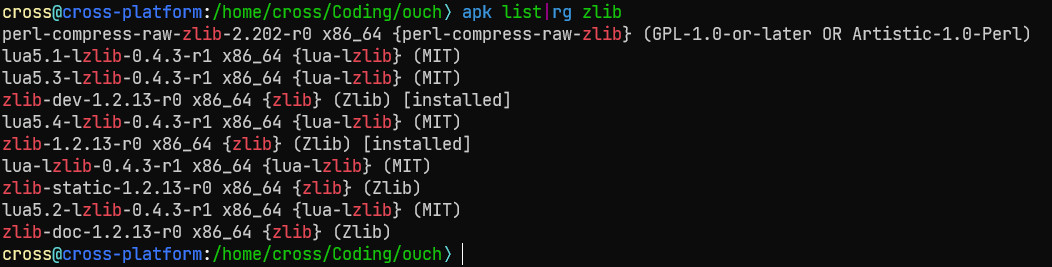
I have both zlib-dev and zlib installed by apk (Alpine Linux's default package manager)
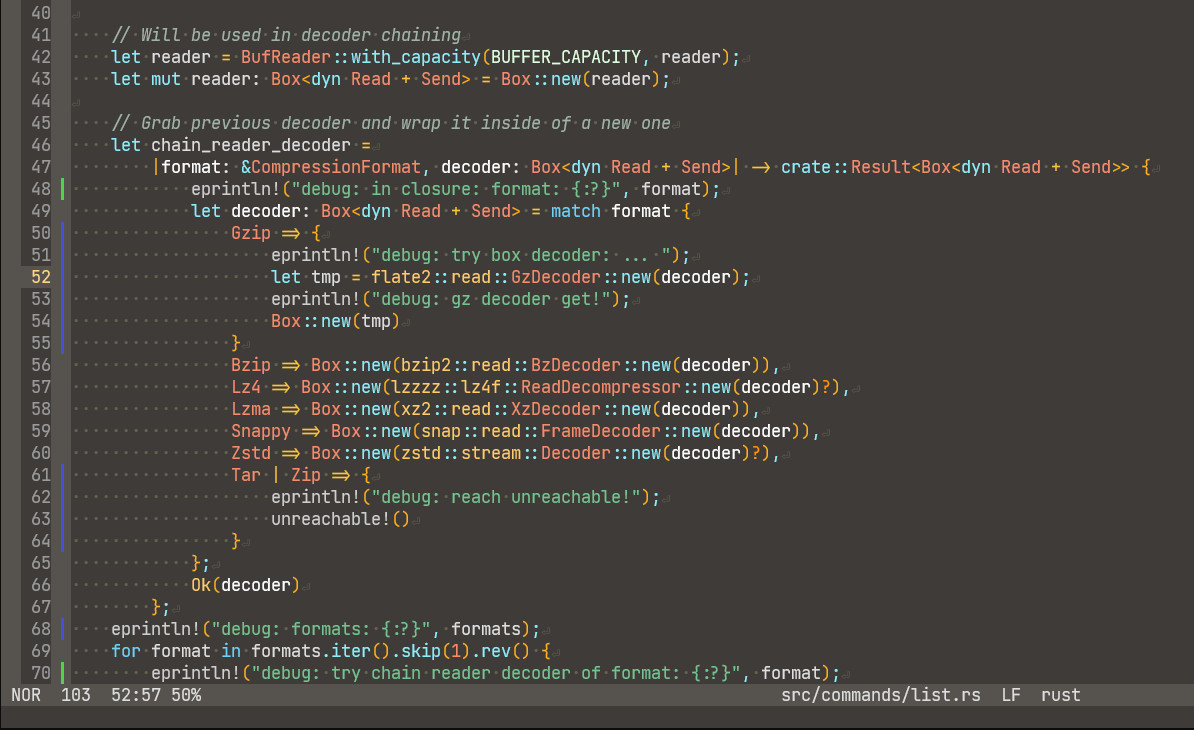
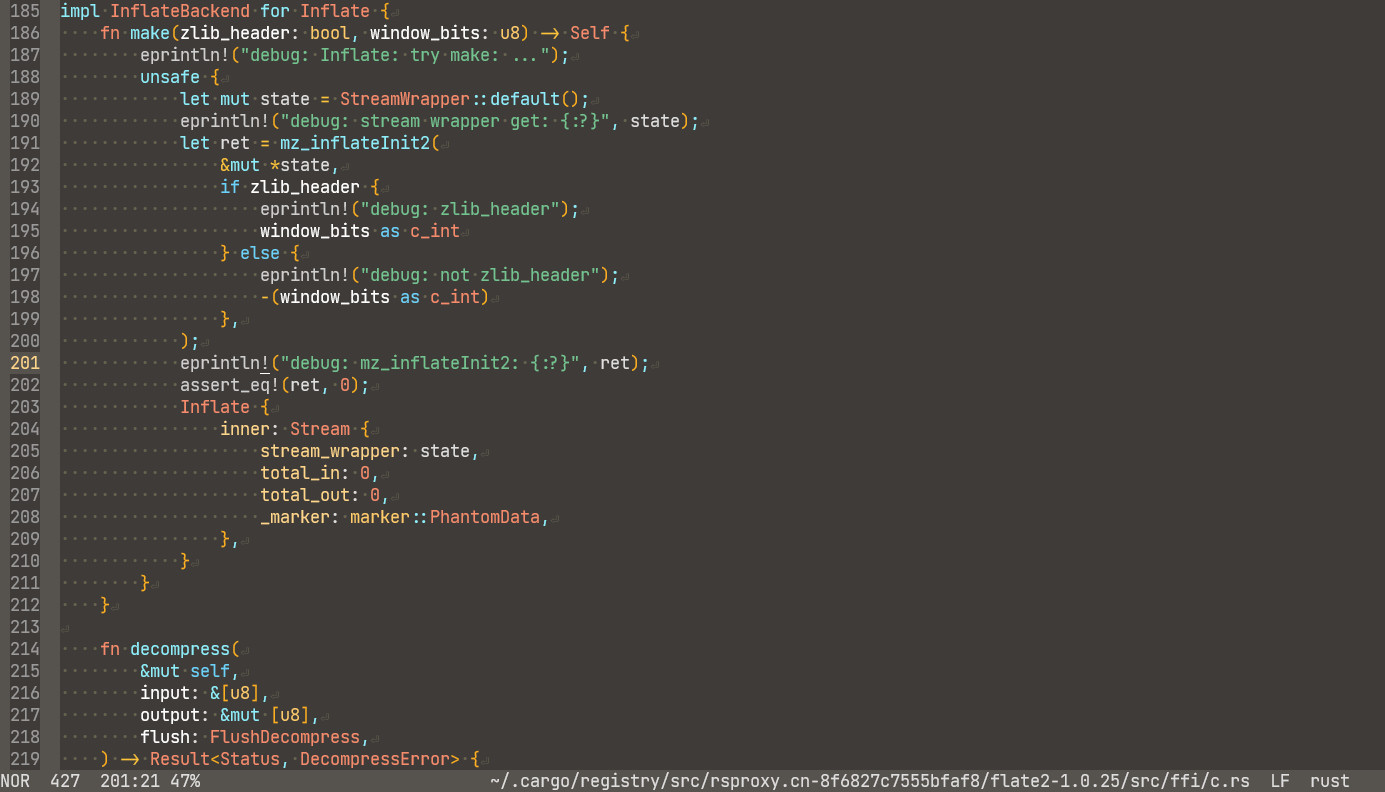

A little more info about this:
I built ouch in ubuntu server 22.04.02 with --target x86_64-unknown-linux-musl, which can be used normally in alpine.
Use ldd against all these three binaries:
(first: prebuilt binary downloaded from github release page; second: binary built in alpine)
 (third: binary built in ubuntu server)

It seems that liblzma and libz should not be dynamically linked when the target is "something"-musl?
But ... how can I link them statically when compiling ouch in alpine?
I think it does get statically linked automatically when compiling with musl in Ubuntu (that's what our CI does).