

 ottomated
Left up part of Among us Window stuck when I open Crewlink
You MUST use this template or your issue will be deleted.
Pre-Flight Checklist
Please use this checklist to avoid spamming:
- [No ] I am not asking a question => use the Discord if you are
- [Yes ] I am using the Steam version of Among Us
- [No ] I have tried to use an alternative voice server
- [Yes ] I have checked everyone in my lobby is on the same CrewLink server
- [Yes ] I have used
Ctrl+Ron the CrewLink app when I can't hear some people (this is a known issue) - [Yes ] I have checked that the CrewLink server I'm using is up to date
- [Yes ] I have a screenshot of any errors
- [Yes ] I have checked that someone else has not reported this using the search bar
Describe the bug
To Reproduce Steps to reproduce the behaviour:
- Go to '...'
- Click on '....'
- Scroll down to '....'
- See error
Expected behaviour
The outcome is a bit different depending if which software I open first ( Among us / Crewlink ) If Among us is already open when I open Crewlink a part of the window of Among us ( up left ) is unusable and it's a screenshot of what was on my screen when CrewLink finished opening ! If Crewlink is already open when I open Among us the WHOLE windows of Among us is unusable and it's a screenshot of what was on my screen when Among us finished opening !I can play the game like if I click on the area of " Online " i will hear the sound effect but the window won't updaye
Screenshots
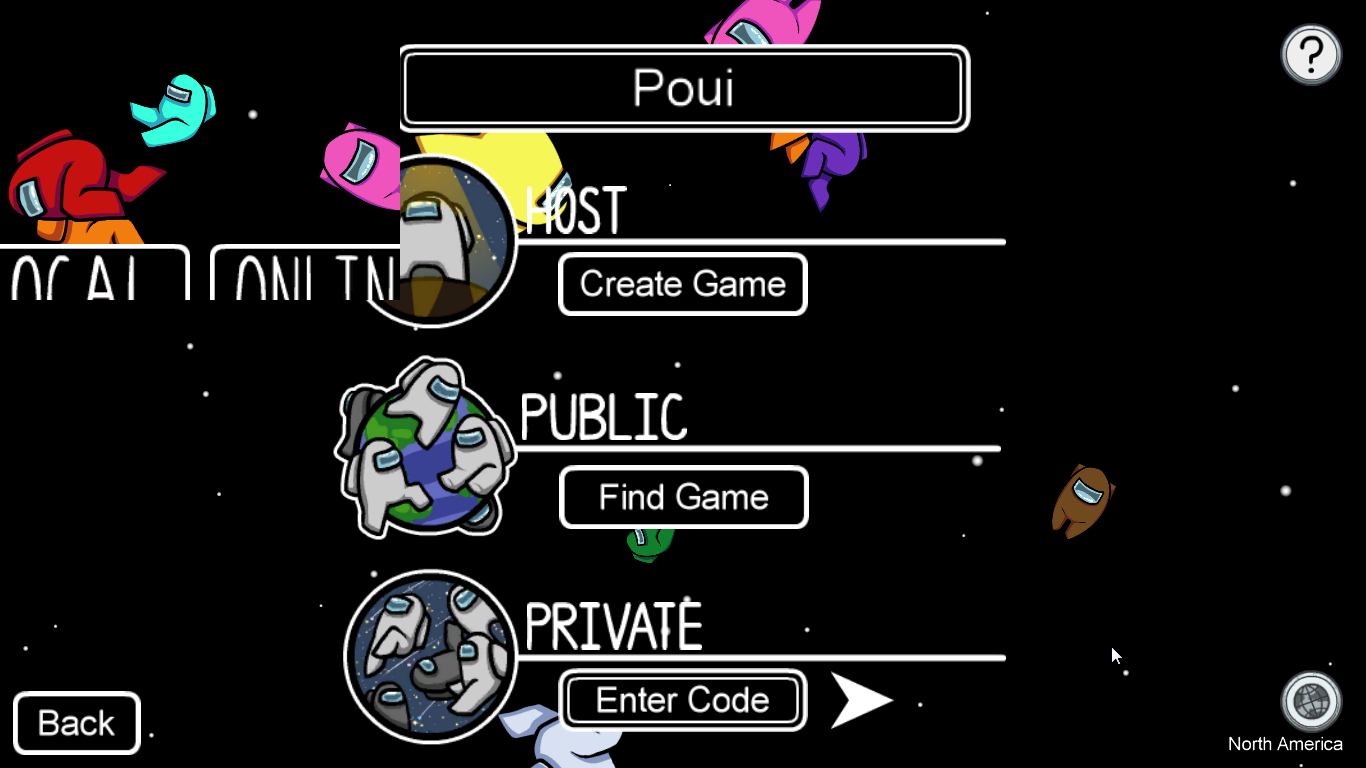
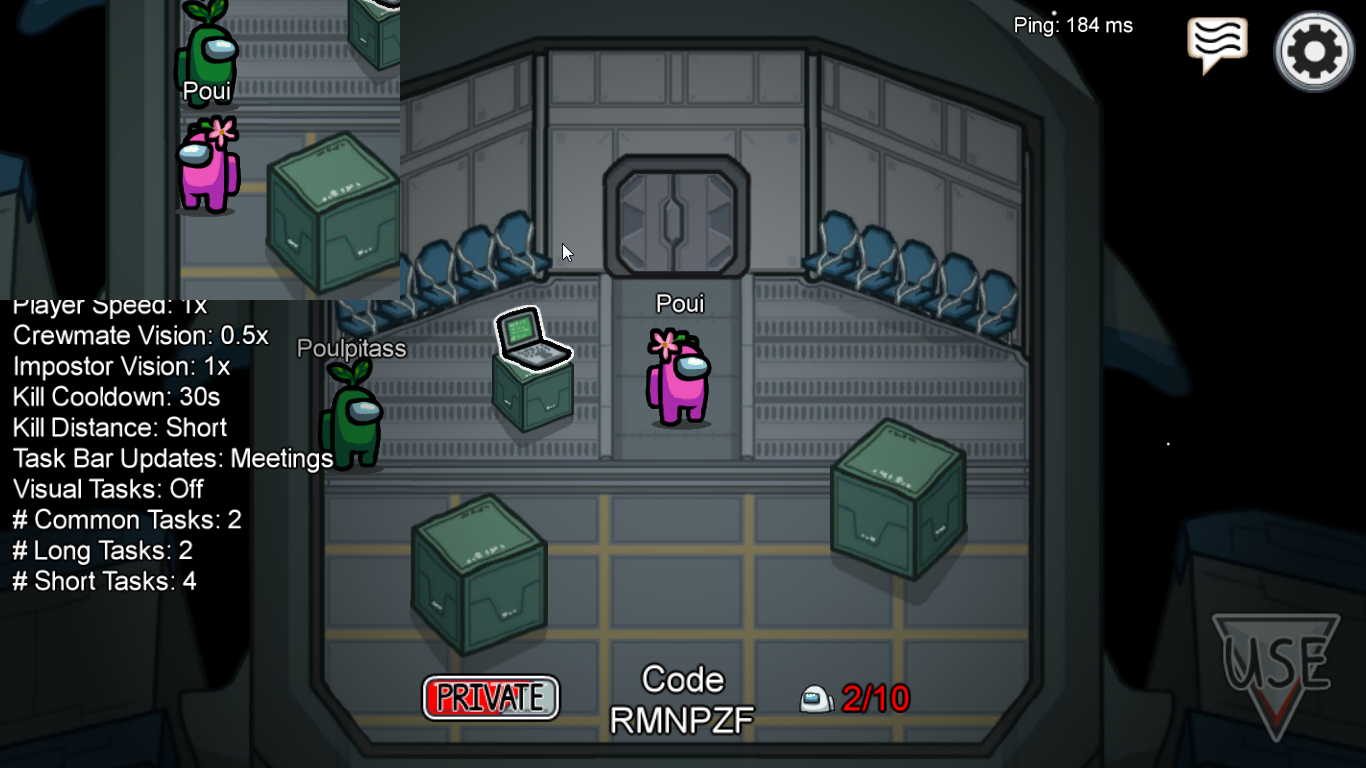 A screenshot of the second case is useless since it's the same frame stuck !
Desktop (please complete the following information):
- OS: Windows 7
- Version: 2.0.1
Additional context
I tried changing the gpu used for both programs ( Intel HD / Nvidia ) / changing the resolution / Closing all the programs i had open in the background ( Discord / Chrome ect )


