

 otfried
LaTeX engine cannot run on Ipe 7.2.29 in macOS Sequoia 15.0
After updating to macOS Sequoia, the LaTeX engine cannot run on Ipe 7.2.29.
It used to run with locally installed TeX Live version 2024 before updating to macOS Sequoia.
In "show configuration", the LaTeX program path is empty as "* Latex program path: " and also other bash commands in my ipelets do not work.
So I guess the Ipe does not have accessibility to the path.
I would appreciate it if you have any suggestions to solve the problem.

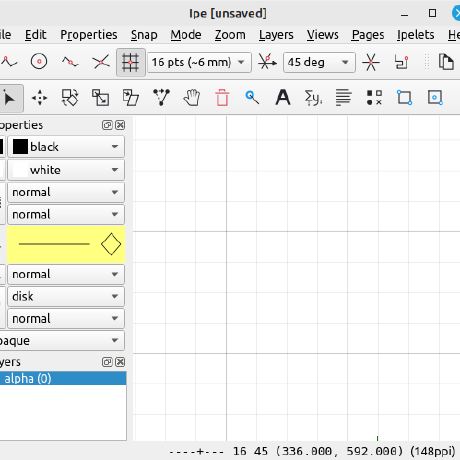
Hmm, that directory is on the path.
I do not know what Apple has changed in Sequoia - if you say that also your other bash commands fail, so it seems Ipe no longer has permission to call commands.
Have you checked in System prefs -> Privacy & Security if there is some setting you need to enable for Ipe?
In System prefs -> Privacy & Security, I added the Files & Folders access to Ipe, but not sure which accessibility setting corresponds to this matter. Currently, there are no pop-ups to need to enable for Ipe.
My environment is MacBook Air M2, 2022 and I am using the installation from ipe-7.2.29-mac-arm.dmg. (But the same thing occurs in the intel version on the same PC so intel/arm could not be the matter.)
I found that if I launch Ipe from Terminal with
sudo open /Applications/Ipe.app
this problem does not occur.
If I launch with
open /Applications/Ipe.app
this problem also does not occur.
The problem occurs when I launch Ipe from Finder or Dock.
Hmm, it could be that when starting with open, it inherits some path settings from the terminal, but that those are not correctly set when starting from the dock.
I really don't know what else to suggest - I am not a Mac user and do not have hardware that can run Sequoia.
Why don't you ask on the discussion mailing list?
I have the exact same problem. IPE cannot run the local TeX Live version 2024 after updating macOS Sequoia. It only works if I open the IPE app from the terminal. Not sure what happened ...

@otfried Thank you for sharing the information about the Ipe discussion mailing list.
I also found the related discussions in the Apple Support Community. https://discussions.apple.com/thread/255779464
This bug is fixed now in the macOS Sequoia 15.0.1
I cannot confirm this, the issue persists for me on 15.0.1.

This problem is fixed in my current environments below: macOS Sequoia 15.0.1 Ipe 7.2.29 with ARM processor Chip Apple M2
This problem has not been fixed yet in my other environment below: macOS Sequoia 15.0.1 Ipe 7.2.29 with Intel processor Processor Intel Core i7
Long-time Ipe user here. Thanks for the great app! I had this problem until just a few minutes ago. I'm running macOS Sequoia 15.0.1 with an Apple M3 processor. What worked for me was to change the Ipe.app dock shortcut target using the guide available here and point it to a custom two-line shell script that basically runs an open /Applications/Ipe.app/Contents/MacOS/ipe command.
The steps I followed were:
-
Close any open sessions of Ipe.
-
Open the
/Applications/Ipe.app/Contents/Info.plistfile with a compatible text editor or IDE and edit the value for theCFBundleExecutablekey (enclosed in<key>tags). The default value for this key isipe(enclosed in<string>tags on the very next line after the key), but you'll have to change this to point to your custom.shfile. Use any name of your choosing other than the default. I'll useipe-app-cmd.shin these instructions. -
In a Terminal session, run the following commands:
-
touch /Applications/Ipe.app/Contents/MacOS/ipe-app-cmd.sh - Add the following in the
.shfile:
#!/usr/bin/env bash open /Applications/Ipe.app/Contents/MacOS/ipe- Make the script executable with
chmod +x /Applications/Ipe.app/Contents/MacOS/ipe-app-cmd.sh
-
-
Run Ipe by clicking the dock icon. The app should run as expected and LaTeX commands should now be parsed correctly. Unfortunately, you'll notice that an annoying Terminal window now opens up everytime you start Ipe. Adding the
-aflag (-gj -aor-j -ato run in the a background) disables the Terminal pop-up behavior, but reintroduces the LaTeX issue. Also, just in case anyone's wondering, changing the scripting language frombashtozshdid not help.
The other bad news is that this 'fix' will need to be repeated if the app is updated. Hopefully, a new Sequoia or Ipe update fixes things. If anyone can get the script command to not launch an unwanted Terminal window everytime Ipe is launched, kindly share.
P.S.: You can revert to the regular setting by simply changing the value of the CFBundleExecutable key from the name of the .sh executable back to ipe and running rm /Applications/Ipe.app/Contents/MacOS/<your-sh-file-name>.sh.

Does it work to create a text file ~/.ipe/ipe.conf with the contents:
IPELATEXPATH=/Library/TeX/texbin
(one line)
See https://otfried.github.io/ipe/80_advanced.html#ipe-conf
Does it work to create a text file
~/.ipe/ipe.confwith the contents:IPELATEXPATH=/Library/TeX/texbin(one line)
See https://otfried.github.io/ipe/80_advanced.html#ipe-conf
Yes, this works for me.
Does it work to create a text file
~/.ipe/ipe.confwith the contents:IPELATEXPATH=/Library/TeX/texbin(one line)
See https://otfried.github.io/ipe/80_advanced.html#ipe-conf
Yes, this works for me as well. Thank you!
Does it work to create a text file
~/.ipe/ipe.confwith the contents:IPELATEXPATH=/Library/TeX/texbin(one line)
See https://otfried.github.io/ipe/80_advanced.html#ipe-conf
Yes, this works also for me.
However, other bash commands in my ipelets still do not work. It is because the ipelets use the command based on the bash PATH setting. (If I use absolute PATH in the ipelets, of course it works but using the command with the bash PATH setting is convenient for sharing the same ipelets file in different environments...)
The remaining problem is, for example, that I am setting the external editor of VSCode in customize.lua as
prefs.external_editor = "code --wait %s"
but the command is based on the PATH inheriting from bash.
Of course, it works with an absolute full path of code but I share the same ipelets file in different environments so a relative path is preferable.
Thanks for the great app!
Does it work to create a text file
~/.ipe/ipe.confwith the contents:IPELATEXPATH=/Library/TeX/texbin(one line)
See https://otfried.github.io/ipe/80_advanced.html#ipe-conf
To confirm, where should we add this file? In /Applications/Ipe.app/Contents/?
Regards,
Prahlad.

In Ipe 7.2.XX it would be .ipe/ipe.conf in your home directory, that is /Users/Username/.ipe/ipe.conf. In 7.3.1, it has changed.
I was having the same issue with the following config after a fresh install of MacTex and IPE (new computer)
IPE 7.2.29 macOS 15.5 (24F74) M4 Pro
Setting the IPELATEXPATH variable in ~/.ipe/ipe.conf fixed it.

In Ipe 7.2.XX it would be .ipe/ipe.conf in your home directory, that is
/Users/Username/.ipe/ipe.conf. In 7.3.1, it has changed.
So, where to download the 7.3.1 dmg package?

I have the same issue now and it isn't getting fixed by creating a text file in ~/.ipe/ipe.conf with IPELATEXPATH=/Library/TeX/texbin.
I am running running Tahoe 26.0.1 on M4 MacBook Pro.

@otfried /Library/TeX/texbin/pdflatex
latex works if I open ipe via terminal using open /Applications/Ipe.app
What do you get when you open Ipe (not from the terminal) and go to Help ➤ Show configuration?
I get a whole bunch of things, can you tell me what specifically you want to know?