

 osfans
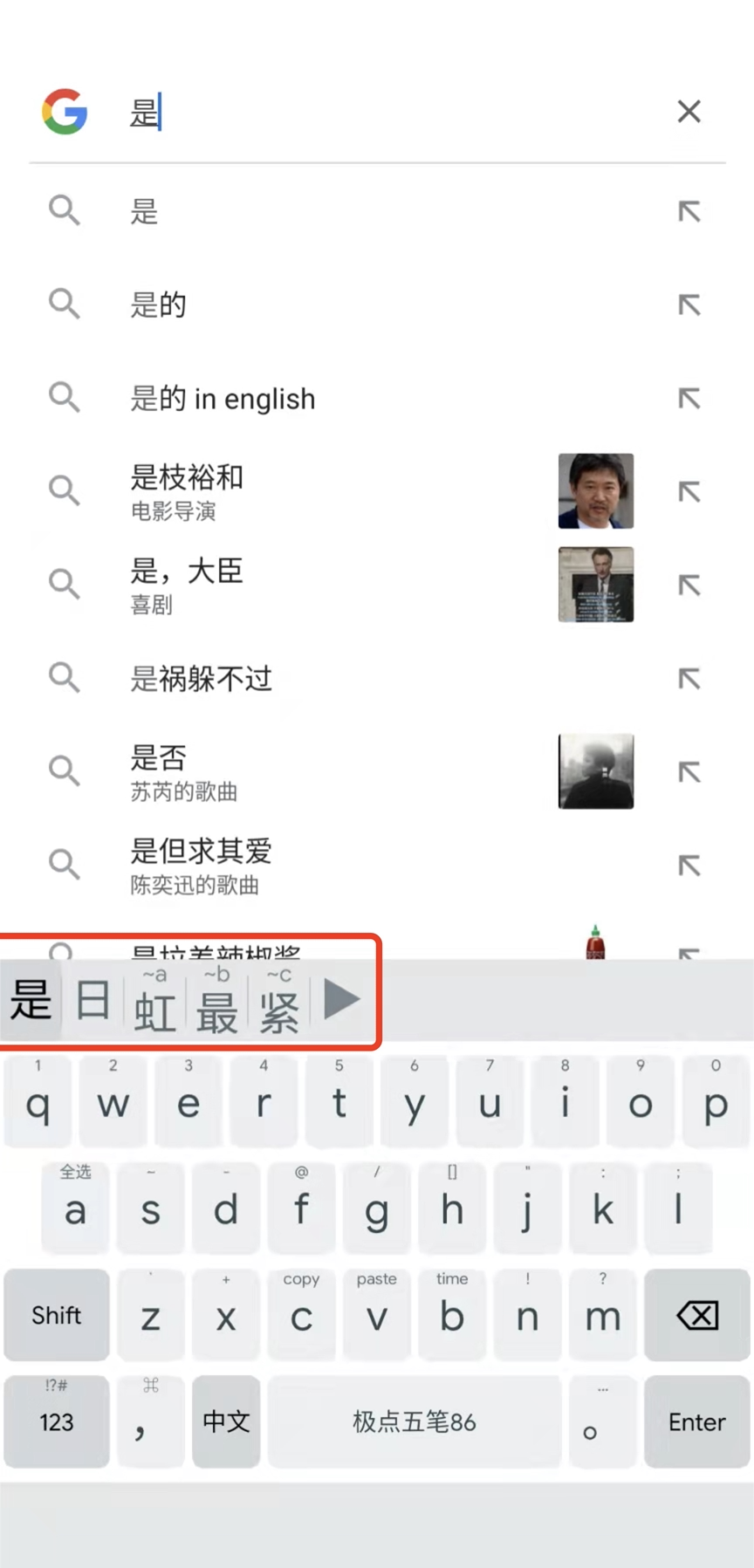
状态栏,候选词高度不一致
Describe the bug 状态栏,候选词高度不一致,3.1.3版本无此问题
Screenshots
Smartphone (please complete the following information):
- Device: [Xiaomi 8]
- OS: [ Android 12]
- Version: [ 3.2.5]
- Theme: [ default]

扒了下代码,每个候选都是重新算的位置,如果要不跳动应该先过一遍要显示的computeCandidate中是不是有任意一个有commentOnTop的显示需求,调整一下应该就可以解决的
当然如果这个状态就是设计意图,那就算了
// Draw candidates
      if (computedCandidate instanceof ComputedCandidate.Word) {
        float wordX = computedCandidate.getGeometry().centerX();
        float wordY =
            computedCandidates.get(0).getGeometry().centerY()
                - (candidatePaint.ascent() + candidatePaint.descent()) / 2;
        if (shouldShowComment) {
          String comment = ((ComputedCandidate.Word) computedCandidate).getComment();
          if (comment != null && !comment.isEmpty()) {
            float commentX = computedCandidate.getGeometry().centerX();
            float commentY =
                commentHeight / 2.0f - (commentPaint.ascent() + commentPaint.descent()) / 2;
            wordY += commentHeight / 2.0f;
            if (!isCommentOnTop) {
              float commentWidth = graphicUtils.measureText(commentPaint, comment, commentFont);
              commentX = computedCandidate.getGeometry().right - commentWidth / 2;
              commentY += computedCandidates.get(0).getGeometry().bottom - commentHeight;
              wordX -= commentWidth / 2.0f;
              wordY -= commentHeight / 2.0f;
            }
            commentPaint.setColor(isHighlighted(i) ? hilitedCommentTextColor : commentTextColor);
            graphicUtils.drawText(canvas, comment, commentX, commentY, commentPaint, commentFont);
          }
        }
        String word = ((ComputedCandidate.Word) computedCandidate).getWord();
        candidatePaint.setColor(isHighlighted(i) ? hilitedCandidateTextColor : candidateTextColor);
        graphicUtils.drawText(canvas, word, wordX, wordY, candidatePaint, candidateFont);
      }


@WhiredPlanck 是年前说的问题不
是啥时候提出的问题我也忘了 …… 不过这确实是我当时的设计意图,本意就是想让没有顶头注释的文字居中放置,但现在看起来不太好看。
当初改动的原因是因为,即使全都没有顶部注释,还是会留出给注释的空隙,我觉得不好看,所以绞一番脑汁后想出现在这个方案。
@WhiredPlanck 是年前说的问题不
是啥时候提出的问题我也忘了 …… 不过这确实是我当时的设计意图,本意就是想让没有顶头注释的文字居中放置,但现在看起来不太好看。
当初改动的原因是因为,即使全都没有顶部注释,还是会留出给注释的空隙,我觉得不好看,所以绞一番脑汁后想出现在这个方案。
先改回去?或许候选中都没有注释的时候占据全部高度
试改了下,让不显示comment、comment_on_top: false、无comment这3种状态下的候选基本居中(有些y坐标参数没有完全消化暂且叫基本居中),然后在有comment和无comment的时候候选会上下跳动,似乎也不是太好看
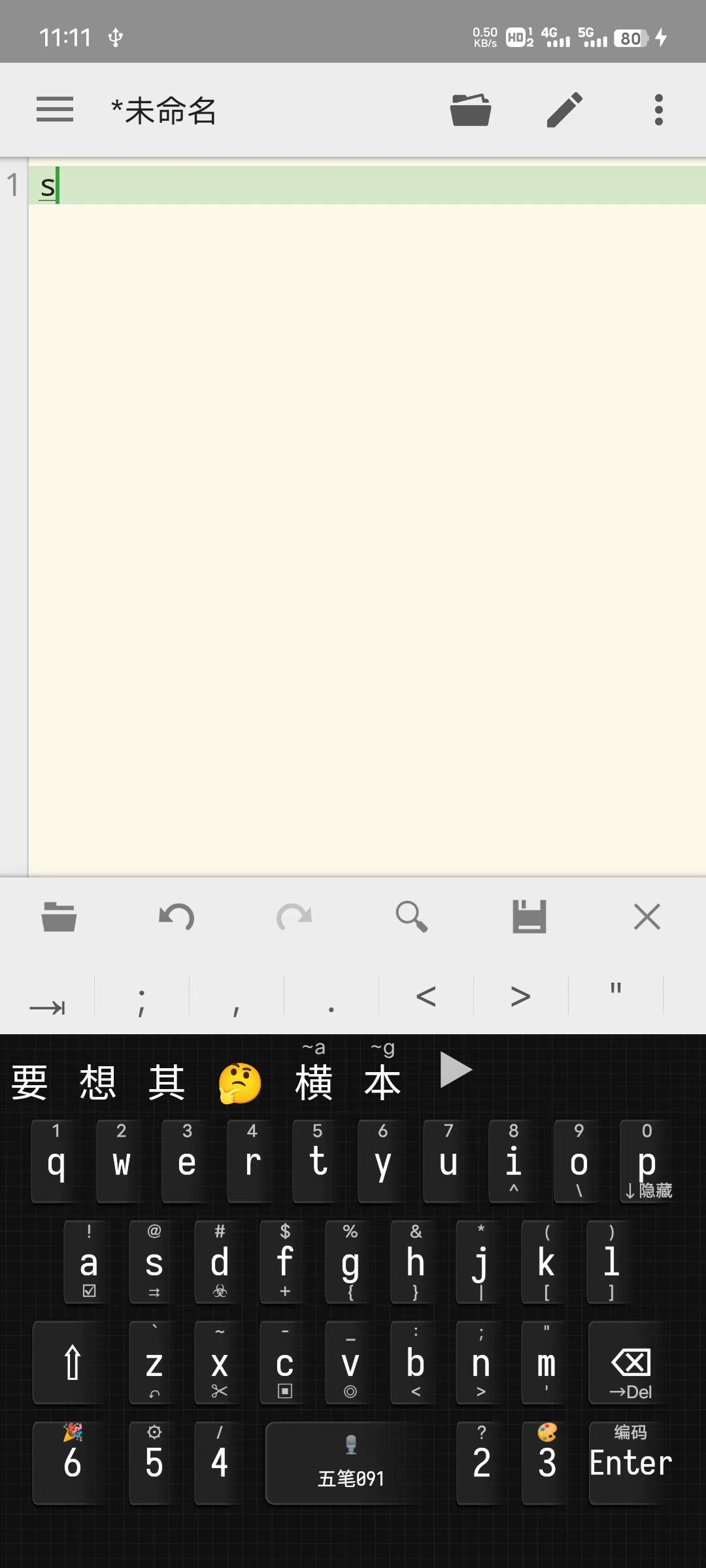
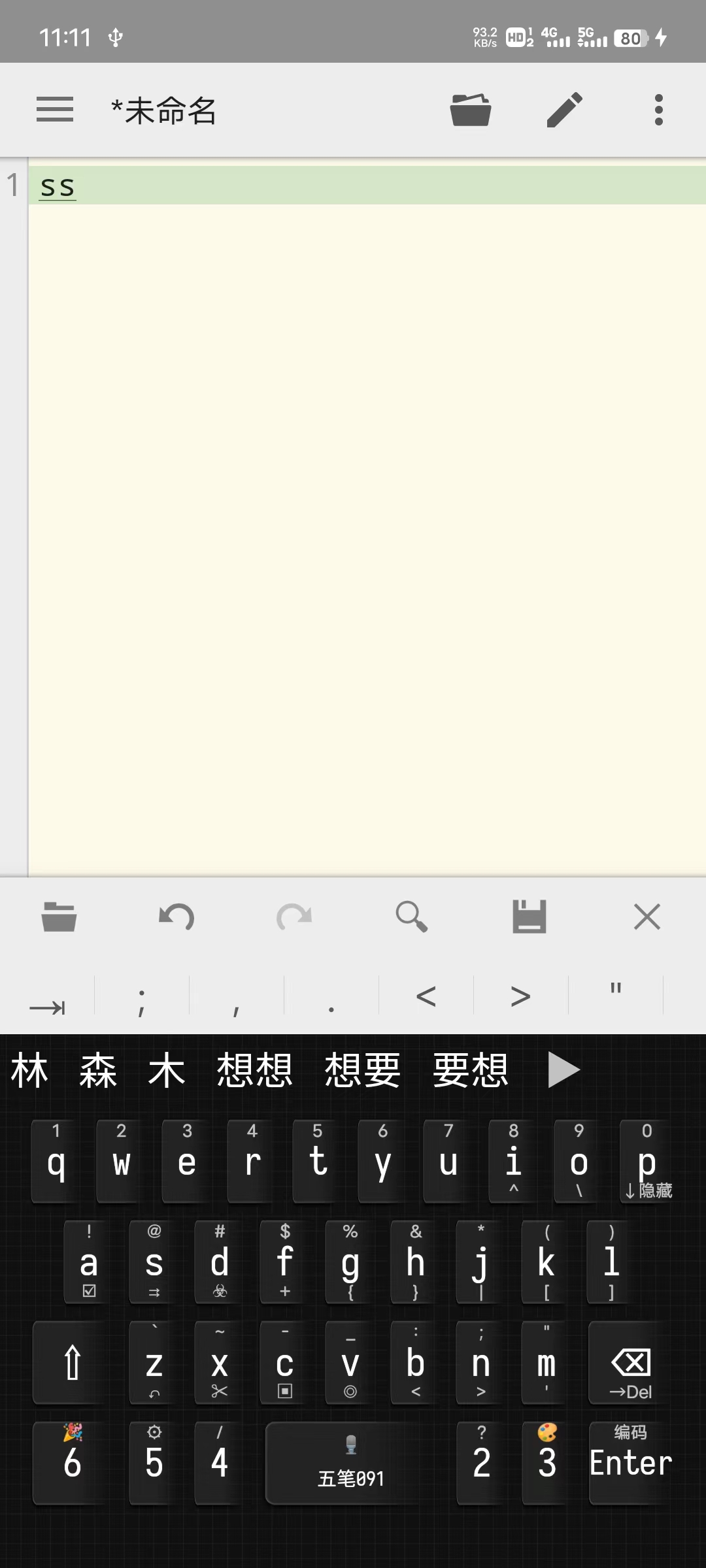
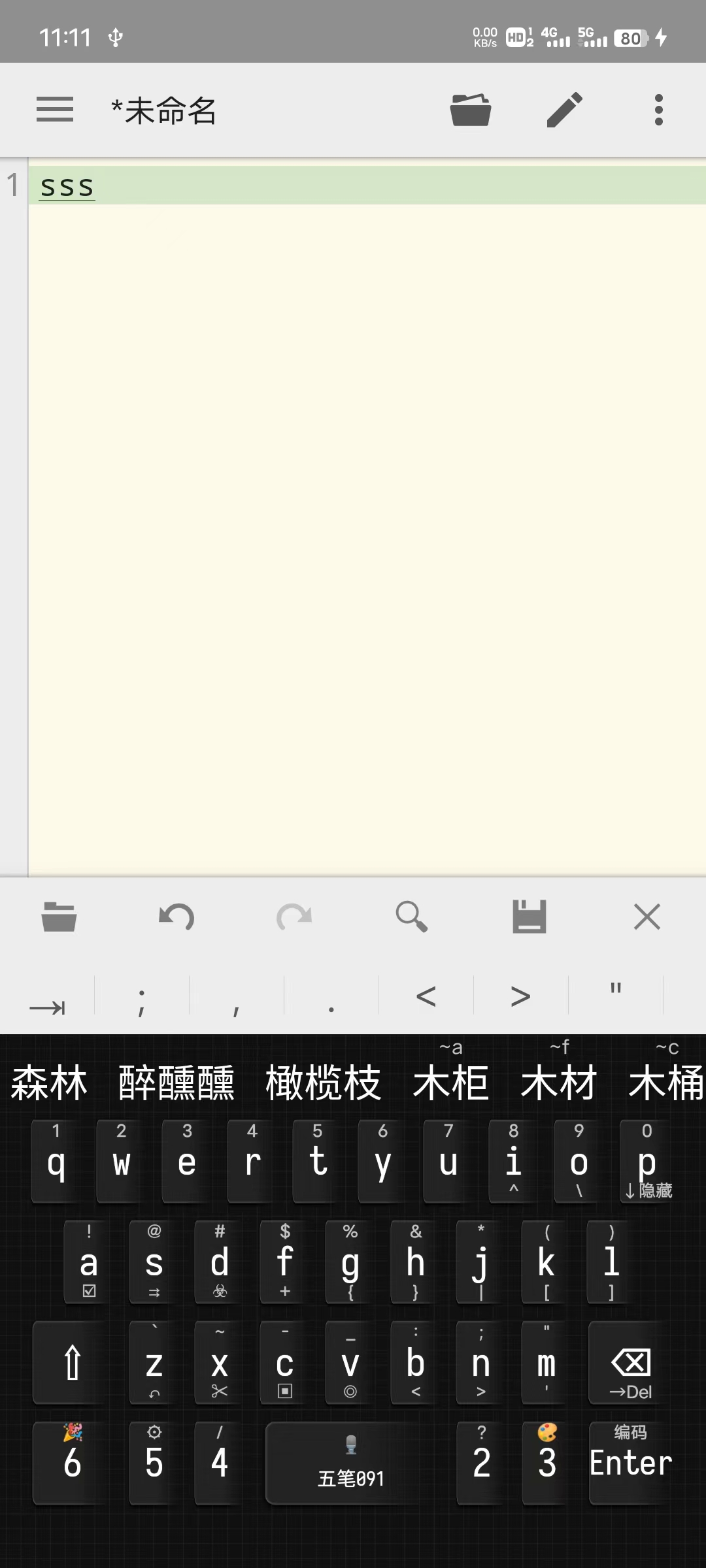
@fxliang 我感觉固定一下整个候选栏的高度就好;我看有 comment 时把候选词都下移一点也还挺舒服的
@WhiredPlanck 现在的候选栏应该是 candidate_view_height 和 comment_height的相加,如果再加一个参数,会怪,算死人,容易出来一些异常状态吧(比如最近改的那个keyboard_height参数和key_height之间的关系就已经让人不好理解)
其实原来的方式comment_on_top为true的时候只要将comment_height和comment_text_size设置合适的大小,就也不会太难看了
另外尺寸相关的最好固定单位才好理解,比如preset_keyboards里面的width是横向的百分比,然后高度方向又另外一个单位(似乎是象素?)就很怪
@fxliang 重构任务艰巨 🤣
建议键盘内的尺寸都用百分比来一表示,实际像素尺寸是height和width分别和keyboard_height和keyboard_width计算获得。
然后keyboard_height和keyboard_width也可以用屏幕百分比来表示,主要是因为键盘不能移出屏幕边沿。 横屏的时候可以用keyboard_height_land和keyboard_width_land设定。 浮动键盘的可以用keyboard_height_float和keyboard_width_float设定。
这样键盘内部的尺寸单位就基本统一了。