

 oroinc
Log output of executed job to table `oro_message_queue_job`
Is it a good idea?
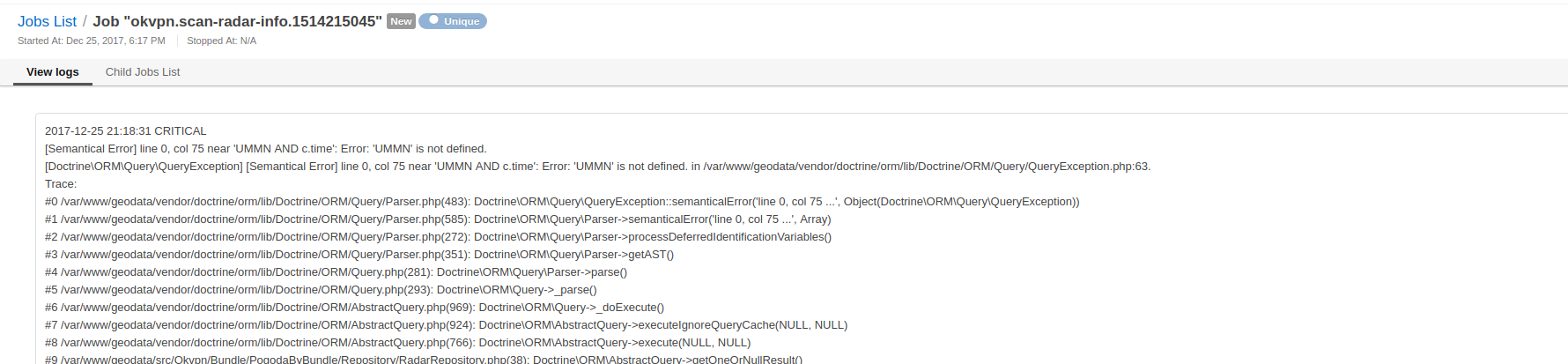
I recently made a cron job to insert millions of rows from another database. I need to know the progress of the job and at one time the cron stopped running due to non-standard character. I found the error by executing the cron in bash, which displayed an error in the terminal. So there is a need to log the output of executed job to the table oro_message_queue_job, which has a column called data. I modified the following:
// vendor\oro\platform\src\Oro\Bundle\CronBundle\Async\CommandRunnerMessageProcessor.php
/**
 * @param string $ownerId
 * @param array  $body
 * @param array  $commandArguments
 *
 * @return bool
 *
 * @throws \Oro\Component\MessageQueue\Transport\Exception\Exception
 */
protected function runRootJob($ownerId, array $body, array $commandArguments)
{
    $commandName = $body['command'];

    $jobName = sprintf('oro:cron:run_command:%s', $commandName);
    if ($commandArguments) {
        array_walk($commandArguments, function ($item, $key) use (&$jobName) {
            if (is_array($item)) {
                $item = implode(',', $item);
            }
            $jobName .= sprintf('-%s=%s', $key, $item);
        });
    }
    // I added parameters $jobRunner, $job to the anonymous function
    return $this->jobRunner->runUnique($ownerId, $jobName, function (JobRunner $jobRunner, Job $job) use ($commandName, $commandArguments) {
        $output = $this->commandRunner->run($commandName, $commandArguments);
        // I log the output to the data column
        $job->setData([
            'output' => $output,
            'arguments' => $commandArguments
        ]);
        // I added data to the root job to show it in gridview
        if (!$job->isRoot()) { // only child jobs are run, added check just to be safe
            $job->getRootJob()->setData($job->getRootJob()->getData() + [$job->getId() => $job->getData()]);
        }
        $this->logger->info(sprintf('Command %s was executed. Output: %s', $commandName, $output), [
            'command' => $commandName,
            'arguments' => $commandArguments,
        ]);
        return true;
    });
}
To see the output in gridview, I add 3 lines to vendor\oro\platform\src\Oro\Bundle\MessageQueueBundle\Resources\config\oro\datagrids.yml:
datagrids:
    ...
        columns:
        ....
            data:
                label: 'Data'
                frontend_type: array
        sorters:
   ...
That works as expected but is it a good idea to do that? I can create a PR if others find it useful.

Hi @kiatng
Same situation here, thanks for posting this question. I fixed my problem using your code but the question remains: what is the purpose of "data" field if it is not used for this purpose?
+1 for adding this functionnality
Thanks

Yes the same, It will very useful for end user.
I also implemented this functional for our projects. My implementation https://github.com/vtsykun/better-oro-bundle#job-logger
Thanks

That's the way how JMS jobs bundle handled jobs output, so few cases to address then:
- DB packet size for a job with a large output will fail a query
- Consumer's slowdown and memory usage when Job#data attribute growth because of a large output.
Check this improvement instead https://github.com/oroinc/platform-application/blob/master/config/config_prod.yml#L51-L56, please

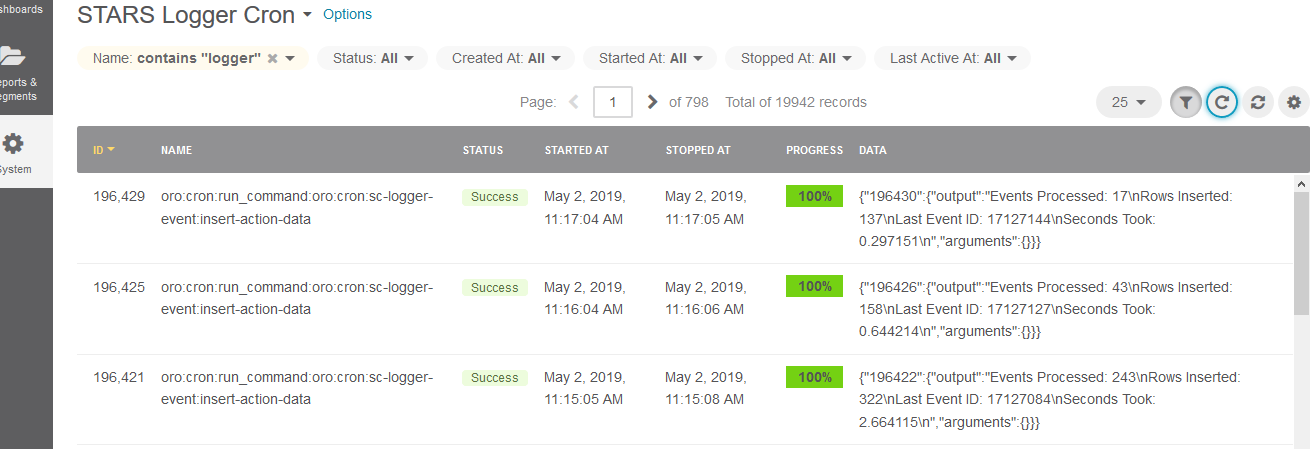
I am not familiar with JMS or anything java for that matter. What I am asking is if it is a good idea to log and display the job output like this in the data column:
@kiatng https://github.com/schmittjoh/JMSJobQueueBundle is a PHP package with Jobs implementation we used before our own Message Queue implementation.
1st case - Please test your solution on DBAL message queue and MySQL database with a default max_allowed_packet value of 4Mb. Generate 5Mb of output and try to write it.
2nd case - run 1000 Jobs with 2-4Mb output each and track consumer memory usage.
As of https://github.com/oroinc/platform-application/blob/master/config/config_prod.yml#L51-L56 non-debug consumer's output logged to consumer_prod.log file according to https://github.com/oroinc/platform-application/blob/master/config/config_prod.yml#L57-L63