

 org-formation
org-formation init-pipeline default parameter `--cross-account-role-name` value is not correct
Subject of the issue
When I run org-formation init-pipeline --build-account-id <accountid> to create a orgformation pipeline in the build account it creates the cross account orgformation role on every account in the organization which is good.
However... the default that's described in the org-formation cli docs for the --cross-account-role-name parameter is wrong: https://github.com/org-formation/org-formation-cli/blob/master/docs/cli-reference.md#org-formation-init-pipeline

If I check in the console on the deployed stack, I see that the role name is different:
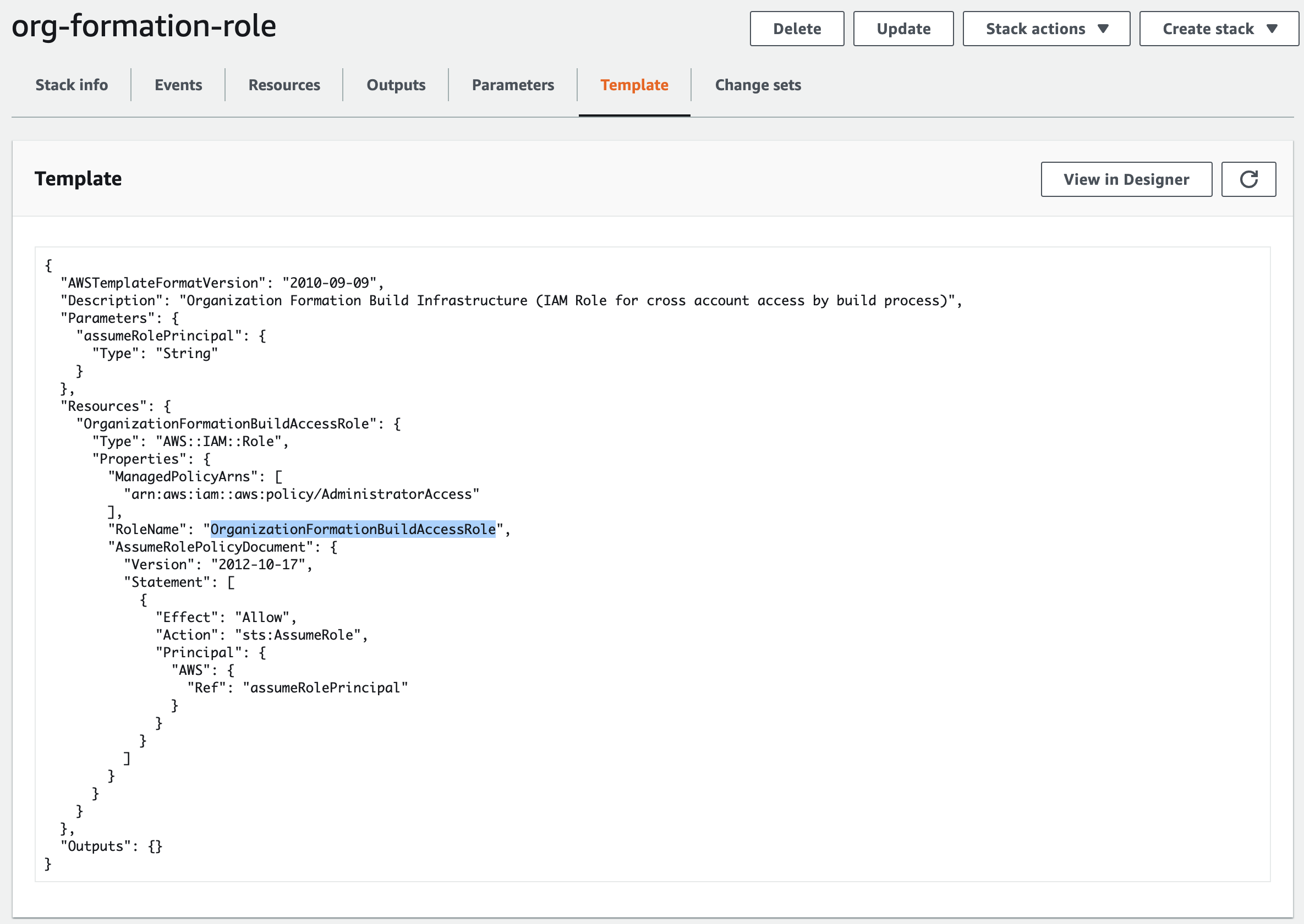
This mismatch is causing the pipeline to get blocked:
[Container] 2022/03/04 08:16:32 Running command npx org-formation print-tasks ./src/org-tasks.yml --output yaml --max-concurrent-stacks 100 --max-concurrent-tasks 100
INFO: Executing: update-organization src/organization.yml.
WARN: AccessDenied: unable to log into account 012345678901. This might have various causes, to troubleshoot:
https://github.com/OlafConijn/AwsOrganizationFormation/blob/master/docs/access-denied.md
WARN: ======================================
WARN: Hi there!
WARN: You just ran into an error when assuming the role OrganizationAccountAccessRole in account 012345678901.
WARN: Possibly, this is due a breaking change in org-formation v0.9.15.
WARN: From v0.9.15 onwards the org-formation cli will assume a role in every account it deploys tasks to.
WARN: This will make permission management and SCPs to deny / allow org-formation tasks easier.
WARN: More information: https://github.com/org-formation/org-formation-cli/tree/master/docs/0.9.15-permission-change.md
WARN: Thanks!
WARN: ======================================
WARN: AccessDenied: unable to log into account 012345678901. This might have various causes, to troubleshoot:
https://github.com/OlafConijn/AwsOrganizationFormation/blob/master/docs/access-denied.md
Your environment
- version of org-formation: 0.9.19
- version of node: v16.14.0
- which OS: macOS
Steps to reproduce
See Subject
Expected behaviour
The default value for --cross-account-role-name parameter should be OrganizationAccountAccessRole instead of OrganizationFormationBuildAccessRole

I believe OrganizationFormationBuildAccessRole is correct and the docs haven't been updated yet. At least, that's how the role is named in my org based on digging through the cli and reference projects.

I think the confusion is about the following:
-
cross-account-role, this is the role that will be used to set up new accounts. it will also be pass into roleName parameter of the createAccount call (see here).
- this role can only be assumed from within the management account
-
build-process-access-role, this can be the same as cross-account-role expect when having a delegated build account. in the screenshot you see the setup for this role (not cross-account-acces).
- this role can only be assumed from within the build account
- the role will be used to deploy resources to the accounts, not to setup the accounts.
did that clear up some of the confusion?

@OlafConijn Thanks for the response, I figured it out but forgot to update this issue.
What happened is that I followed the guide in your ref architecture repo: https://github.com/org-formation/org-formation-reference and since we already have AWS organizations enabled incl aws accounts I ran the command in the cli docs org-formation init organization.yml --region eu-west-1
So it generates the organizations.yml and sets the rolename for the OC::ORG::OrganizationRoot:
  OrganizationRoot:
    Type: OC::ORG::OrganizationRoot
    Properties:
      DefaultOrganizationAccessRoleName: OrganizationAccountAccessRole
But this was causing the error in the pipeline when I initialized it. To solve it I had to add: DefaultBuildAccessRoleName: OrganizationFormationBuildAccessRole to the OC::ORG::OrganizationRoot like so:
  OrganizationRoot:
    Type: OC::ORG::OrganizationRoot
    Properties:
      DefaultOrganizationAccessRoleName: OrganizationAccountAccessRole
      DefaultBuildAccessRoleName: OrganizationFormationBuildAccessRole