

 operator-framework
Installplan gets stuck on "Installing" without resolving fully
Bug Report
What did you do? Trying to install Nvidia GPU Operator on IBM Cloud Openshift cluster - have tried different channels, different namespaces Tried to install via Web Console and CLI following directions in https://docs.nvidia.com/datacenter/cloud-native/gpu-operator/openshift/install-gpu-ocp.html
What did you expect to see? Expected to see the operator installed successfully.
What did you see instead? Under which circumstances?
The Subscription is created and it starts a installplan. But then the installPlan gets stuck on "Installing".
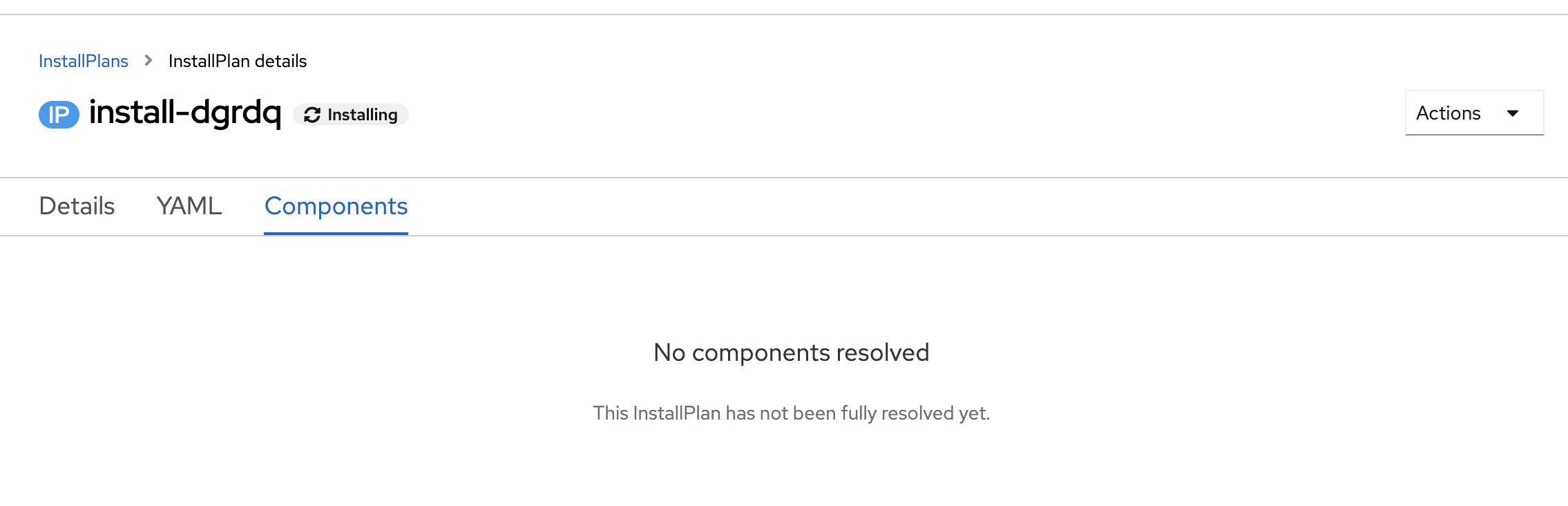
The installPlan YAML shows that it has not started the unpack
apiVersion: operators.coreos.com/v1alpha1
kind: InstallPlan
metadata:
  generateName: install-
  resourceVersion: '151629451'
  name: install-dgrdq
  uid: 5a173979-d2dd-43f4-a012-33c88aa216aa
  creationTimestamp: '2022-04-28T07:29:51Z'
  generation: 1
  managedFields:
    - apiVersion: operators.coreos.com/v1alpha1
      fieldsType: FieldsV1
      fieldsV1:
        'f:metadata':
          'f:generateName': {}
          'f:ownerReferences':
            .: {}
            'k:{"uid":"3079501f-cc73-4c09-b97c-540cc15da871"}': {}
            'k:{"uid":"90a2bd4c-48eb-4dc3-9d5c-bb706ae1e973"}': {}
        'f:spec':
          .: {}
          'f:approval': {}
          'f:approved': {}
          'f:clusterServiceVersionNames': {}
          'f:generation': {}
      manager: catalog
      operation: Update
      time: '2022-04-28T07:29:51Z'
    - apiVersion: operators.coreos.com/v1alpha1
      fieldsType: FieldsV1
      fieldsV1:
        'f:status':
          .: {}
          'f:bundleLookups': {}
          'f:catalogSources': {}
          'f:phase': {}
      manager: catalog
      operation: Update
      subresource: status
      time: '2022-04-28T07:29:51Z'
    - apiVersion: operators.coreos.com/v1alpha1
      fieldsType: FieldsV1
      fieldsV1:
        'f:metadata':
          'f:labels':
            .: {}
            'f:operators.coreos.com/gpu-operator-certified.openshift-operators': {}
      manager: olm
      operation: Update
      time: '2022-04-28T07:29:51Z'
  namespace: openshift-operators
  ownerReferences:
    - apiVersion: operators.coreos.com/v1alpha1
      blockOwnerDeletion: false
      controller: false
      kind: Subscription
      name: gpu-operator-certified
      uid: 3079501f-cc73-4c09-b97c-540cc15da871
    - apiVersion: operators.coreos.com/v1alpha1
      blockOwnerDeletion: false
      controller: false
      kind: Subscription
      name: nvidia-network-operator
      uid: 90a2bd4c-48eb-4dc3-9d5c-bb706ae1e973
  labels:
    operators.coreos.com/gpu-operator-certified.openshift-operators: ''
spec:
  approval: Automatic
  approved: true
  clusterServiceVersionNames:
    - gpu-operator-certified.v1.8.2
  generation: 4
status:
  bundleLookups:
    - catalogSourceRef:
        name: certified-operators
        namespace: openshift-marketplace
      conditions:
        - message: bundle contents have not yet been persisted to installplan status
          reason: BundleNotUnpacked
          status: 'True'
          type: BundleLookupNotPersisted
        - message: unpack job not yet started
          reason: JobNotStarted
          status: 'True'
          type: BundleLookupPending
      identifier: gpu-operator-certified.v1.8.2
      path: >-
        registry.connect.redhat.com/nvidia/gpu-operator-bundle@sha256:7a0e687b8ebe398f66d371cfe148f415018eb614aa9913d177f3a401855699cf
      properties: >-
        {"properties":[{"type":"olm.package","value":{"packageName":"gpu-operator-certified","version":"1.8.2"}},{"type":"olm.gvk","value":{"group":"nvidia.com","kind":"ClusterPolicy","version":"v1"}}]}
      replaces: gpu-operator-certified.v1.8.0
  catalogSources: []
  phase: Installing
Catalog operator does not show any errors for this operator.
time="2022-04-28T07:38:28Z" level=info msg="syncing catalog source for annotation templates" catSrcName=community-operators catSrcNamespace=openshift-marketplace id=X4F7d
time="2022-04-28T07:38:28Z" level=info msg="syncing catalog source for annotation templates" catSrcName=certified-operators catSrcNamespace=openshift-marketplace id=TvGCf
time="2022-04-28T07:38:28Z" level=info msg="syncing catalog source for annotation templates" catSrcName=redhat-operators catSrcNamespace=openshift-marketplace id=GKqyT
time="2022-04-28T07:38:28Z" level=info msg="syncing catalog source for annotation templates" catSrcName=redhat-marketplace catSrcNamespace=openshift-marketplace id=PkHLp
time="2022-04-28T07:38:31Z" level=info msg=syncing id=SOFOD ip=install-dgrdq namespace=openshift-operators phase=Installing
time="2022-04-28T07:38:36Z" level=info msg=syncing id=UNW2q ip=install-dgrdq namespace=openshift-operators phase=Installing
time="2022-04-28T07:38:41Z" level=info msg=syncing id=SYx/u ip=install-dgrdq namespace=openshift-operators phase=Installing
time="2022-04-28T07:38:46Z" level=info msg=syncing id=QYbn+ ip=install-dgrdq namespace=openshift-operators phase=Installing
time="2022-04-28T07:38:51Z" level=info msg=syncing id=k7/fK ip=install-dgrdq namespace=openshift-operators phase=Installing
time="2022-04-28T07:38:56Z" level=info msg=syncing id=SUAPh ip=install-dgrdq namespace=openshift-operators phase=Installing
time="2022-04-28T07:38:59Z" level=info msg="Adding related objects for operator-lifecycle-manager-catalog"
time="2022-04-28T07:39:01Z" level=info msg=syncing id=ISMeg ip=install-dgrdq namespace=openshift-operators phase=Installing
time="2022-04-28T07:39:06Z" level=info msg=syncing id=WFZOd ip=install-dgrdq namespace=openshift-operators phase=Installing
time="2022-04-28T07:39:11Z" level=info msg=syncing id=m2Gxq ip=install-dgrdq namespace=openshift-operators phase=Installing
time="2022-04-28T07:39:16Z" level=info msg=syncing id=9HxsQ ip=install-dgrdq namespace=openshift-operators phase=Installing
time="2022-04-28T07:39:21Z" level=info msg=syncing id=vUGC0 ip=install-dgrdq namespace=openshift-operators phase=Installing
time="2022-04-28T07:39:26Z" level=info msg=syncing id=vgUzg ip=install-dgrdq namespace=openshift-operators phase=Installing
time="2022-04-28T07:39:31Z" level=info msg=syncing id=bpjaB ip=install-dgrdq namespace=openshift-operators phase=Installing
time="2022-04-28T07:39:36Z" level=info msg=syncing id=71e1c ip=install-dgrdq namespace=openshift-operators phase=Installing
time="2022-04-28T07:39:41Z" level=info msg=syncing id=4XxR2 ip=install-dgrdq namespace=openshift-operators phase=Installing
time="2022-04-28T07:39:46Z" level=info msg=syncing id=YCtuv ip=install-dgrdq namespace=openshift-operators phase=Installing
time="2022-04-28T07:39:51Z" level=info msg=syncing id=T5HQ4 ip=install-dgrdq namespace=openshift-operators phase=Installing
Things I have tried
- Tried to see if it was a catalog source issue - other operators from the same source are installing fine
- Tried to see if it was Nvidia issue - another operator Nvidia-network, from the same source installs fine
- Tried to see if it was a namespace issue
- v1.8 of the Nvidia-GPU operator tries to install in the
openshift-operatorsnamespace. I thought that maybe this namespace has some leftover configs that is causing issues. - But other operators are installing fine on it. (even the Nvidia-network one)
- v1.8 of the Nvidia-GPU operator tries to install in the
- V1.9 and above try to install in a dedicated namespace. That gets stuck too. Even tried a non-default namespace.
Environment
-
operator-lifecycle-manager version: quay.io/openshift-release-dev/ocp-v4.0-art-dev@sha256:127823ede404a20059cf484c1f0121bc167e531ffa7af83fe77d9a29960d9e25
-
Kubernetes version information: OCP 4.9.29
-
Kubernetes cluster kind: Openshift cluster on IBM Cloud
Possible Solution
Additional context Thing is it installed correctly for a couple of times when I did it yesterday. I had to uninstall the operator as the later deployments were failing and I was debugging them. But now, I cant even get the base operator pod to start.


@perdasilva No, nothing there too. I have looked into each and every running pod in the openshift-marketplace and the olm namespaces - no errors of any kind
Hi @manishdash12,
Thanks for providing the information, but I believe we need more to successfully triage this issue. Could you provide the details of the unpacker job that OLM creates to persist the bundle contents? It should be in the same namespace that the InstallPlan is in.
Also, if you have access to the events that occur in the cluster, that could provide some hints as well. The events do get recycled though, so if not that's ok. If you could reproduce and keep track of the events and provide those that should be helpful as well.

@exdx Thanks for your reply.
I do not see any job in the namespace that the install plan is in. No pods/deployments/RS etc too. Its a new namespace.
When I search for all Jobs on the cluster, I see a ip-reconciler job in the openshift-multus namespace. This is the only job that has failed.
The status just says 'failed' and there are no associated pods to look for logs. Only thing I can find is a status condition
status:
  conditions:
    - type: Failed
      status: 'True'
      lastProbeTime: '2022-04-27T23:40:22Z'
      lastTransitionTime: '2022-04-27T23:40:22Z'
      reason: BackoffLimitExceeded
      message: Job has reached the specified backoff limit
  startTime: '2022-04-27T23:30:00Z'
  failed: 7