android-client

android-client copied to clipboard
 openMF
Unable to Pin Point location for Client
Summary:
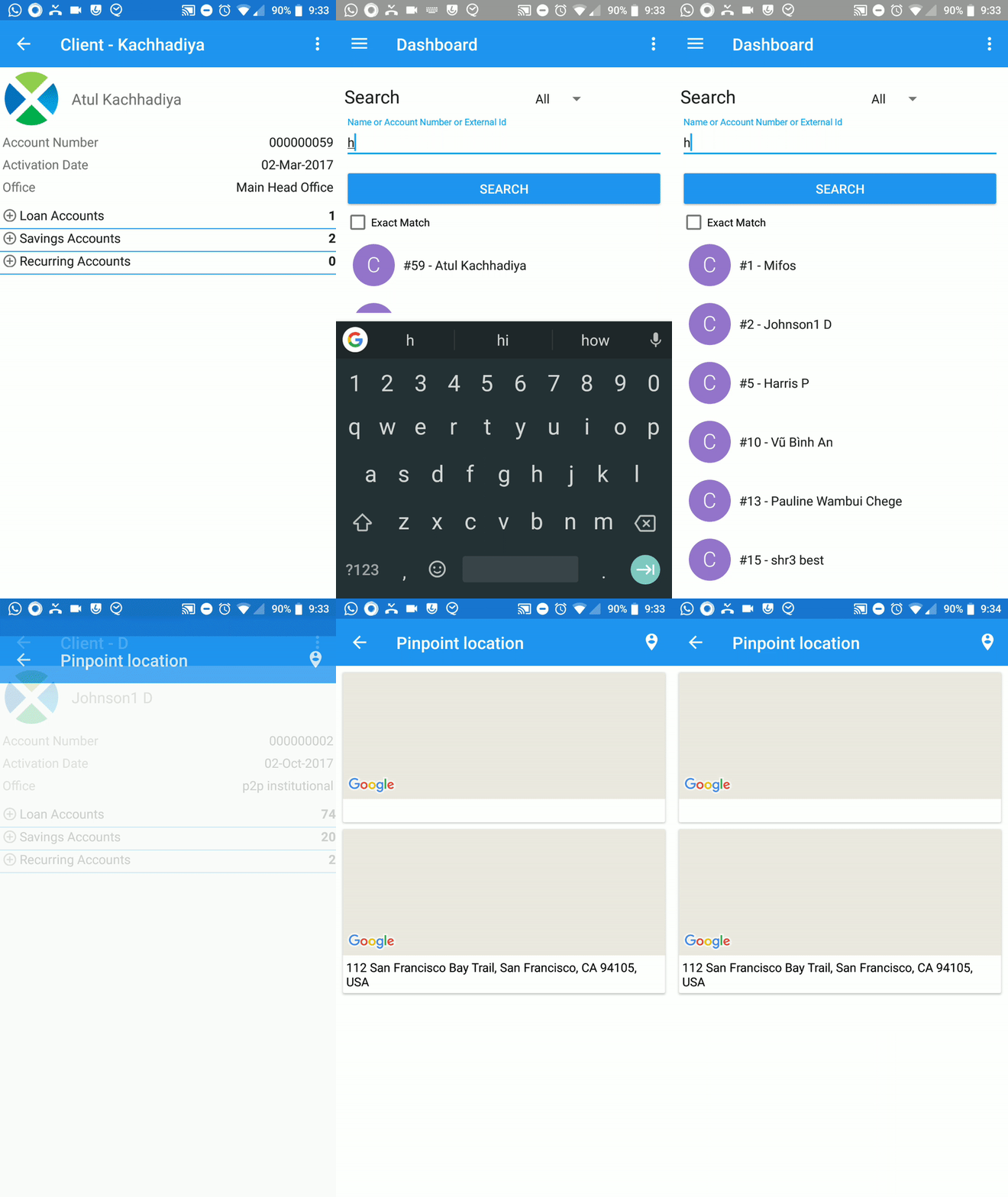
When the user tries to pin point the location of a client to save the address, the activity just crashes.
Steps to reproduce:
- Find any client using the Search feature or the Client list.
- Open the client.
- Click the dropdown at the top right and select Pinpoint location.
- Click the button in the task bar to add an address.
Expected behaviour: The location picking activity should open and let the user choose an location to save.
Observed behaviour: The activity just quits when you open it.
Device and Android version: Redmi Note 4, Lineage OS 15.1
I am working on a fix for this issue.
Screenshots: